 MetaStocker
Stock platforms
Adapt One Metadata Draft for Adobe Stock and Shutterstock
One image can need two slightly different metadata treatments. Adobe Stock and Shutterstock both need accurate, relevant descriptions, but their limits, category handling, and review expectations are not identical. The safest workflow is to create one restrained English draft from what the image visibly shows, then adapt it for each platform instead of copying a long keyword list everywhere.
This guide uses a hypothetical example: a potter shaping a clay bowl in a studio. The goal is not to guess the maker’s identity, location, nationality, occupation beyond what is visible, or whether the scene is commercial or editorial. The goal is to describe the subject, action, material, and useful context that a buyer could reasonably recognize. Review every generated field yourself before export or submission.
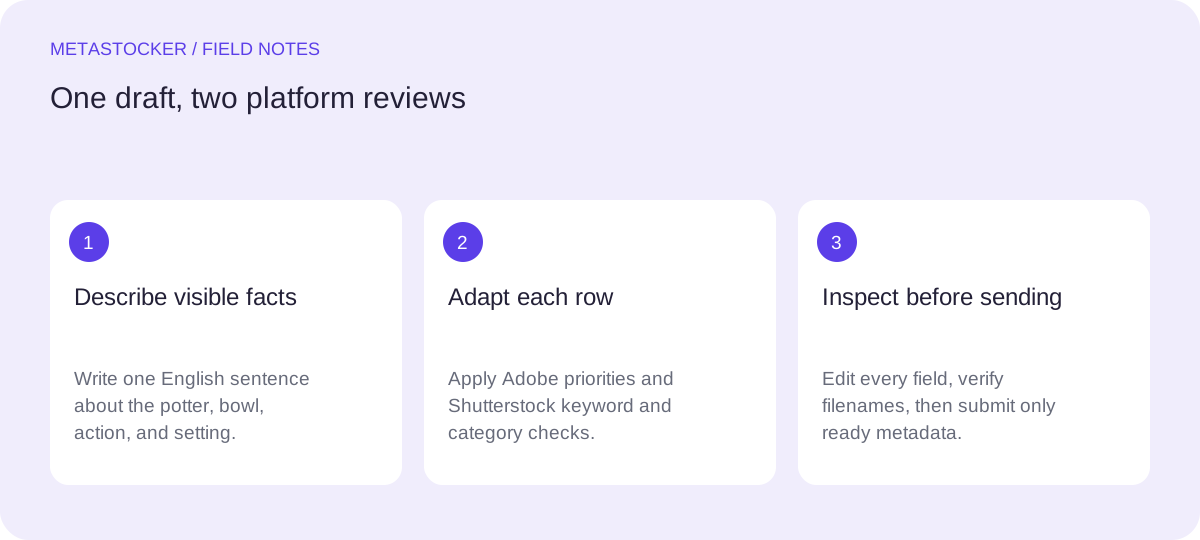
Start with one factual English draft
Write a sentence that describes the visible event rather than a pile of search terms. Begin with the main subject and action, then add material, setting, and composition only when they are actually present. Avoid claims such as handmade by a professional, traditional craft, sustainable production, or local artisan unless you have supporting information.
For the hypothetical image, a useful base draft is: “Potter shaping a clay bowl on a pottery wheel in a studio.” It identifies the person only by the visible activity, names the object and material, and gives a setting without inventing a place or backstory.
Keep the draft in English when the target account or marketplace requires English metadata. A Russian explanation of the workflow does not mean the submitted title and keywords should automatically be translated.
- Describe visible facts, not presumed biography.
- Prefer specific nouns and one clear action.
- Remove decorative adjectives that add no searchable meaning.
Base draft: Potter shaping a clay bowl on a pottery wheel in a studio.
Set the title before expanding keywords
The title should read naturally as a description, not as a keyword inventory. Put the strongest identifying information early: subject, action, and main object. A title such as “Potter Shaping a Clay Bowl on a Pottery Wheel” is clearer than “Ceramics Art Craft Handmade Studio Creative.”
For Adobe Stock, keep the title within the current CSV limit of 70 characters if you plan to use a CSV workflow, and remember that Adobe’s general keyword guidance allows up to 49 keywords. The practical priority is relevance, especially among the first ten terms, rather than filling every available slot.
For Shutterstock, use an accurate descriptive phrase and tailor it to the individual image. A shorter title-like description can work, but it should still sound like a human description rather than a list of tags.
- Lead with “potter,” “shaping,” and “clay bowl.”
- Keep “pottery wheel” only if it is visible.
- Do not use “portrait,” “woman,” “man,” or a named identity unless verified.
Adobe title draft: Potter shaping a clay bowl on a pottery wheel
Shutterstock description: Potter shaping a clay bowl on a pottery wheel in a studio
Build a priority-based keyword set
After the title, turn the remaining visible concepts into keywords. Start with the subject and action, then the object and material, then the process, setting, and useful conceptual terms. Do not repeat the same idea through near-duplicates merely to increase the count.
A disciplined list might include potter, pottery, shaping, clay, bowl, pottery wheel, ceramics, ceramic art, craft, handmade, studio, artisan, making, vessel, workshop, creative process, and craftsmanship. “Handmade” is reasonable only when the image shows the object being made; it should not become a claim about the seller or product origin.
For Adobe, place the most important terms first and keep the total conservative. For Shutterstock, use 7 to 50 relevant keywords, include at least one appropriate category, and remove terms that do not fit this particular frame. The same order can be a starting point, but it is not a reason to skip platform review.
- Priority 1: subject and action.
- Priority 2: object, material, and process.
- Priority 3: setting and restrained concepts.
- Delete irrelevant or repeated terms before export.
Priority order: potter, shaping, clay bowl, pottery wheel, pottery, ceramics, craft, handmade, studio, vessel, workshop, making, ceramic art, craftsmanship.
Worked example: Adobe Stock variant
Imagine the visible frame shows both hands shaping a round, unfinished bowl on a wheel. The wheel, clay, and studio work surface are visible; no sign identifies the person or location. The Adobe version should therefore stay concrete and front-load the strongest terms.
A practical variant is: title “Potter Shaping a Clay Bowl on a Pottery Wheel.” Keywords can begin with “potter, shaping, clay bowl, pottery wheel, pottery, clay, ceramics, ceramic art, craft, handmade, vessel, studio, workshop, making, craftsmanship.” Add only further terms that the image supports. Check the title and keyword language against the contributor account, then inspect the fields in the contributor portal after any import.
If you use a CSV, the filename must match the uploaded asset exactly, including extension and case. Upload the assets first, then import the CSV. Treat the result as a draft to inspect, not as proof of acceptance. The portal and current contributor instructions remain the final authority.
- Use a readable title within the current Adobe CSV limit.
- Keep the first ten keywords especially strong.
- Inspect the imported row before exporting or submitting.
Adobe variant
Title: Potter Shaping a Clay Bowl on a Pottery Wheel
Keywords: potter, shaping, clay bowl, pottery wheel, pottery, clay, ceramics, ceramic art, craft, handmade, vessel, studio, workshop, making, craftsmanship
Worked example: Shutterstock variant
Use the same facts, but review the result against Shutterstock’s contextual metadata expectations. The description should remain a sentence or natural phrase, and the keywords should be specific to this image rather than inherited from a batch.
Variant description: “Potter shaping a clay bowl on a pottery wheel in a studio.” Variant keywords: “potter, shaping, clay bowl, pottery wheel, pottery, clay, ceramics, ceramic art, craft, handmade, vessel, studio, workshop, making, craftsmanship.” Choose at least one category that matches the current submission interface. Do not add a documentary date or location unless those details are verified and the work is being handled under the relevant editorial rules.
The two variants look similar because the underlying image facts have not changed. That is a good outcome: platform adaptation should clarify compliance and priorities, not manufacture extra concepts. Before submission, check the current contributor portal because policies and interface requirements can change.
- Keep the description natural and factual.
- Use 7–50 relevant keywords.
- Review category selection and remove batch-only terms.
Shutterstock variant
Description: Potter shaping a clay bowl on a pottery wheel in a studio.
Keywords: potter, shaping, clay bowl, pottery wheel, pottery, clay, ceramics, ceramic art, craft, handmade, vessel, studio, workshop, making, craftsmanship
Use local generation as a draft assistant
A local metadata generator can help turn the image into editable Adobe or Shutterstock rows, but generation does not replace judgment. In MetaStocker’s local mode, the model runs in the visitor’s browser after the selected model is downloaded and loaded; model memory is different from browser cache. The first download needs internet, and local inference is not a cloud fallback.
Give a mixed batch only facts that apply to every file. For varied pottery images, write separate context or review each row individually. Extra tags can be useful, but a requested tag count is not evidence that every tag is accurate. For video, inspect the full motion because sampled previews may miss important details.
Keep only ready rows, edit doubtful claims, and export after review. The exporter does not upload or submit files, embed metadata into originals, or guarantee acceptance. If you choose an optional personal API mode, treat the key as secret and understand that previews and context are sent to OpenAI.
- Use generation for a first draft, not final approval.
- Review every title, keyword, and category per file.
- Keep original files and exported metadata as separate workflow items.
Before you continue
- Write one factual English draft from visible content.
- Put subject and action first in each title.
- Keep Adobe titles within the current CSV limit when using CSV.
- Prioritize Adobe’s first ten keywords and stay within a conservative 49-keyword maximum.
- Give Shutterstock 7–50 relevant keywords and an appropriate category.
- Remove identities, locations, dates, and claims that are not verified.
- Inspect imported or generated metadata in the relevant contributor portal.
- Check current Adobe and Shutterstock contributor requirements before submission.
Sources and editorial approach
Prepared with AI assistance. Worked examples are illustrative. Automated checks do not replace checking the requirements of your stock platform. How these guides are made.