 MetaStocker
Titles & keywords
How to Keyword Abstract Blue Backgrounds Without Spam
Abstract backgrounds are easy to describe badly. A contributor sees blue curves, glossy-looking highlights, and open space, then produces a long list containing every possible design trend. The result may sound busy while telling a buyer very little about the actual file.
A better approach is to describe what is visible, how it is arranged, and what practical use the composition supports. This guide uses a hypothetical example: a wide blue abstract background with several curved translucent-looking forms rising from the left and an uncluttered lower area. The forms may resemble glass, but the pixels alone do not prove a material, manufacturing process, or 3D render. Metadata should stay with observable visual evidence.
Start with the buyer’s visual problem
Before writing keywords, identify why someone would search for this background. The empty lower area may provide room for a headline, presentation copy, a product label, or a website banner. That is a composition and use-case clue, not a promise that the file will work for every layout.
Separate objective description from interpretation. Objective terms can include blue, curved, abstract, flowing, layered, translucent-looking, smooth, and spacious. Interpretive terms such as glass, crystal, liquid, holographic, or 3D should be used only when the work clearly supports them and the marketplace permits that description.
- Describe visible color, form, texture, direction, and negative space.
- Use design-use terms only when the composition genuinely supports them.
- Do not add subjects, locations, identities, or production methods that are not known.
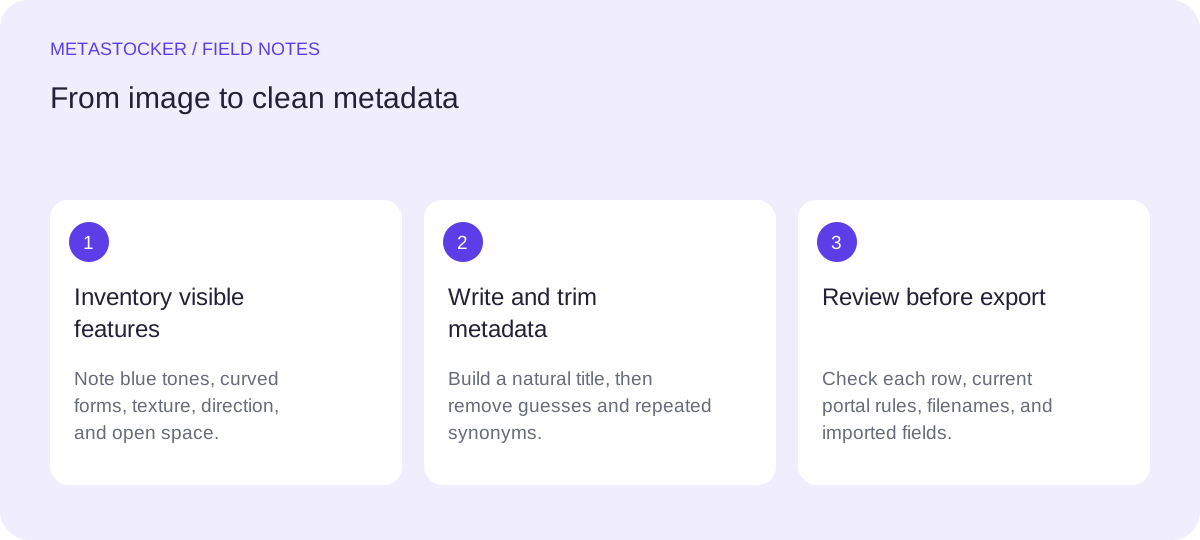
Visual inventory: deep blue and cyan tones; sweeping curved forms; soft highlights; layered appearance; open lower area; wide horizontal composition.
Build a precise title first
A title should read like a short description, not like a keyword list. Put the strongest identifying ideas near the beginning because some contributor guidance gives special attention to the first terms. Keep the wording natural and check the current platform limit before export; Adobe’s CSV guidance currently gives a 70-character title limit.
For the hypothetical file, “Blue curved abstract background with open copy space” is more useful than “Blue background abstract modern design technology banner.” The first version identifies color, form, subject type, and composition. The second repeats broad commercial language and introduces “technology” without visual evidence.
- Lead with the dominant visual subject.
- Mention orientation or copy space when it is clearly visible.
- Remove adjectives that do not help distinguish the file.
Recommended example title: Blue curved abstract background with open copy space
Organize keywords by evidence
Think in small groups rather than searching for a maximum count. Start with the core subject: abstract background, blue background, curved shapes. Add visual structure: flowing lines, layered forms, wave shape, soft highlights, negative space, horizontal composition. Then add carefully chosen uses such as banner, presentation, website header, or backdrop if the format and empty area make those uses credible.
Avoid near-duplicates such as blue, bluish, azure, cobalt, sapphire, and navy unless each meaning is genuinely useful. Do not add “wallpaper,” “poster,” “cover,” and “template” automatically; these may describe different deliverables or buyer intentions. A smaller set of distinct, relevant terms is stronger than a padded list. Adobe’s general keyword guidance permits up to 49 keywords, but a maximum is not a target.
- Use one clear phrase for the main subject.
- Add distinctive visual details before broad marketing words.
- Review every term as if a buyer used it to judge this exact file.
Keyword draft: abstract background, blue background, curved shapes, flowing lines, layered forms, wave shape, soft highlights, translucent-looking, negative space, copy space, horizontal, banner, website header, presentation backdrop
Worked example: edit the noisy draft
Imagine the contributor’s first draft contains: blue, abstract, background, modern, cool, glass, crystal, 3d, render, technology, futuristic, business, template, wallpaper, poster, banner, wave, curves, light, design. It contains useful starting points, but it also mixes uncertain production claims, generic adjectives, and several possible product types.
Edit it in three passes. First, remove unsupported production claims: 3d and render. Second, remove generic or redundant terms: cool, modern, design, business, futuristic. Third, retain terms that describe the visible composition and plausible use: blue background, abstract background, curved shapes, wave, soft highlights, banner, copy space, horizontal. If “glass” is only an impression, replace it with “translucent-looking” or omit it. The final list should describe the asset, not the imagination surrounding it.
- Keep “glass” only when the visual basis is clear and accurate.
- Do not turn a visual impression into a factual manufacturing claim.
- Compare the final list with the actual thumbnail before saving.
Edited example: abstract background, blue background, curved shapes, flowing lines, layered forms, wave shape, soft highlights, negative space, copy space, horizontal, banner, website header, presentation backdrop
Adapt metadata to each marketplace
A single keyword list may need adjustment for different platforms. Shutterstock guidance emphasizes English descriptive metadata, relevant keywords, and avoiding repetition; it currently describes a range of 7 to 50 keywords and requires at least one category. Adobe’s guidance differs in wording and limits, so inspect the current contributor requirements before submitting. Other marketplaces may use different fields or tag limits.
If your contributor account requires English metadata, write the title and keywords in English even when your editorial workflow is Russian. A translated article does not change the language requirement of the destination platform. For a website, treat the task separately: descriptive surrounding text and alt text support Google image understanding, while marketplace keywords affect internal marketplace search. Neither approach guarantees indexing, ranking, sales, or acceptance.
- Check the current portal rules before importing or submitting.
- Choose a category that fits the actual asset.
- Keep marketplace metadata separate from website SEO copy.
English metadata example for an English-language marketplace: Title: Blue curved abstract background with open copy space. Category: Backgrounds or the closest current option.
Review with a local generator, then inspect manually
MetaStocker can generate editable metadata locally in the browser using its supported local vision and thinking models. In local mode, the model runs on the visitor’s device; the first model download needs internet. Loading a model into memory is different from retaining downloaded browser files in cache, and browser storage can be removed or evicted. Start with one local parallel thread and review the output before trying more.
Provide a factual batch description, such as “wide blue abstract background with curved layered forms and an empty lower area.” Do not give mixed files a blanket description. Check each suggested tag against the image, remove unsupported claims, and export only rows that are ready. The exporter can produce marketplace CSV formats, but it does not upload or submit files, embed metadata into originals, or prove that a marketplace will accept the result. Check exact filenames and inspect imported metadata in the relevant contributor portal.
- Use the generator for a draft, not an authority.
- Edit every title and keyword list before export.
- Verify the platform’s current CSV rules and imported fields.
Practical review question: Could a buyer point to this term in the image, or is it merely a mood, trend, or imagined production method?
Before you continue
- Identify the dominant color, forms, texture, direction, and empty space.
- Write a natural title with the most useful facts first.
- Remove unsupported material, software, and production claims.
- Prefer distinct relevant keywords over repeated synonyms.
- Keep English metadata when the target marketplace requires English.
- Review generated suggestions per file and inspect the final portal fields.
- Check current limits, categories, filenames, and CSV rules before submission.
Sources and editorial approach
Prepared with AI assistance. Worked examples are illustrative. Automated checks do not replace checking the requirements of your stock platform. How these guides are made.