 MetaStocker
Titles & keywords
Stock Video Metadata: Separate Pan, Tilt, Zoom and Movement
Stock-video metadata becomes misleading when “movement” describes everything at once. A bicycle can cross a locked-off frame, while the camera can follow it in another clip. Those are different facts, and buyers may search for them separately. The same distinction applies to tilting, zooming, and movement caused only by the subject.
This guide uses one hypothetical worked example. Shoot notes supplied for the example: the clip shows one bicycle crossing a static frame; a second clip follows the bicycle with the camera. No location, rider identity, ownership, date, road type, or camera model is supplied, so none is added to the metadata. The examples are editorial recommendations, not measured search results or customer cases.
Start with the shot facts
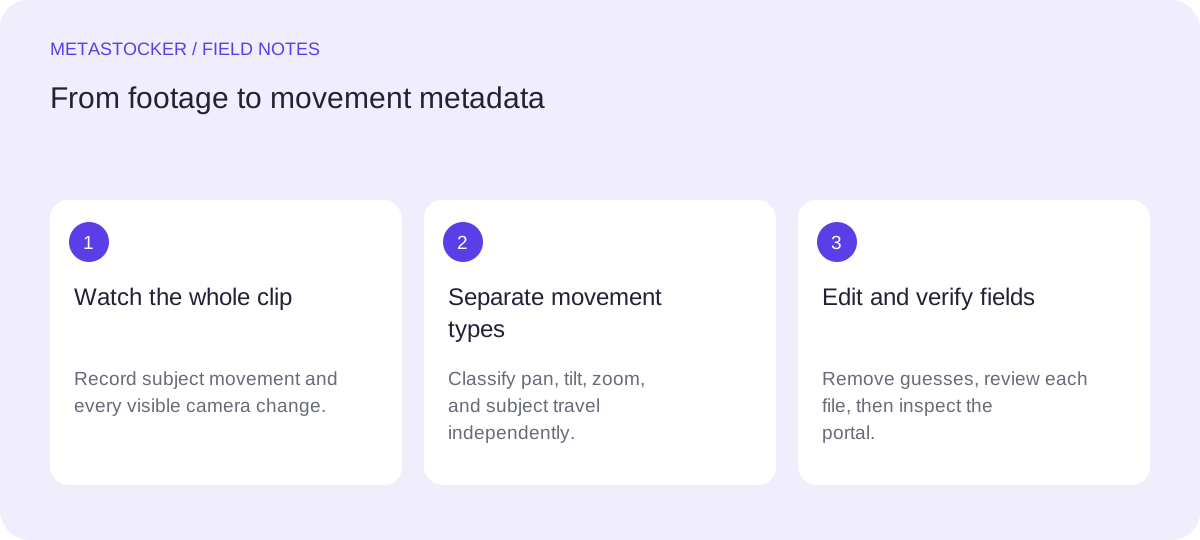
Watch the entire clip before writing keywords. First identify what the subject does relative to the frame. Then identify whether the camera itself changes its view. A bicycle moving from left to right is subject movement even when the camera remains fixed. If the view rotates horizontally to keep the bicycle visible, that is a pan as well as subject movement.
Do not call a clip a tracking shot merely because a person or vehicle travels through it. Tracking describes camera movement that follows or travels with the subject. When the camera is fixed and the bicycle simply passes through, “bicycle crossing frame” is more accurate.
- Locked camera: the frame stays fixed while the bicycle crosses.
- Pan: the camera rotates horizontally, left or right.
- Tilt: the camera rotates vertically, upward or downward.
- Zoom: the lens changes magnification; the camera position may stay put.
- Subject movement: the bicycle, rider, or another visible object changes position.
Separate pan from tilt
Pan and tilt describe the direction of camera rotation, not the direction in which the bicycle travels. A bicycle moving right does not automatically make the shot a right pan. Confirm that the background shifts because the camera rotates horizontally.
A tilt changes the vertical framing. For example, the camera could tilt upward to keep a cyclist in view on a hill. If the frame does not move vertically, do not add “tilt” simply because the bicycle rises in the composition. Avoid stacking both terms unless both movements are visible.
- Use “pan” when the camera sweeps horizontally.
- Use “tilt” when the camera sweeps vertically.
- Use both only when the clip visibly combines horizontal and vertical rotation.
Do not confuse zoom with a move
A zoom changes the subject’s apparent size through lens magnification. A camera operator physically moving closer or farther away is a dolly or forward/backward camera move, even if the result resembles a zoom. The distinction matters because the background perspective can change during a physical move.
Only describe what the footage supports. If the bicycle grows larger because the camera approaches it, use wording such as “camera moves closer” when that is evident. If the camera stays in place and the lens magnifies the scene, use “zoom in.” If neither is clear, omit both terms.
- Zoom in: magnification increases.
- Zoom out: magnification decreases.
- Physical approach or retreat: camera position changes.
- No visible lens or camera change: do not invent a zoom.
Worked example: two bicycle clips
The following metadata is for the hypothetical shoot described in the introduction. The first clip has a static camera. The bicycle crosses the frame from left to right, but there is no supplied location or identity information. The second clip shows the camera following the bicycle while the subject moves. Neither clip is described as a tilt or zoom because the shoot notes do not establish those actions.
Keep the title as a readable description rather than a keyword list. For Adobe Stock, place the strongest concepts early and stay within the current title and keyword rules. For Shutterstock, use English descriptive metadata and a relevant keyword set; include at least one relevant category, and check the contributor portal because requirements can change.
Clip 01 title: Bicycle crossing static frame, locked-off camera
Clip 01 keywords: bicycle, motion, movement, crossing, static camera, locked-off shot

Clip 02 title: Camera follows bicycle
Clip 02 keywords: bicycle, motion, movement, follow shot

Reasoning: “static camera” belongs to Clip 01; “follow shot” belongs to Clip 02. “Zoom” and “tilt” are excluded because they are not established facts.

Shutterstock note: These are incomplete illustrative examples, not Shutterstock-ready submissions: Clip 01 has six keywords and Clip 02 has four. A Shutterstock submission also needs at least one relevant category; verify the current keyword and category requirements in the contributor portal.
Build platform-ready metadata
Write one accurate sentence or phrase for the title, then make keywords precise and individually relevant. Do not repeat variants just to fill space, and do not add broad concepts that the footage cannot support. A contributor can use English metadata even while reading this guide in Russian, because the target platform may require the contributor account’s metadata language to match its rules.
For Adobe Stock, the dossier permits up to 49 relevant keywords and emphasizes the first ten. Shutterstock’s current guidance places keywords between 7 and 50, requires at least one relevant category, and asks for English descriptive metadata. These are platform-specific constraints, so check the current contributor portal before upload.
- Keep camera terms tied to visible camera behavior.
- Keep subject terms tied to what actually appears.
- Exclude brands, identities, locations, dates, and ownership unless supplied and relevant.
- Review each file separately when clips in a batch differ.
Use automation as a draft, not evidence
A local metadata generator can help draft fields from sampled video previews, but sampled previews do not prove the full motion. Inspect the complete clip yourself, especially for a short pan, a brief tilt, or a zoom that may be missed in previews.
MetaStocker’s local mode runs vision and thinking models in the browser through WebGPU workers. It does not provide automatic cloud fallback, and its exporter does not upload or submit files. If you use it, edit the result and export only rows you have checked. A requested number of tags confirms a count, not the truth of every tag.
- Generate a draft per clip, not one blanket description for mixed footage.
- Compare the draft with the full video timeline.
- Remove unsupported movement terms before export.
- Inspect exact filenames and imported metadata in the destination portal.
Before you continue
- Watch the full video, not only a preview.
- Label subject movement separately from camera movement.
- Use pan for horizontal rotation, tilt for vertical rotation, and zoom only for magnification.
- Do not infer location, identity, ownership, date, or equipment.
- Keep English metadata when the target marketplace requires it.
- Check current marketplace rules, including Shutterstock’s 7–50 keyword and at-least-one-category requirements, and inspect imported fields before submission.
Sources and editorial approach
Prepared with AI assistance. Worked examples are illustrative. Automated checks do not replace checking the requirements of your stock platform. How these guides are made.