 MetaStocker
Titles & keywords
How to Choose the First Ten Adobe Stock Keywords
The first ten Adobe Stock keywords deserve deliberate ordering. For a difficult image, the goal is not to fill the field with every visible tool or mechanical part. The goal is to make the central subject, action, and useful context immediately clear. Adobe’s guidance places particular importance on the first ten terms, while the full keyword field can contain up to 49 keywords. This guide uses a hypothetical close-up of hands repairing a bicycle wheel and shows how to choose those opening terms without inventing identity, location, species, ownership, or other facts that pixels cannot prove.
Start with what the viewer is seeing
Describe the photograph as a visual event, not as a parts catalogue. In this scene, the strongest facts are hands, bicycle wheel, and repair activity. A wrench, spokes, rim, and workbench may matter, but they should support the subject rather than displace it.
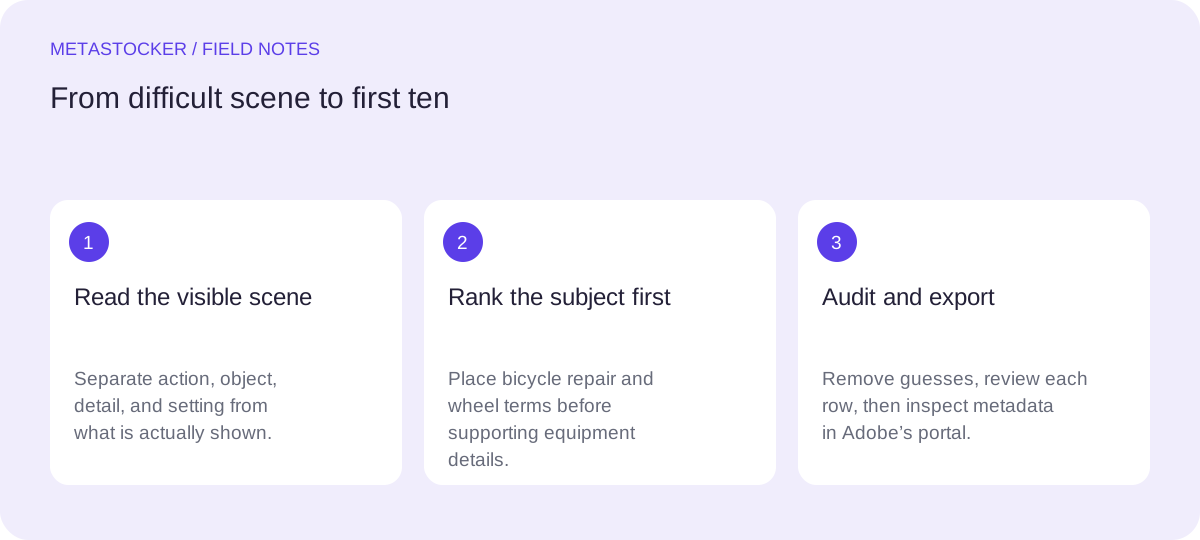
Separate four layers before writing keywords: action, main object, visible detail, and setting. This prevents a technical-looking image from turning into a list dominated by equipment. It also gives you a repeatable way to rank terms when several objects compete for attention.
- Action: repairing, fixing, adjusting, maintaining.
- Object: bicycle wheel, bicycle, wheel, rim, spokes.
- Detail: hands, fingers, wrench, tire, hub.
- Setting: workshop, workbench, maintenance, close-up.
Choose the opening action terms
Ask what is happening in the frame. If the hands are clearly manipulating a tool or component, “repairing” is more useful than a generic term such as “working.” “Bicycle repair” can combine the action and object, but it should not replace all the individual concepts that describe the image.
Do not turn an ambiguous gesture into a precise mechanical claim. If the photograph does not show whether the person is truing, replacing, tightening, or inspecting the wheel, use the broader verified action. Precision is valuable only when the image supports it.
- Prefer a visible action over a vague activity word.
- Use a technical action only when the frame proves it.
- Treat “repairing” as a safer umbrella term than an unseen procedure.
Rank the subject before the equipment
A subject-first list leads with what a buyer would likely search for: the bicycle repair scene. An equipment-heavy list may begin with wrench, spoke, rim, hub, and tire. Those terms can be relevant, yet they describe components before explaining why they are present.
Compare the two approaches for the same hypothetical image. The equipment-heavy version is not necessarily false; it is simply less clear about the main subject in its opening positions. The subject-first version gives the scene a readable spine, then adds the visible technical details.
- Equipment-heavy: wrench, spokes, rim, hub, tire, hands, bicycle wheel, repair, workshop, maintenance.
- Subject-first: bicycle repair, repairing, bicycle wheel, hands, wheel, spokes, wrench, maintenance, workshop, close-up.
Hypothetical example: If the wheel occupies most of the frame and the hands are actively working on it, choose the subject-first sequence. If the image is actually a tight crop of a wrench on a spoke with little visible context, move the tool higher—but only because the composition changed.
Worked example: make ten terms earn their place
Imagine a close-up horizontal photograph: two hands hold a bicycle wheel on a workbench, one hand using a small wrench near the spokes. The background is blurred. No face, brand, location, or exact repair procedure is visible. Based on those limits, the first ten can be built in layers.
The first two terms identify the scene and action. The next three establish the main object. The following three add visible details. The final two provide practical context. This ordering balances search clarity with factual restraint.
- 1. bicycle repair — the central subject.
- 2. repairing — the visible activity.
- 3. bicycle wheel — the specific object.
- 4. hands — the human detail that is actually visible.
- 5. wheel — a broader object term.
- 6. spokes — a visible structural detail.
- 7. wrench — a visible tool in use.
- 8. bicycle — the wider object category.
- 9. maintenance — supported by the repair context.
- 10. close-up — describes the composition.
Title example: Close-up hands repairing a bicycle wheel
First ten keywords: bicycle repair, repairing, bicycle wheel, hands, wheel, spokes, wrench, bicycle, maintenance, close-up
Audit relevance and language
After ranking the first ten, inspect the rest of the proposed list for repetition and unsupported claims. Add terms only when they describe the actual image or a clearly visible use. “Workshop” belongs only if the setting reads as a workshop; a blurred neutral background is not enough. “Professional mechanic” adds a role that the image may not establish.
Metadata language must match the language configured for the contributor account. If the account requires English, keep the keyword list in English even when your editorial notes or blog post are in another language. Also check the current contributor portal because upload limits and validation details can change.
- Remove brands, ownership claims, occupations, and locations that are not shown.
- Do not repeat the same concept through near-duplicate filler.
- Keep the strongest ten focused on the image’s actual buyer-facing subject.
- Use the portal’s current requirements before final submission.
Use MetaStocker as a draft, then edit
MetaStocker can generate editable metadata locally in the visitor’s browser. Its local vision and thinking models run through WebGPU workers on the visitor’s device; the default local model is Gemma 4 E2B. A contributor can load a model, provide the image, and use the result as a starting point, but generated ordering is not proof of accuracy.
Give a single image-specific description rather than a blanket instruction for a mixed batch. Then review every suggested keyword, especially the first ten. Remove guesses about identity, profession, brand, location, or exact mechanical action. Export only rows that are ready. The exporter can create Adobe CSV output, but it does not upload the file, guarantee acceptance, or embed metadata into the original image.
- Load the local model deliberately; the first download needs internet.
- Begin with one local parallel thread and test additional threads only if useful.
- Review editable results per file before exporting.
- For CSV workflows, upload assets first and inspect imported metadata in the contributor portal.
Before you continue
- Identify the central action and object before listing tools.
- Rank the first ten by subject clarity, not by how technical the image looks.
- Use only details visible in the frame.
- Avoid inferred identities, occupations, brands, locations, and ownership.
- Match metadata language to the contributor account.
- Check current Adobe requirements and inspect the portal after CSV import.
- Edit generated suggestions before exporting a ready row.
Sources and editorial approach
Prepared with AI assistance. Worked examples are illustrative. Automated checks do not replace checking the requirements of your stock platform. How these guides are made.