 MetaStocker
Contributor workflow
How to Choose an AI Stock Keywording Tool in 2026
The best AI keywording tool is not necessarily the one with the most impressive demo. It is the one that fits your files, marketplace rules, privacy needs, and review habits. A useful comparison should answer five practical questions: where does inference happen, can the model be reused, can you correct every result, does the CSV match the target platform, and can you control mixed batches?\n\nThis guide gives you a repeatable way to compare tools with the same user-owned sample. MetaStocker is one candidate because its local mode runs vision and thinking models in the browser, but the workflow does not assume it is objectively best. Check the current contributor portal before uploading because marketplace requirements can change.
Start with a controlled comparison
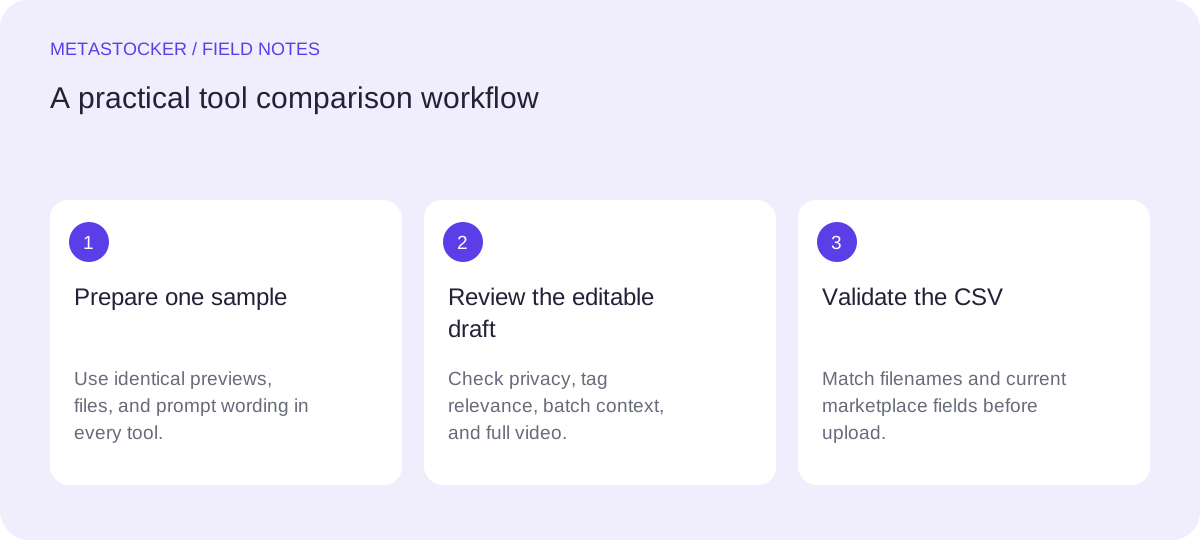
Choose a small sample that represents your real queue: for example, three food photos, two urban images, and one short video. Keep the originals and previews in a separate folder. Write down the same prompt or batch description for every tool, then compare the editable output rather than the first-screen impression.
Measure practical fit instead of invented performance claims. Record whether the tool identifies the subject correctly, whether the first terms are useful, how much cleanup is needed, and whether the export can be inspected before submission. These observations are your own evaluation, not a guarantee of sales, ranking, or acceptance.
- Use identical previews and wording in each test.
- Include at least one mixed or difficult file.
- Keep a human review step before export.
Example test note: “Six files; English metadata; compare subject accuracy, repeated tags, editing effort, and CSV columns.”
Check privacy and inference location
Privacy starts with understanding where images and prompts go. MetaStocker's local mode performs inference on the visitor's device using WebGPU workers; it does not use an AI server for that inference. Local mode needs no account or API key. Its optional OpenAI mode is different: previews and context are sent to OpenAI using the user's own key, so the key must be protected and the data path should be acceptable to you.
A browser feature is not a privacy promise by itself. Confirm whether the service stores uploads, retains prompts, or uses them for other purposes. Also separate local model memory from browser cache: a model loaded into memory is active for inference, while cached files may later be evicted by the browser.
- Prefer local processing for files that should stay on your device.
- Read the tool's data-flow and key-handling explanation.
- Do not paste a private API key into a public client-side tool.
Evaluate model download and cache behavior
A local tool may require a substantial first download and a compatible browser, GPU, and driver. MetaStocker offers explicit Download and Load controls for its local models, can unload a model from memory while retaining cached files, and can delete those browser model files. That gives you useful control, but it does not promise permanent storage or full offline use.
Start with the smallest suitable model and one local parallel thread. If your device remains responsive, test a second thread; each local thread can load its own model copy, which increases memory pressure. A good tool explains what happens when memory is insufficient instead of implying that every browser can run every model.
- Confirm the first-download internet requirement.
- Record whether cache deletion is understandable and reversible enough for your workflow.
- Test one thread before increasing parallelism.
Inspect editing, tag order, and batch control
AI output is a draft. You need to edit titles, descriptions, and keywords per file, remove guesses, and catch repeated or irrelevant terms. A requested tag count is only a formatting check, not proof that the tags are accurate. Do not infer a person's identity, ownership, release status, location, or species from pixels.
Batch context should describe facts shared by the whole batch. In MetaStocker, the batch description is sent with generation, so a blanket phrase can contaminate mixed files. Extra tags may be inserted at selected positions, but each result still needs file-level review. For video, sampled previews cannot represent every moment; inspect the full motion yourself.
- Delete uncertain identity, location, and ownership claims.
- Use batch descriptions only for genuinely shared facts.
- Review video against the complete clip.
Verify the CSV before it reaches a marketplace
A usable exporter is not the same as an automatic submission system. Adobe's CSV workflow maps filenames to titles and keywords, with optional categories and release filenames. The current Adobe guidance gives a 70-character title limit, while the general keyword guidance permits up to 49 keywords; use the conservative maximum and check the current upload screen. Upload assets first, then inspect the imported metadata. Filenames, including extension and case, must match.
Other marketplaces have different rules. Shutterstock requires English descriptive metadata, 7 to 50 relevant keywords, and at least one category. Envato limits vary by content type, and one CSV schema should not be assumed to fit every item. A tool should let you export a ready row, but you remain responsible for portal validation and submission.
- Open the CSV as plain text and inspect headers, quoting, and filename case.
- Keep keywords relevant rather than filling the maximum.
- Check current contributor requirements immediately before upload.
Example Adobe-style review row:\nFilename: cafe-window-07.jpg\nTitle: Quiet cafe window with coffee and rain\nKeywords: cafe, coffee, rain, window, interior, beverage, cozy, morning, urban, reflection
Run the same sample and choose deliberately
Use a simple scorecard with five columns: privacy fit, cache control, editing quality, batch control, and export fit. Give each candidate notes rather than pretending the scores are universal. A tool that produces fewer cleanup edits may still be unsuitable if its data policy is wrong for your archive. Conversely, a local tool may suit sensitive work while requiring more browser setup.
For MetaStocker, test the default Gemma 4 E2B model first, then compare another available local model only if your device can handle it. Load the sample, describe shared facts, edit every row, and export only rows you would personally inspect in the target portal. The result of this exercise is a workflow decision, not a claim that one product wins for everyone.
- Choose based on your constraints and review time.
- Keep the original files untouched.
- Treat the contributor portal as the final authority.
Example decision: choose the local workflow for private previews, accept one-thread processing, and reject any row containing an unsupported species or guessed location.
Before you continue
- Test every candidate on the same user-owned sample.
- Confirm where images and prompts are processed.
- Distinguish loaded model memory from browser cache.
- Try one local thread before testing parallel work.
- Edit titles and keywords file by file.
- Use batch context only for shared facts.
- Inspect CSV headers, filenames, limits, and quoting.
- Check the current marketplace portal before upload.
- Do not infer sensitive facts from pixels.
- Export only rows that pass your own review.
Sources and editorial approach
Prepared with AI assistance. Worked examples are illustrative. Automated checks do not replace checking the requirements of your stock platform. How these guides are made.