 MetaStocker
Contributor workflow
How to Audit Stock Keywords for Spelling and Duplicates
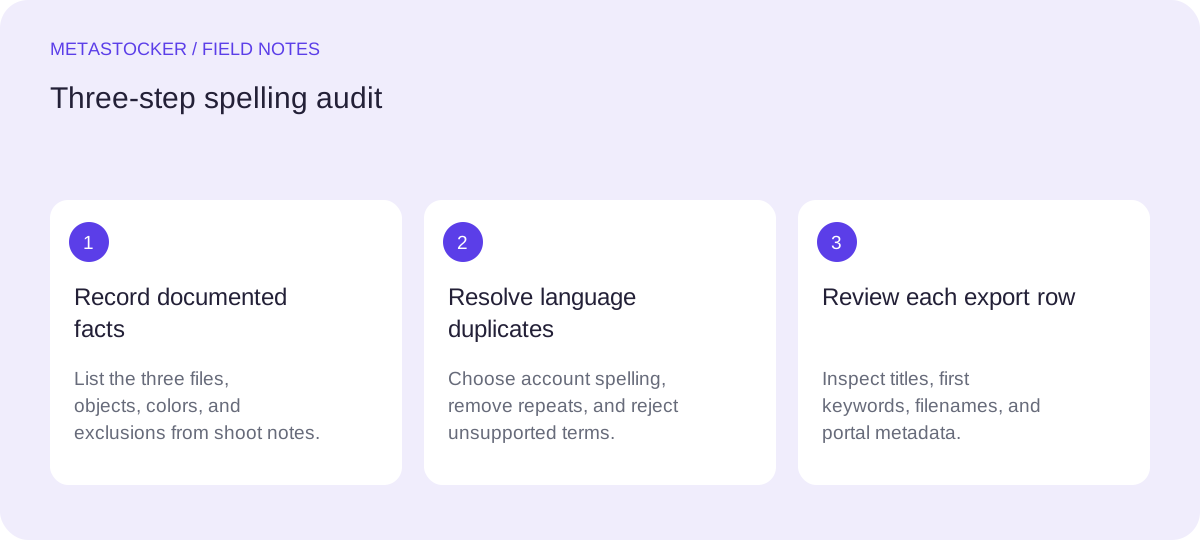
A spelling audit should make stock metadata clearer without quietly changing what the image shows. The main decisions are language variant, established terminology, and duplicate removal. Do not treat American and British spelling as interchangeable decoration: the marketplace or contributor account may require one language, while an editor may still need to preserve a recognized compound term. This guide uses one concrete example throughout. The photographer’s shoot notes state that the set contains three studio still-life photographs made on a white tabletop: a red ceramic mug, one lemon, and a folded blue linen napkin. The notes state that there are no people, brands, or location details. Those facts are the basis for the metadata; nothing else is inferred from pixels.
1. Choose the required language first
Start by checking the current contributor settings and item-specific rules. Adobe Stock says metadata language must match the contributor account, and its current guidance allows up to 49 keywords. Shutterstock requires English descriptive metadata in the cited dossier. These requirements can change, so check the contributor portal before delivery.
If the target account is set to American English, use color, gray, jewelry, and organization where those concepts are relevant. If it is set to British English, use colour, grey, jewellery, and organisation. Do not mix color and colour in one submission merely to reach more searches. A spelling audit cannot override the platform’s language setting.
2. Separate spelling variants from duplicates
A duplicate audit has two passes. First, normalize obvious repeats: the same word appearing twice, singular and plural versions that add no useful distinction, and a phrase repeated inside a longer phrase. Second, decide whether a spelling variant is actually needed. Color and colour describe the same concept, so choose the account’s language. Mug and coffee mug are not automatically duplicates: the second is more specific, but only use it if the mug is visibly suitable for that description.
Avoid adding both gray and grey as a supposed safety net. Also avoid keyword strings that are only lists of near-synonyms. Stock metadata should stay accurate, relevant, and tailored to the individual work.
- Mark exact repeats before editing.
- Choose one language variant for the submission.
- Keep a compound term when it is established and descriptive.
- Do not add a term solely because it might be searched.
3. Worked example: three files, twelve raw terms
Example, not a measured result or a real customer submission: the photographer prepares three files from the documented set. The first draft has 12 keyword entries for each file: still life, still-life, mug, cup, coffee cup, lemon, citrus, blue, linen, napkin, colour, color. The shoot notes support still life, mug, cup, lemon, citrus, blue, linen, napkin, and the chosen spelling of color. They do not establish coffee, so coffee cup is removed even though the object is a mug.
For an American-English contributor account, the cleaned set is 10 entries: still life, mug, cup, lemon, citrus, blue, linen, napkin, ceramic, color. Ceramic is supported by the shoot notes. The repeated hyphen variant is resolved by retaining the established form selected for the title and keyword style. If the account is British English, replace color with colour; do not retain both. The final count is still 10, not 11.
Raw, 12: still life | still-life | mug | cup | coffee cup | lemon | citrus | blue | linen | napkin | colour | color
American-English draft, 10: still life | mug | cup | lemon | citrus | blue | linen | napkin | ceramic | color
Reason for removal: duplicate form, unsupported coffee, and alternate language spelling.
4. Audit titles and first positions
Spelling is not the only order check. Adobe recommends putting the most important terms first, with particular attention to the first ten keywords. For the example, a clear title could be “Red ceramic mug, lemon and blue linen napkin on white tabletop.” It describes the documented objects without claiming a kitchen, breakfast, country, owner, or lifestyle story.
Place the strongest supported concepts early: mug, lemon, blue, linen, napkin, and still life. Keep the title as a readable description rather than a keyword list. If a platform has a title-length limit or a different field rule, validate the current portal before exporting.
5. Use a tool, then inspect the result
MetaStocker’s local mode can help generate editable metadata in the browser using its local models. Begin with the documented shoot notes as the batch description, and treat generated tags as suggestions rather than evidence. The app can export formats including Adobe CSV, but it does not upload or submit files, guarantee acceptance, or embed metadata into the originals.
For a three-file batch, review each row separately. A shared description is context, not permission to apply every tag to every image. If you use extra tags, inspect their position and relevance per file. The app’s requested tag count validation confirms a count, not factual accuracy. For an Adobe CSV workflow, upload the assets first, ensure filenames including extensions and case match, then inspect the imported metadata in the contributor portal.
6. Record the decision for future batches
Keep a small editorial note with the batch: target platform, account language, chosen spelling, and terms rejected as unsupported. This prevents a later editor from reintroducing colour into an American-English submission or adding coffee cup to a mug-only photograph.
The note is a consistency aid, not a claim that one spelling ranks better. Marketplace search and Google website indexing are separate systems. If the same image later appears on a website, write surrounding text and alt text for that page instead of copying marketplace keywords mechanically.
Before you continue
- Read the current contributor portal and confirm the required metadata language.
- Write down shoot-note facts before auditing the keywords.
- Remove exact repeats and unsupported visual claims.
- Choose either American or British spelling for the submission.
- Check established compound terms instead of splitting or duplicating them.
- Put the strongest relevant terms early and keep the title readable.
- Review every exported row and verify matching filenames in the portal.
- Keep rejected terms in an editorial note for consistency, not for upload.
Sources and editorial approach
Prepared with AI assistance. Worked examples are illustrative. Automated checks do not replace checking the requirements of your stock platform. How these guides are made.