 MetaStocker
Contributor workflow
How to Select a Representative End Frame for Stock Video Metadata
When a stock clip contains an action only at the end, the last seconds deserve a deliberate metadata review. A beginning frame may show an empty setting, while the final frame reveals the object, gesture or result that makes the clip useful. The goal is not to describe every image seen during playback. It is to identify what the complete clip actually communicates, then write metadata that remains accurate from the opening through the ending.
This guide uses one hypothetical example. The photographer’s shoot notes state that the clip shows a hand placing a red ceramic cup beside folded linen on a wooden table, and that the placement happens only in the final two seconds. The notes do not state a location, owner, person’s identity or intended commercial use. Those details are not added from pixels.
1. Start with the clip’s timeline
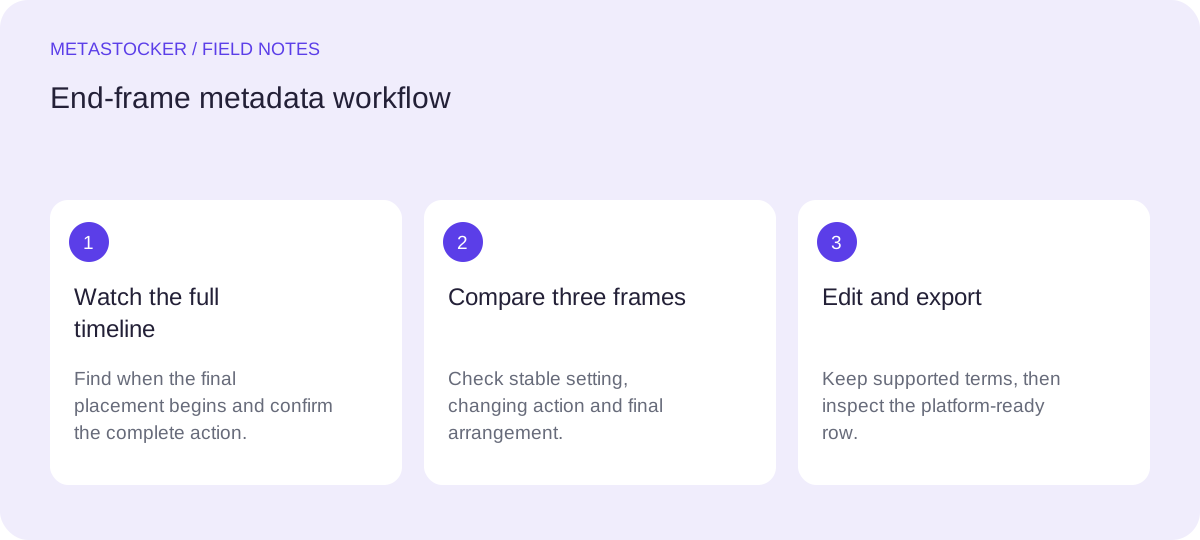
Watch the full video once without writing keywords. Mark the moment when the meaningful action begins and ends. If the setup occupies most of the clip, do not let the empty opening dominate your description.
For the example, the hand and cup placement are visible only during the final two seconds. That makes the ending an important review point, but it does not turn the clip into a close-up of a cup. The metadata should still describe the whole sequence: a hand places a red ceramic cup beside folded linen on a wooden table.
2. Review three useful positions
Capture or inspect a preview near the start, around the action, and at the end. These positions help separate persistent facts from facts that appear only briefly. The first view may establish the table; the middle view may show the approach; the final view may confirm the cup’s placement.
Treat a sampled preview as a review aid, not as proof of every motion detail. MetaStocker’s video workflow uses sampled previews, so inspect the full motion yourself before exporting. A frame cannot establish a person’s identity, ownership, exact location or any other fact absent from the shoot notes.
- Start: identify the stable setting.
- Action: identify what changes.
- End: confirm the resulting arrangement.
3. Worked example: decide what belongs
For this hypothetical clip, the shoot notes and full-motion review support these facts: a hand places one red ceramic cup beside folded linen; the surface is a wooden table; the action occurs at the end. They do not support a country, a kitchen, a lifestyle story, a named person or a claim that the cup belongs to anyone.
A useful title could be: “Hand placing red ceramic cup beside folded linen on wooden table.” It leads with the central action and includes the visible result. A keyword set might begin with: hand, placing, red ceramic cup, folded linen, wooden table, tabletop, arrangement, action, close up. Add further terms only when the full clip supports them. Do not replace the descriptive sentence with a pile of repeated terms.
Title: Hand placing red ceramic cup beside folded linen on wooden table
First keywords: hand, placing, red ceramic cup, folded linen, wooden table, tabletop, arrangement, action, close up
4. Separate evidence from interpretation
The final frame can confirm that the cup is beside the linen, but it cannot tell you why the action happened. Avoid terms such as hospitality, breakfast, home ownership, professional styling or a specific room unless the shoot notes establish them. Similarly, do not infer a person’s gender, age, nationality or identity.
If the hand is visible but the person is not identified, describe the hand or action rather than inventing a subject. If the material or color is uncertain, use the wording supported by the notes. Accurate, modest metadata is more useful than an elaborate story built from assumptions.
5. Use the generator as a draft assistant
In MetaStocker’s local mode, the browser runs the selected vision model through WebGPU workers on the visitor’s device. The first model download needs internet access. Loading a model into memory is different from retaining downloaded model files in browser cache; storage can be evicted, and local execution does not promise permanent offline availability.
Load the video, provide only factual batch context, and request a small, relevant tag set. Extra start, end or random positions can help you compare evidence, but review each file individually. Begin with one local parallel thread; a second thread can load another model copy and may require more memory. The app checks the requested tag count, not factual accuracy, so edit the result yourself.
6. Check the platform fields before export
For Adobe Stock, the current guidance allows up to 49 relevant keywords, with the most important terms placed early; titles and keywords must match the contributor account language. The CSV requirements currently give a 70-character title limit, so keep the example title within that limit and verify the current upload screen before relying on it.
If you export a CSV, upload the assets first and keep filenames, extensions and case exact. Inspect the imported metadata in the contributor portal. Platform policies can change, and an exported row is not an upload, submission or acceptance guarantee. Export only after the title and every keyword describe this specific clip.
Before you continue
- Watch the complete clip, including the final two seconds.
- State shoot-note facts before using them in metadata.
- Compare start, action and end previews.
- Describe the hand and placement without guessing identity or purpose.
- Keep the title descriptive and the first keywords most important.
- Remove tags that apply only to another file or an unsupported interpretation.
- Inspect exported metadata in the contributor portal and check current rules.
Sources and editorial approach
Prepared with AI assistance. Worked examples are illustrative. Automated checks do not replace checking the requirements of your stock platform. How these guides are made.