 MetaStocker
Contributor workflow
Batch Keywording for a Mixed Professional Photo Shoot
A mixed professional shoot is easy to keyword badly in bulk. A shared batch description may save time, but it can also attach portrait terms to an empty room or business concepts to a close-up of equipment. The safer workflow is to divide the 24 files by what is actually visible, then use shared context only inside the appropriate group. This guide shows how to prepare, generate, review, and export metadata while keeping each file defensible.
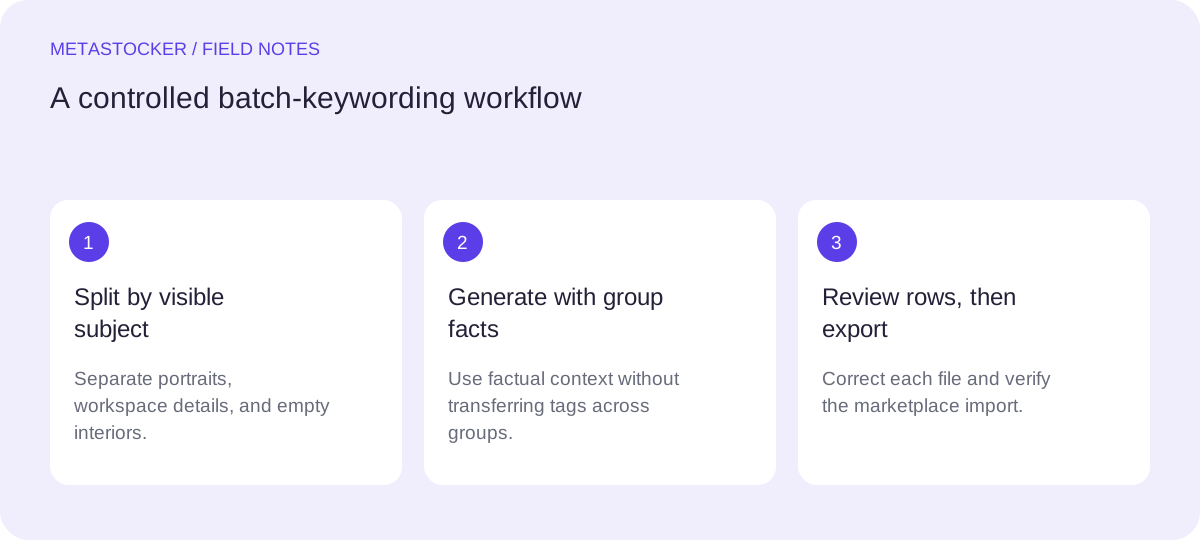
Start with subject groups, not one giant batch
Make a quick inventory before writing keywords. For this assignment, the files contain portraits, workspace details, and empty interiors. Those are three different visual subjects, even if they belong to one professional story.
Create a group for each subject and note what all files in that group genuinely share. A portrait group might show a person in an office setting in an office. A workspace-detail group might show a desk, monitor, notebook, or hands using equipment. An empty-interior group might show rooms prepared for work but no people. Do not carry a visible detail from one group into another.
- Group by visible subject and use, not by folder name alone.
- Separate people from unoccupied spaces.
- Keep uncertain concepts out until a file-level review confirms them.
Write factual shared context
Shared context is useful when it narrows the meaning of a group: for example, “professional office workspace with neutral interior design.” It should not become a blanket list of every idea associated with the shoot. Terms such as teamwork, startup, meeting, or leadership require visible support and may belong only on selected portraits or scenes.
For people, describe visible presentation and activity without guessing identity, job title, ownership, location, or other sensitive attributes. If a person is merely standing in an office, do not turn that into a claim that they are an executive or employee.
- Describe objects, actions, setting, and broad concepts supported by the image.
- Use English metadata when the target marketplace requires English, even if your working notes are in another language.
- Keep titles descriptive rather than building a sentence from repeated keywords.
Use a local generator with controlled batches
MetaStocker can run its supported vision and thinking models locally in the visitor’s browser through WebGPU workers. In local mode, inference stays on the device; the first model download needs internet. Loading a model into memory is different from retaining downloaded model files in browser cache, and browser storage is not guaranteed to be permanent.
For a 24-file shoot, begin with one parallel thread. If the browser and device remain responsive, test two; each thread can load its own model copy. Prepare a separate batch for each subject group and put only factual group context in the batch description. Add extra tags sparingly, then inspect where they appear.
- Download and load the selected model explicitly.
- Start with one thread before testing two.
- Keep prompts and batch context limited to facts visible in the group.
Worked example: three groups from 24 files
Example: divide the shoot into 10 portraits, 8 workspace details, and 6 empty interiors. The portrait group receives context about a person in an office setting in an office setting, but only images showing a laptop or writing receive those object terms. The detail group receives desk and equipment context; a file showing only a notebook should not inherit monitor or keyboard. The interior group receives room, office, furniture, and interior-design terms only where visible.
A practical review table might look like this:
Group: portraits
Shared context: person in an office setting, office setting, business concept only when visible
Review question: Is the person’s action and the visible setting accurately described?

Group: workspace details
Shared context: desk, office equipment, work surface
Review question: Which objects are actually present in this frame?

Group: empty interiors
Shared context: unoccupied office room, furniture, interior design
Review question: Is the room empty, and are all listed furnishings visible?
Review every row before exporting
Generated metadata is a draft, not evidence that every tag is accurate. Open the editable results and remove tags that are generic, duplicated, speculative, or inherited from the wrong group. Pay special attention to people, branded objects, implied activities, and terms that describe the overall shoot rather than the individual file.
For Adobe Stock, the relevant guide allows up to 49 keywords and emphasizes the most important terms early, especially within the first ten. The CSV requirements currently describe a 70-character title limit, while general keyword guidance and CSV rules can differ; use a conservative maximum of 49 keywords and check the current upload screen.
- Put the strongest factual terms first.
- Check titles against the current platform limit.
- Export only rows you have reviewed and can defend.
Export and verify the marketplace handoff
If using Adobe’s CSV workflow, upload the assets before importing the CSV. Filenames, including extension and case, must match. After import, inspect the resulting metadata in the contributor portal rather than assuming the file was interpreted correctly.
MetaStocker’s exporter creates CSV files for supported marketplaces, but it does not upload or submit them, guarantee acceptance, or embed metadata into the original files. Platform policies change, so check the current contributor portal before relying on a field or limit. Internal marketplace search is separate from Google indexing; accurate metadata helps describe an asset but does not guarantee visibility, sales, or ranking.
- Keep filenames stable from asset preparation through import.
- Inspect imported rows in the portal.
- Retain the original files separately from exported CSV metadata.
Before you continue
- Divide the 24 files into subject-based groups.
- Write factual context separately for each group.
- Remove unsupported identity, location, ownership, and activity claims.
- Start local generation with one parallel thread.
- Review titles and keywords file by file.
- Place the most important terms early and stay within the current platform rules.
- Match CSV filenames exactly, including extension and case.
- Inspect imported metadata in the contributor portal.
- Check current marketplace requirements before upload or submission.
Sources and editorial approach
Prepared with AI assistance. Worked examples are illustrative. Automated checks do not replace checking the requirements of your stock platform. How these guides are made.