 MetaStocker
Local AI
What Stays Local When MetaStocker Keywords Photos in Your Browser
Browser-based AI can make metadata work feel private, but “local” does not mean that every network connection disappears. The important distinction is between photo inference, model delivery, browser storage, analytics, and optional cloud processing. MetaStocker’s local mode runs its supported vision and thinking models in WebGPU workers inside your browser. Your photos, prompts, and generated results remain on the device during that local workflow, while the model must first be downloaded from external hosts. This guide shows how to inspect that boundary and prepare a small, practical batch without making a misleading zero-network promise.
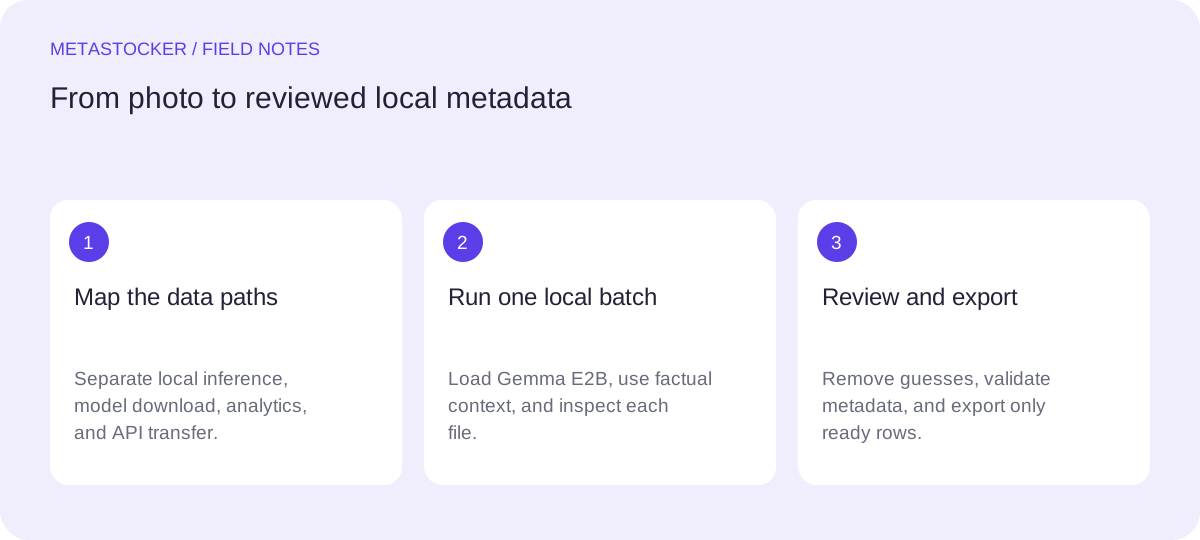
Start with the privacy map
Think of the workflow as four separate paths. The image and its prompt go to a model running in your browser when you use local mode. The model files travel from external hosts during the initial download. The browser may retain model files in cache, which is storage rather than active model memory. Finally, minimal first-party aggregate analytics may leave the app without a permanent visitor ID.
The useful question is therefore not “Does the app use the internet?” but “Which data travels, when, and for what purpose?” Local mode does not use AI server inference and has no automatic cloud fallback. That makes the photo-processing path local, while leaving model delivery and limited service telemetry as separate network concerns.
- Local inference: the browser performs the model work on your device.
- Model delivery: the first download needs internet and contacts external hosts.
- Analytics: minimal aggregate product analytics may be sent without a permanent visitor ID.
- Cloud option: the personal API mode sends previews and context to OpenAI.
Download is not the same as inference
Choose Download and then Load deliberately. Downloading obtains the model files; loading places a model into active memory so the browser can use it. Unloading removes the active copy from memory while retaining cached browser files. Deleting browser model files is a separate action. These states answer different privacy and storage questions.
Cache behavior belongs to the browser, not to a permanent offline guarantee. Storage can be limited or evicted according to browser behavior. WebGPU also depends on a secure context, a compatible browser, GPU, and driver, and API support alone does not prove that the device has enough memory for a model.
- Use Gemma 4 E2B as the default starting model.
- Begin with one local parallel thread; test two only if the device handles it comfortably.
- Delete cached model files when you no longer want them stored in the browser.
A worked private-batch example
Example: you have six product photographs of handmade blue ceramic mugs and want English marketplace metadata. You do not want the original images sent to a cloud AI service. Open MetaStocker over a secure connection, select the local Gemma 4 E2B model, download it once, load it, and keep parallel threads at one. Then add the six images and enter a factual batch description: “Blue glazed ceramic mugs on a neutral tabletop; describe only visible objects, materials, colors, and arrangement.”
Review each result individually. Remove guesses about the maker, location, intended buyer, or production story. If one image shows a spoon, retain that term only for that file. Add a few relevant extra tags at file-specific positions rather than treating the batch description as a blanket tag list. The decision to use one thread favors predictable memory use over speculative speed; the decision to use a factual prompt limits unsupported context.
This is a hypothetical workflow, not a measured privacy test or performance result. The local inference path keeps the photos, prompt, and results on the device, but the model download still made a network request.
Batch description: Blue glazed ceramic mugs on a neutral tabletop; describe only visible objects, materials, colors, and arrangement.
Possible per-file metadata: blue mug, ceramic, glazed pottery, tabletop, drinkware
Know the optional cloud boundary
MetaStocker also offers an optional paid OpenAI API mode using your own key. In that mode, previews and context are sent to OpenAI, so it is not equivalent to local inference. Treat the key as a secret: do not paste it into public code, publish it, or share it with collaborators casually. A personal key can authorize usage and should be handled accordingly.
Choose this path only when its tradeoff fits the batch. It may be useful when local hardware cannot load a model, but the privacy boundary changes immediately. Check the current provider terms and your organization’s rules before sending commercial, confidential, or unreleased imagery.
- Use local mode for the smallest data exposure in the documented workflow.
- Use API mode only after deciding that sending previews and context is acceptable.
- Never confuse a user-supplied key with safe public client-side key embedding.
Review metadata, not just privacy
Local execution does not make generated metadata accurate automatically. Inspect every editable result and export only rows that are ready. Do not infer identities, ownership, releases, locations, or species from pixels. For video, sampled previews cannot represent every moment, so inspect the full motion yourself.
If you prepare marketplace files, keep the platform’s current rules in view. Adobe’s general guidance permits up to 49 keywords and emphasizes important terms early; its CSV guidance currently gives a 70-character title limit, but the contributor portal remains the final place to validate current requirements. Exporters create files; they do not upload or submit them, guarantee acceptance, or embed metadata into the originals.
- Match metadata language to the destination account or platform requirement.
- Use descriptive, relevant terms rather than repeated or blanket tags.
- Inspect exact filenames and resulting metadata in the contributor portal.
- Keep original files separate from exported CSV metadata.
A practical privacy routine
Before a sensitive batch, identify the destination, choose local or API processing, and note what must leave the device. Download the model from a network you trust, then load it and process a small test set. Afterward, unload the model if you want to release active memory, or delete browser model files if you want to remove the cached download. Closing a tab is not a reliable preservation strategy for unfinished work, so export ready results during the session.
For a public network diagram, describe the boundary precisely: browser-local image inference; external model download; limited aggregate analytics; optional OpenAI transfer. That wording is more useful than promising “no network,” because it tells contributors what to protect and what to inspect.
Before you continue
- Choose local mode or the optional API path before adding sensitive files.
- Remember that model download contacts external hosts even when inference is local.
- Use Download, Load, Unload, and Delete as distinct storage and memory controls.
- Start with one local thread and review results file by file.
- Remove unsupported guesses about people, places, ownership, releases, and species.
- Inspect full video and validate current marketplace requirements before export.
- Treat API keys as secrets and never publish them.
- Export ready rows during the session; the app does not upload or embed metadata.
Sources and editorial approach
Prepared with AI assistance. Worked examples are illustrative. Automated checks do not replace checking the requirements of your stock platform. How these guides are made.