 MetaStocker
Local AI
How to Plan Local Keywording for a 120-File Batch
Planning metadata for 120 files is easier when time, model setup, review, and export are counted separately. A local workflow can avoid API charges, but it still consumes computer time and memory. An optional OpenAI mode introduces a second question: what did the provider actually bill? This guide gives you a repeatable worksheet for both cases.
The numbers below are planning examples, not measured product results or promises. Replace them with observations from your own browser, computer, model, and files. The goal is not to predict an exact finish time. It is to create a small measurement first, then use it to make a sensible decision about the whole batch.
Define the batch before measuring it
Start by recording what the 120 files have in common. Note the file types, whether they are commercial or editorial, how varied the subjects are, and whether videos are included. A mixed batch usually needs more human correction than a tightly related photo set.
Write down the metadata destination before generating anything. For example, Adobe Stock permits up to 49 keywords in its general keyword guidance, while its CSV rules and current upload screen should still be checked. If the target marketplace requires English metadata, an English-language interface or blog does not change that requirement.
Separate facts from assumptions. You may know that a folder contains studio product photographs; you may not know a person's identity, an exact location, a release status, or a species merely from pixels. Those unknowns should not be filled in by the generator.
- Batch size: 120 files
- Local model and selected tag count
- Estimated review time per file
- Target marketplace and current limits
- Whether any files need special human verification
Planning row:
Batch: 120 images
Target: English Adobe Stock metadata
Maximum planned keywords: 49, subject to current portal rules
Unverified details: identity, location, releases
Measure a local sample, not a marketing number
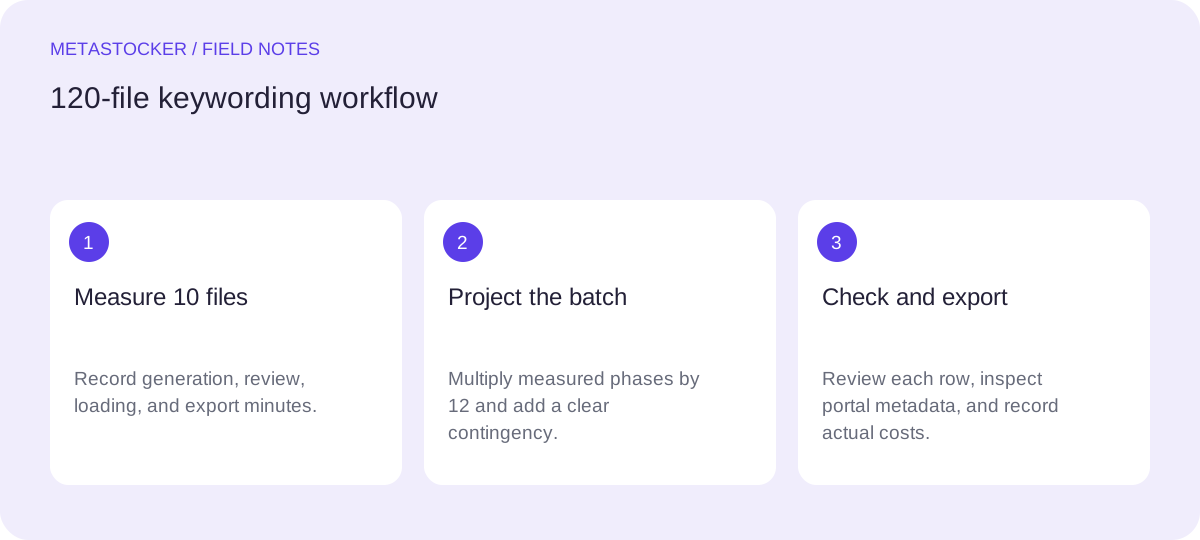
Use a representative sample of 10 files. Include the slowest-looking file type and at least one file with a complicated subject. Record the time from beginning generation to the point where all ten results are ready for review. Also record model loading time separately, because loading memory is not the same as downloading or retaining browser cache files.
A useful worksheet has four time fields: model preparation, generation, review, and export preparation. Do not silently include breaks, unrelated editing, or portal waiting in the generation figure. If the browser becomes unstable, record that as a constraint rather than hiding it inside an average.
The local app uses WebGPU workers in the browser, so compatible browser, GPU, driver, and available memory matter. Begin with one parallel thread. If you test two, compare the whole workflow: two threads can require separate model copies and may increase memory pressure.
- Run 10 representative files.
- Record clock time for each phase.
- Repeat a sample if the first run includes unusual setup.
- Test a second thread only after the one-thread run is stable.
Worksheet columns:
Phase | Start | End | Minutes | Notes
Model preparation | __ | __ | __ | downloaded, loaded, or already available
Generation, 10 files | __ | __ | __ | one thread or two
Review, 10 files | __ | __ | __ | corrections and rejected rows
Export preparation | __ | __ | __ | final editable rows only
Worked example: extrapolate cautiously to 120 files
Example only: suppose a contributor measures 10 similar images and writes down 18 minutes for generation, 22 minutes for review, and 3 minutes for export preparation. The local model was already loaded, so model preparation is listed separately as a one-time cost of 7 minutes. These are hypothetical observations for demonstrating the worksheet, not a claim about MetaStocker's speed.
For 120 files, twelve groups of ten would produce 216 minutes of generation and 264 minutes of review. Adding 36 minutes of repeated export preparation would be a deliberately conservative planning line if each group is exported separately. If the contributor instead reviews one complete batch and exports once, the export figure may be lower, but it should be measured rather than assumed.
The planning total in this example is 7 + 216 + 264 + 3 = 490 minutes, or 8 hours and 10 minutes. That does not mean the batch will finish in that time. It is a worksheet output based on the contributor's own sample. Add a clearly labeled contingency for re-runs, unclear images, and breaks, and revise the estimate after the first 30 files.
- Sample generation: 18 minutes per 10 files
- Sample review: 22 minutes per 10 files
- Illustrative model preparation: 7 minutes once
- Illustrative planned total: 490 minutes before extra contingency
Formula:
Number of groups = 120 / 10 = 12
Generation = 18 × 12 = 216 minutes
Review = 22 × 12 = 264 minutes
Planning total = 7 + 216 + 264 + 3 = 490 minutes
Replace every illustrative number with your own measurement.
Keep local costs predictable
Local mode does not require an account or API key, but the first model download needs internet access. Treat that download as a setup event, not as a per-file cost. The browser may retain downloaded model files in cache, yet active model memory is a different thing; unloading a model can release memory while retaining cache files. Storage can be evicted by the browser, so do not promise permanent offline availability.
For the worksheet, track practical constraints instead of inventing a dollar value: download size shown by the app, available disk space, browser memory behavior, model choice, and whether the machine can remain responsive during generation. If a run fails, record the failed group and rerun time.
Review every result. The app can validate a requested tag count, but that does not establish that the tags are accurate or relevant. Extra tags should be checked per file, especially in a mixed batch. For video, sampled previews do not replace inspection of the full motion.
- Local budget: computer time, electricity, storage, and review attention.
- Do not treat browser cache as active model memory.
- Unload or delete model files only after confirming what you want to retain.
- Keep a backup of the editable metadata outside the browser session.
Add an optional API cost checkpoint
If local generation is unsuitable for a particular batch, the optional paid API mode can use the contributor's own OpenAI key and send previews or context to OpenAI. The key remains a secret: do not paste it into shared documents, publish it, or embed it in a public client-side application.
Do not estimate a bill from a guessed price. Before the run, record the provider account, model selected, date range, and the batch identifier. After a small pilot, inspect the provider's usage and billing dashboard. Compare the actual usage for the pilot with the number of files and the kind of context sent. Then decide whether to continue.
Keep local and API work visibly separate in your worksheet. A local run has no API invoice, while an API run may have provider charges. The app does not automatically fall back to the cloud, so a local failure should not be interpreted as an unexpected API charge.
- Check the provider's current pricing and usage view yourself.
- Run a small pilot before processing all 120 files.
- Record actual usage, not a guessed per-file price.
- Remove or rotate an exposed key immediately.
API checkpoint:
Pilot files: __
Model: __
Usage shown by provider: __
Amount shown by provider: __
Decision for remaining files: local / API / revise batch
Review, export, and close the worksheet
When generation is complete, edit the results and export only rows that are ready. For Adobe CSV work, filenames including extension and case must match the uploaded assets; upload the assets before importing the CSV, then inspect the resulting metadata in the contributor portal. This is a manual inspection step, not automatic CSV acceptance verification.
Keep a short exception list: files with uncertain subjects, missing releases, ambiguous locations, visible text, or tags that need removal. Metadata language must match the contributor account for Adobe Stock. Marketplace rules change, so check the current contributor portal before the final upload.
At the end, compare planned and actual minutes by phase. The next 120-file batch will be easier to schedule because you will know whether review, generation, or corrections were the real bottleneck.
- Export only reviewed rows.
- Check filename and extension matching.
- Inspect imported metadata in the current portal.
- Save the worksheet with the batch record.
- Recalculate using actual phase times.
Before you continue
- Measure a representative 10-file local sample.
- Record model preparation separately from generation.
- Use one thread first, then test two only if stable.
- Extrapolate generation and review time from your sample.
- Review relevance, uncertainty, and sensitive claims per file.
- Check the current marketplace rules and portal before upload.
- If using an API, inspect the provider's actual usage and bill.
- Keep API keys private and export only ready rows.
Sources and editorial approach
Prepared with AI assistance. Worked examples are illustrative. Automated checks do not replace checking the requirements of your stock platform. How these guides are made.