 MetaStocker
Titles & keywords
Product Photo Keyword Examples for an Unbranded Steel Bottle
A clean product photo can be easy to describe and still receive weak metadata. An unbranded steel bottle on white is not simply “bottle” and “eco”: buyers may need a cutout for a catalog, a kitchen object, a hydration concept, or a reusable container. The useful keywords are the ones visibly supported by the image and your shoot notes. This guide shows how to turn one verified product description into focused stock metadata without inventing sustainability claims, brand information, or details hidden by the pixels.
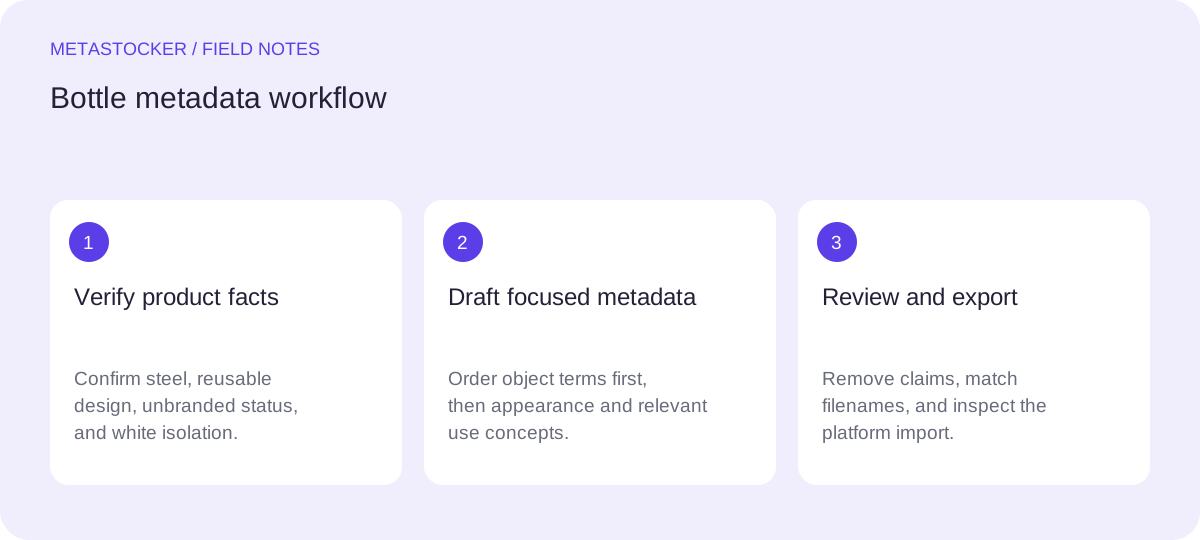
Start with what the image proves
Separate visible facts from information supplied by production notes. In this assignment, the object is a reusable steel bottle, and the material is verified by the shoot notes. The image shows an unbranded container isolated against white. Those facts support terms such as bottle, steel, reusable, unbranded, isolated, white background, and product photography.
Do not add organic, plastic-free, zero-waste, carbon-neutral, healthy, or leakproof unless the product documentation and image genuinely support those claims. A sustainability concept may be suggested by context, but a generic steel bottle does not prove a promise about its environmental impact.
- Use the product identity before broad concepts.
- Treat verified notes as evidence, not permission to add marketing copy.
- Do not infer a brand, country, owner, or performance feature.
Choose the buyer’s likely search paths
Keywording works best when it reflects several plausible uses without turning into a word dump. For this image, one path is object search: steel bottle, reusable bottle, drinking container. Another is design use: isolated product, white background, cutout, mockup space. A third is lifestyle concept: hydration, everyday carry, refillable container. Keep each term relevant to the exact file.
Think about the difference between a synonym and a new claim. “Water bottle” may be a reasonable object term if the shape clearly supports it. “Thermal flask” is different: use it only when the construction or notes verify that function. “Sustainable packaging” is not a synonym for reusable bottle and should be excluded.
- Map object, appearance, use, and buyer context.
- Prefer established phrases that a buyer might actually enter.
- Remove terms that describe an imagined use rather than the file.
Worked example: from notes to a focused set
Example, not a measured result: suppose the file is named steel-bottle-white-01.jpg. The shoot notes verify stainless steel and reusable design. The image shows a plain, unbranded bottle standing alone on a seamless white background. I would lead with the object and material, then add the isolated presentation and restrained use concepts.
The order matters on platforms that give particular attention to the first terms. Adobe’s guidance highlights the first ten keywords, so the opening should carry the strongest identity rather than filler. I would also keep the title as a readable description, not a comma-separated keyword list. The final list should be reviewed against the image one term at a time.
Title: Unbranded reusable steel water bottle isolated on white background
Keywords: steel bottle, reusable bottle, water bottle, drinking container, unbranded, isolated, white background, product photography, cutout, refillable, hydration, beverage container, kitchen object, everyday carry, minimal, plain, upright, container
Keep marketplace metadata in the required language
For a marketplace that requires English metadata, write the title and keywords in English even when your working notes or blog language are Russian. Translate the meaning, not the spelling of individual words. For example, “многоразовая стальная бутылка” becomes “reusable steel bottle,” while “изолированный объект” becomes “isolated object” or “cutout,” depending on what the image actually shows.
Requirements differ by platform and can change. Adobe’s current guidance permits up to 49 keywords and says metadata language must match the contributor account; its CSV documentation also gives a 70-character title limit. Treat those as upload constraints to check before export, not as a reason to fill every available field.
- Confirm the platform’s current language and field limits.
- Use one consistent English naming scheme for repeated product files.
- Check the contributor portal when policies or upload screens may have changed.
Prepare a CSV without losing file identity
If you use CSV metadata, the filename, including extension and case, must match the uploaded asset. Upload the images first where the platform requires that sequence, then import the CSV and inspect the resulting fields in the contributor portal. A correct-looking spreadsheet is not proof that the marketplace accepted or interpreted every value correctly.
MetaStocker can export formats including Adobe CSV, but its exporter does not upload, submit, guarantee acceptance, or embed metadata into the original image. Treat the export as a draft for your platform workflow. Open the final file, check delimiters and quoting, and compare a few rows with the actual filenames before importing.
- Keep the original image unchanged and retain a separate metadata file.
- Check exact filename spelling, extension, title length, and keyword count.
- Inspect imported metadata before making the item available.
Use local generation as a drafting aid
MetaStocker’s local mode runs supported vision and thinking models in the browser through WebGPU workers. The default local model is Gemma 4 E2B, and the first model download needs internet access. Loading a model into working memory is different from keeping downloaded browser files in cache; browser storage can be evicted, and local execution is not a promise of permanent offline use.
Give the generator narrow, factual context such as “unbranded reusable steel bottle; steel verified in shoot notes; isolated on white; no visible logo.” Then edit every result. A requested tag count can be validated mechanically, but that does not make the terms accurate. If a batch contains different products, avoid blanket context and review each file separately. Start with one local thread; additional threads may load another model copy and require more resources.
- State verified facts and visual presentation in the batch description.
- Reject unsupported claims produced by the draft.
- Export only rows you have personally checked.
Before you continue
- Confirm the object, material, and reusable status from visible evidence or shoot notes.
- Place the strongest object terms in the title and opening keywords.
- Remove brand, performance, health, and sustainability claims that are not verified.
- Use the marketplace’s required metadata language and current limits.
- Match every CSV filename exactly, including extension and case.
- Inspect editable metadata and the contributor portal before submission.
Sources and editorial approach
Prepared with AI assistance. Worked examples are illustrative. Automated checks do not replace checking the requirements of your stock platform. How these guides are made.