 MetaStocker
Titles & keywords
How to Remove Irrelevant AI Stock Keywords
AI keyword generators can produce a plausible-looking list that quietly changes what an image appears to represent. A blue glass bottle on sand may receive words such as ocean, perfume, recycling, luxury, or a brand name even when none of those claims is supported. The solution is not to keep every word and hope a marketplace search system interprets it correctly. Review each suggestion against the image, remove unsupported associations, and keep only metadata that helps a buyer understand the actual asset. This guide shows a repeatable review method for contributors using MetaStocker or any other generator. The example is hypothetical and is not a measured result or a real customer submission.
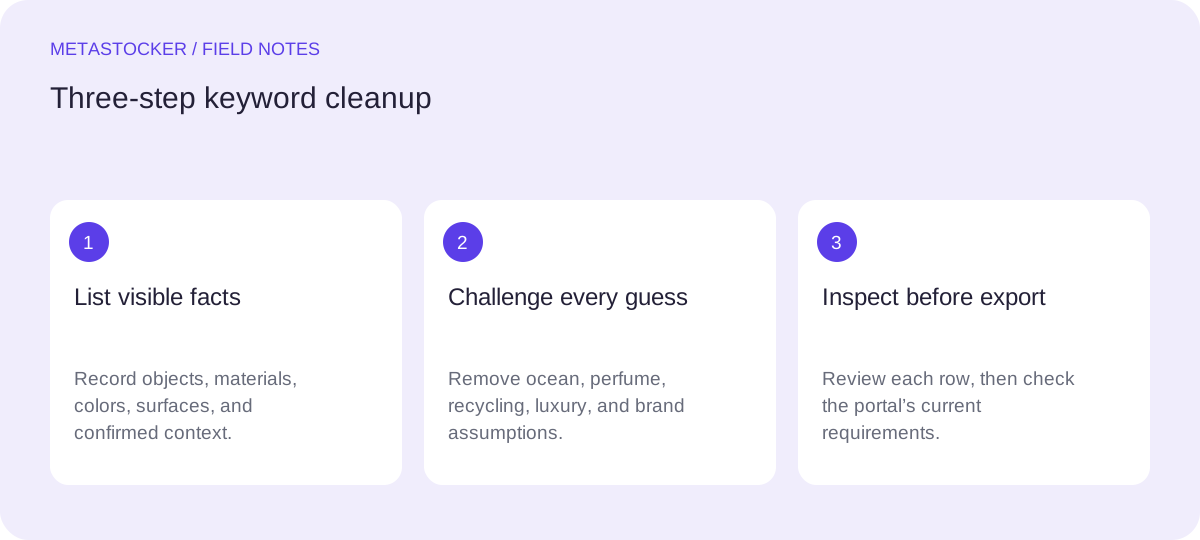
Start with what the image proves
Describe the asset before reading the generated list. Separate visible elements from reasonable but unverified interpretations. For the example, the image visibly contains a blue glass bottle, a sandy surface, daylight, and a simple still-life arrangement. The bottle appears closed, but its contents, purpose, maker, and setting are not established by pixels alone.
This distinction matters because stock metadata should be relevant and descriptive. A keyword can be visually plausible yet still misleading. Do not infer a perfume product, an ocean location, a recycling message, a luxury market, a company, or a specific brand unless the image or supplied project facts support it.
- Visible: blue bottle, glass material, sand, outdoor-looking light, still life.
- Known from the assignment: the subject is a bottle placed on sand.
- Unsupported: ocean, perfume, recycling, luxury, brand names, exact location, product contents.
Use a visible, known, unsupported table
A small decision table makes review faster and more consistent. “Visible” means the feature can be checked in the frame. “Known” means it comes from the brief or production context. “Unsupported” means the term adds a story that has not been established. Keep a keyword only when it belongs in the first two groups and accurately describes the asset.
- Visible: blue, glass, bottle, sand, texture, still life.
- Known: product-style composition, if that is genuinely the intended use.
- Unsupported: ocean, perfume, recycling, luxury, brand, cosmetic, beverage, beach vacation.
Term | Decision | Reason
blue | Keep | Clearly visible color
bottle | Keep | Clearly visible object
sand | Keep | Clearly visible surface
perfume | Remove | Contents and purpose are unknown
ocean | Remove | Sand does not prove an ocean setting
recycling | Remove | No recycling action or symbol is shown
luxury | Remove | Subjective market positioning
brand name | Remove | No verified identity is supplied
Clean the generated list in MetaStocker
MetaStocker is a static web app that can run local vision and thinking models in the visitor’s browser. In local mode, model inference stays on the device; the first model download needs internet. The app supports editable generated results and extra tags, but a requested tag count is not evidence that every tag is accurate. Treat the output as a draft for review.
Load one image or a small coherent batch, then read the generated tags one by one. A batch description should contain facts about that batch, not broad terms that apply only to some files. Remove a term when it describes an unseen story, a guessed commercial use, or an identity that cannot be verified. Review every file individually before exporting. If you use an optional OpenAI API mode, its key is your own secret and previews or context are sent to OpenAI; local mode does not require an account or API key.
- Use one image first to establish your review standard.
- Edit or delete questionable terms rather than filling a quota.
- Inspect video metadata against the full motion; sampled previews can miss details.
- Export only rows that are ready for the target marketplace.
Prefer specific facts over persuasive language
Useful metadata answers what is shown, not why someone might want it. “Blue glass bottle on sand” is concrete. “Luxury perfume product” combines several unsupported claims and may attract the wrong search intent. Similarly, “ocean” is not a safe substitute for sand, and “recycling” is not a synonym for glass.
Keep important terms near the beginning when a platform’s guidance gives special weight to early keywords. Do not repeat the same word in several forms merely to increase volume. For platforms with English metadata requirements, write the cleaned metadata in English even when your working notes or article language is Russian. Always check the current contributor rules before submission.
- Describe object, material, color, surface, composition, and confirmed use.
- Avoid emotional positioning such as luxury unless the brief establishes it.
- Avoid brand, location, species, identity, or product-purpose guesses.
- Use the platform’s current limits; Adobe’s general keyword guide permits up to 49, while other fields and platforms can differ.
Worked example: make a ready-to-review set
Suppose the generated list contains 24 terms for the blue bottle scene. First, remove direct guesses: ocean, perfume, fragrance, cosmetic, recycling, luxury, premium, beach vacation, and a proposed brand name. Next, remove duplicates and terms that merely repeat the same unsupported idea. Then retain a compact set that describes the frame without promising a use case.
A possible cleaned draft is: blue, glass, bottle, sand, sandy surface, still life, product composition, minimal, texture, container, daylight, blue object. “Product composition” should remain only if the image was intentionally arranged as a product-style still life; it is a composition description, not a claim about a real commercial product. Before export, inspect the image and the destination’s rules again. This example is a workflow illustration, not a claim about acceptance, ranking, or sales.
- Ask: Can I point to this term in the frame or verify it from the brief?
- Ask: Could a buyer reasonably expect a different subject because of this term?
- If yes, remove it or replace it with a narrower visible description.
Check the exported metadata before submission
If you export a marketplace CSV, treat it as a transfer format, not a quality check. MetaStocker can create CSV outputs for supported marketplace formats, but it does not upload or submit files, guarantee acceptance, or embed metadata into the original image. Open the destination contributor portal and inspect the resulting metadata before submitting.
For Adobe CSV workflows, assets must be uploaded before the CSV is imported, and filenames including extension and case must match. Keep the conservative 49-keyword ceiling unless current platform instructions tell you otherwise, and observe the current title limit and language requirement. Shutterstock requires relevant English keywords and an appropriate category. Requirements can change, so the current contributor portal remains the final authority.
- Match each row to the exact uploaded filename.
- Inspect titles, keywords, categories, and any required fields in the portal.
- Correct a row at the source if the exported result is not ready.
- Do not interpret portal acceptance as proof that every keyword is editorially ideal.
Before you continue
- Describe the image from visible or verified facts first.
- Mark ocean, perfume, recycling, luxury, and brand guesses as unsupported for the bottle example.
- Remove irrelevant, repeated, subjective, and identity-based terms.
- Review each file separately, including full video motion where applicable.
- Keep important accurate terms early and respect the current platform limits.
- Inspect the exported metadata in the contributor portal before submission.
Sources and editorial approach
Prepared with AI assistance. Worked examples are illustrative. Automated checks do not replace checking the requirements of your stock platform. How these guides are made.