 MetaStocker
Titles & keywords
How to Describe Modern Lobby Photos for Stock Search
A modern lobby photograph needs more than a generic label such as “interior” or “architecture.” Buyers may search for a reception area, a contemporary building interior, a material detail, or an image suitable for a design presentation. The useful metadata is the set of facts that can be supported by the photograph and the photographer’s notes. This guide uses one hypothetical example: a file named lobby-east-01.jpg showing a modern lobby from an interior viewpoint. The assignment brief verifies the broad subject—modern lobby, materials, interior view, and verified building facts—but supplies no building name, city, architect, date, ownership information, or exact material names. Those missing facts must not be invented from pixels.
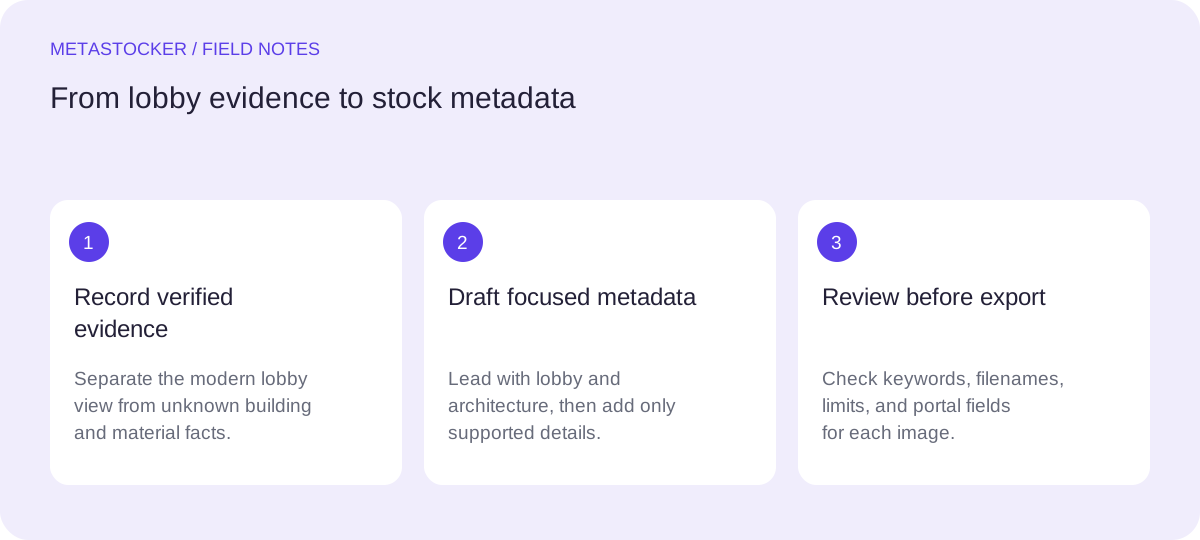
Start with evidence, not visual guesses
Before writing a title or keyword list, separate what is visible from what the shoot notes establish. A photograph may show a wall, floor, ceiling, seating area, or reception zone, but it does not prove the building’s location, designer, owner, construction date, or purpose. Likewise, a surface that appears to be stone, marble, wood, or metal should receive that material label only when the notes verify it.
For this example, the safe evidence statement is: “The photographer’s notes verify a modern lobby photographed as an interior view and identify that material information is relevant; no exact material, building, location, or ownership fact is supplied.” The resulting metadata can describe the visible architectural setting without quietly turning an appearance into a fact.
- Use “modern lobby” and “interior architecture” when supported by the brief.
- Add an exact material only when the shoot notes identify it.
- Leave out city, landmark, architect, company, and building name unless verified.
Evidence boundary for lobby-east-01.jpg:
Verified: modern lobby; interior view; material details are part of the assignment.
Not verified: city, building name, architect, owner, date, exact material.
Write a descriptive title
A title should identify the image in a natural phrase, rather than repeat a pile of search terms. Put the strongest subject near the beginning: the lobby, its architectural character, and the interior viewpoint. Avoid claims about a hotel, office, airport, or public institution unless the notes verify that use.
A practical title for the example is “Modern lobby interior showing contemporary architectural materials.” It describes the subject and purpose of the image while avoiding an unsupported location or material specification. If the platform imposes a character limit, check the current contributor guidance before exporting. Adobe’s current guidance recommends brief titles, with its CSV documentation giving a 70-character title limit; platform screens and policies should still be checked at submission time.
- Prefer a sentence-like phrase over a keyword list.
- Keep the subject specific without adding an unverified building type.
- Check the current platform limit before preparing a CSV.
Modern lobby interior showing contemporary architectural materials.
Build keywords in layers
Create keywords from the most direct description outward. The first terms should identify what a buyer sees: modern lobby, interior architecture, building interior, and contemporary design. Add a viewpoint only when it is accurate, such as interior view or architectural space. Broader concepts can follow, but every term must remain relevant to this individual file.
Do not use every plausible design word. “Luxury,” “hotel,” “office,” “marble,” “wood,” “glass,” and a city name would each require supporting evidence. Repeating lobby, interior, and architecture in slightly different forms can make the list noisy rather than useful. Adobe permits up to 49 keywords and gives particular importance to the first ten, while Shutterstock describes a 7–50 range; use a focused list and verify the current portal rules.
- Place the most important ten terms first.
- Use compound terms where they accurately describe the image.
- Remove synonyms that add no distinct search meaning.
- Keep marketplace metadata separate from website image SEO.
modern lobby, interior architecture, building interior, contemporary design, architectural space, interior view, modern interior, spatial design, material detail
Handle materials and building facts carefully
Materials can be valuable search terms, but they are also a common source of overclaiming. If the notes verify “polished stone floor,” that exact phrase may be used. If they only say that material details are relevant, write “material detail” or “architectural materials” and stop there. A visual resemblance is not evidence of a material’s composition.
Verified building facts can make metadata more useful, but they must be stated exactly. If notes later confirm that the lobby is part of a named office complex, the name and building type can be considered according to the platform’s rules. Until then, describe the space generically. Do not attach a release, ownership claim, location, or editorial date that the supplied evidence does not establish.
- Use exact note wording for verified materials and building facts.
- Treat apparent material identity as unconfirmed until documented.
- Do not add personal identities, ownership, or location from appearance alone.
Adapt the same evidence to each marketplace
A single metadata set may need small editorial changes for different stock sites. For Adobe, keep the title and keywords in the contributor account’s metadata language and stay within the platform’s current limits. For Shutterstock, use an accurate descriptive phrase and a tailored list of relevant keywords; its contextual guidance requires English descriptive metadata and at least one category. A Russian-language article does not mean the marketplace fields should be Russian when the target account or platform requires English.
If you prepare a CSV, treat it as a mapping file, not as proof that the submission is complete. Upload the assets first, match filenames exactly—including extension and case—and inspect the imported metadata in the contributor portal. Requirements change, so check the current contributor instructions before importing or submitting.
- Keep English metadata when the target marketplace requires English.
- Choose the category that fits the actual image.
- Match lobby-east-01.jpg exactly when using a CSV.
- Inspect imported fields in the portal before submission.
Use local generation as a drafting aid
MetaStocker can draft local metadata in the browser using its confirmed local models and WebGPU workers. In local mode, inference stays on the visitor’s device; the first model download needs internet. Loading a model into memory is different from retaining downloaded model files in browser cache, and cache persistence or offline availability should not be assumed.
For the example, add the batch description “Modern lobby interior; interior view; use only visible details and verified shoot-note facts; do not infer location, ownership, building type, or exact materials.” Begin with one local parallel thread, review the generated result, and edit every file individually. Extra tags can be placed at selected positions, but they still need relevance checks. The app can export CSV formats, yet it does not upload, submit, guarantee acceptance, or embed metadata into the original file.
- Give the generator factual context, not blanket tags for a mixed batch.
- Review the title, first ten keywords, category, and unsupported claims.
- Export only rows that are ready for the target platform.
- Remember that generated wording is a draft, not verified evidence.
Draft review for lobby-east-01.jpg:
Keep: modern lobby; interior architecture; interior view.
Remove unless notes confirm: marble; hotel; office tower; London; luxury.
Before you continue
- Read the photographer’s notes before naming materials or building facts.
- Write a natural title centered on the modern lobby interior.
- Put the strongest ten keywords first and remove repetition.
- Do not infer location, ownership, architect, species, identity, or building use.
- Use English marketplace metadata when the target platform requires it.
- Match CSV filenames exactly and inspect imported fields in the contributor portal.
- Review every generated row before export or submission.
- Check the current contributor portal because marketplace policies can change.
Sources and editorial approach
Prepared with AI assistance. Worked examples are illustrative. Automated checks do not replace checking the requirements of your stock platform. How these guides are made.