 MetaStocker
Contributor workflow
How to Track Stock Metadata Versions Across Exports
Stock metadata becomes difficult to trust when one image exists as a master file, several crops, and multiple marketplace exports. A filename can change, a title can be edited for one platform, and a downloaded CSV can sit in a folder without proving that anything was imported. The safest workflow treats every asset version and every metadata handoff as a separate record.
This guide shows how to build that record with simple filenames, a version log, review dates, and platform-specific exports. The aim is traceability: you should be able to answer which image a row describes, when its metadata was reviewed, which file was exported, and whether you actually inspected the result in a contributor portal.
Start with a stable asset identity
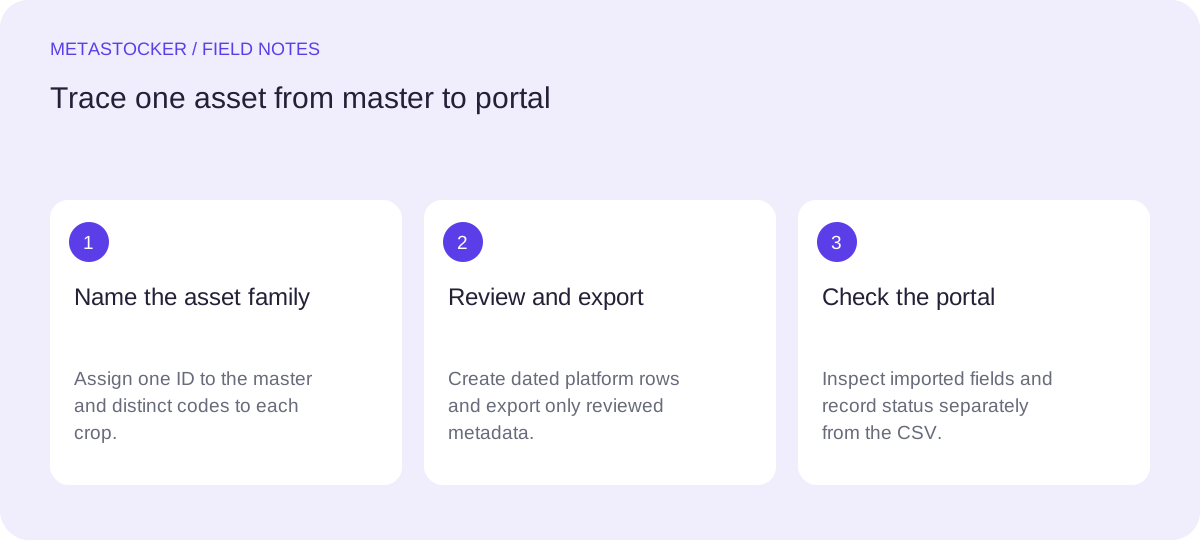
Choose one internal asset ID that does not change when you crop or rename a file. For example, use CITY_014 rather than relying only on a descriptive filename. Store the untouched master separately from derivatives, and record the master’s original filename in your log.
Give each derivative its own variant code, such as CITY_014-CROP-LANDSCAPE or CITY_014-CROP-SQUARE. The code should describe the relationship, not imply that the crop has identical metadata. A square crop may remove a building or sign that was relevant to the master, so it needs its own review.
- Keep masters, variants, exports, and portal-check notes in separate folders.
- Never overwrite a reviewed export; create a new dated version.
- Record the file extension and exact case used by the target platform.
Asset ID: CITY_014
Master: CITY_014_master.jpg
Variant: CITY_014-CROP-SQUARE_v01.jpg
Relationship: square crop of CITY_014_master.jpg
Use a version log that explains decisions
A useful log is more than a list of filenames. Add the asset ID, variant, platform, metadata version, review date, reviewer initials if relevant to your team, and a short change note. The change note might say that a background street sign was cropped out or that the first keyword was moved earlier for a platform rule.
Use dates in an unambiguous format such as 2026-09-18. Increment the metadata version when you change a title, caption, keywords, category, or release reference. Increment the file variant version when the pixels change. These are different events and should not be conflated.
- Separate image version from metadata version.
- Write why a change was made, not only what changed.
- Mark a row as draft, reviewed, exported, or portal-checked.
Worked example: one master, two destinations
Example: you photograph a blue tram beside a wet city street. The master includes the full tram and a street sign. A horizontal crop keeps the sign; a square crop removes it. You assign both files the asset ID TRAM_027 but different variant codes.
For Adobe Stock, you prepare an English title and keywords according to the current contributor requirements, while preserving the same asset identity. For another marketplace, you create a separate metadata version because its fields and keyword rules may differ. You do not assume that a downloaded Adobe CSV is evidence that either marketplace accepted the row.
- TRAM_027-MASTER_v01: full frame; sign visible.
- TRAM_027-CROP-SQUARE_v01: sign removed; title and keywords reviewed again.
- TRAM_027-ADOBE-M02.csv: export created 2026-09-18.
- TRAM_027-OTHER-M01.csv: separate platform mapping.
Decision note: Keep “street sign” for the master and horizontal crop only. Remove it from the square crop because the visible content no longer supports the term.

Portal note: Adobe CSV imported on 2026-09-19; metadata inspected in the contributor portal. This note records an inspection, not a guarantee of acceptance.
Build exports from reviewed rows
Before exporting, filter your working sheet to rows marked reviewed. Check that every filename includes the exact extension and case expected by the destination. For Adobe Stock, upload the assets before importing the CSV, then inspect the resulting metadata in the contributor portal. Keep the CSV beside the log and record its filename, date, and hash or other internal identifier if your team uses one.
Do not use one universal CSV as proof that all marketplaces share the same schema. Adobe, Shutterstock, and Envato have different metadata expectations and may change their contributor instructions. A platform-specific export is easier to audit and less likely to carry irrelevant fields.
- Export only ready rows.
- Use conservative keyword counts and check the current platform limit.
- Keep the original working record even after producing a CSV.
Treat downloaded CSVs as evidence of files, not status
A CSV in your downloads folder proves that a file was downloaded or created. It does not prove upload, import, acceptance, publication, or ranking. Add a separate status field for each platform: not submitted, submitted, portal inspected, correction needed, or accepted if the portal explicitly shows that state.
If you use MetaStocker, its exporters create Adobe, Envato, Shutterstock, and Freepik CSV files, but the app does not upload or submit them, guarantee acceptance, embed metadata into originals, or preserve work after a tab closes. Export the ready rows and immediately save the CSV and your review notes in your tracking structure.
Local generation runs in the browser when you use a local model. Loading a model into memory is different from a downloaded browser cache, which may be evicted. Treat generated metadata as draft material: inspect images, especially sampled video previews, and edit every row for factual relevance.
- Record portal actions separately from export actions.
- Never infer submission status from a file timestamp.
- Save editable results before closing the tab.
Review changes without losing the chain
When a platform rejects or requests changes, do not silently edit the old row. Copy it into a new metadata version, record the reason, and link it to the same asset and variant. This preserves the earlier export for comparison and makes it clear which version was actually reviewed.
Recheck claims that depend on visible evidence. Do not guess identities, locations, releases, species, or other sensitive facts from pixels. If a documentary caption requires a verified date or location, obtain that information from your records before using the field. Contributor policies change, so check the current portal guidance before a new batch.
- Archive superseded versions as read-only.
- Link corrections to the prior version.
- Use a final visual and factual review before export.
Before you continue
- Assign a stable asset ID to every master.
- Give each crop or derivative a distinct variant code.
- Track image version and metadata version separately.
- Record platform, export filename, and review date.
- Inspect imported metadata in the actual contributor portal.
- Never infer upload or acceptance from a downloaded CSV.
- Save reviewed rows and notes before closing the working session.
- Recheck current marketplace requirements for the next batch.
Sources and editorial approach
Prepared with AI assistance. Worked examples are illustrative. Automated checks do not replace checking the requirements of your stock platform. How these guides are made.