 MetaStocker
Contributor workflow
How to Add Batch Context Without Mislabeling Stock Images
Batch context can save time when several stock files share a real setting, subject, or production story. It becomes risky when one broad description is treated as proof that every image shows the same thing. A useful batch note should guide the generator toward relevant vocabulary, while each file still earns its own title, description, and keywords from visible evidence.
This workflow uses a hypothetical batch from a known terracotta workshop in Porto mixed with travel photographs from the same trip. The workshop fact is useful context, but it must not leak into street scenes, food photos, or coastal views that were not made there. The goal is practical: provide enough information to improve starting metadata, then review every result before export.
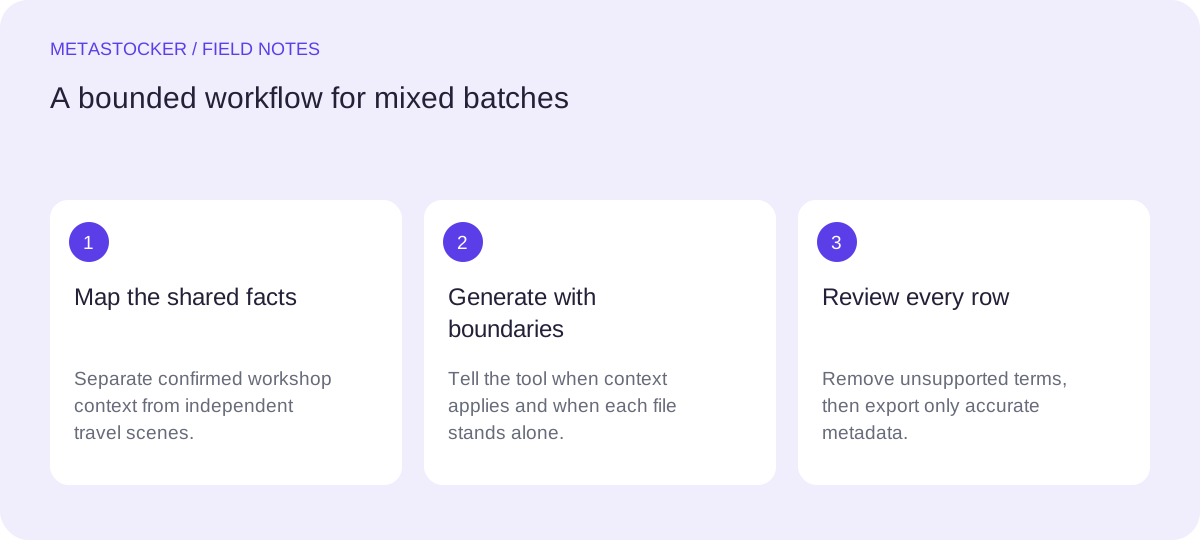
1. Separate shared facts from file facts
Start by writing two short inventories. Shared facts describe the batch or a confirmed subset: for example, “some images were made during a visit to a terracotta workshop in Porto.” File facts describe what an individual preview actually shows: a pottery wheel, glazed bowl, tiled façade, train platform, or river view.
Do not turn a travel itinerary into a universal caption. “Portugal trip” may be useful context for a verified subset, but it is not evidence that every frame shows Porto. Likewise, a workshop name or neighborhood should be used only when you can connect it to the file. Avoid guessing people’s identities, ownership, exact locations, releases, species, or other details from pixels.
- Shared context: confirmed setting, broad project purpose, or known subject group.
- File context: visible subject, action, composition, and any verified location.
- Uncertain context: keep it out of metadata until checked.
Batch note: “This batch includes a confirmed terracotta workshop visit in Porto and separate travel images from Portugal. Use workshop context only for files that visibly show pottery production or the workshop interior.”
2. Write a bounded batch description
In MetaStocker, the batch description is context sent along with generation. Treat it as a boundary, not as a list of tags. State what the context applies to and what the generator must not assume. This is especially important for mixed batches, where a single sentence can otherwise contaminate unrelated files.
Keep the note factual and operational. Mention “may apply to” or “use only when visible” when the context is conditional. Do not ask for guaranteed categories, sales terms, or a fixed keyword set for every file. The app’s extra-tag positions can add terms at selected points, but those terms still require a per-file relevance check.
- Name the applicable subset.
- Describe how to recognize that subset.
- Explicitly exclude blanket application.
- Ask for visible, descriptive language.
“Possible context: a subset shows handmade terracotta pottery being shaped or displayed in a Porto workshop. Apply Porto, terracotta, pottery, or workshop terms only when supported by the individual image. Other files are separate travel scenes; describe them independently. Produce accurate English metadata, not a mandatory shared tag list.”
3. Organize the mixed batch before generation
If possible, split the files into small review groups before running generation: workshop production, workshop details, and unrelated travel. This does not mean every group needs a different export format. It simply makes conditional context easier to control and makes mistakes easier to spot.
Use filenames or folders that help you recognize the groups, but do not rely on names as proof. A file called porto_final.jpg can still be a beach image. Let the preview and your verified notes decide whether a location or subject belongs in the metadata.
- Group by confirmed visual context, not by assumption.
- Keep unrelated travel files outside the workshop-context run.
- Use filenames as organization aids, not as evidence.
4. Worked example: revise one generated row
Example: the preview shows a close-up of hands shaping a clay vessel on a pottery wheel. Your verified notes connect this image to the Porto workshop. A useful result might describe handmade terracotta pottery production, a potter’s hands, clay, and a pottery wheel. It should not invent the craftsperson’s name, claim that the item is antique, or add “traditional Portuguese artisan” unless that description is independently verified and visually appropriate.
Now compare a travel frame showing a tram beside tiled buildings. The workshop context must not force “pottery” or “terracotta” into that row. If Porto is verified for that frame, it may support a location term; otherwise use only visible architecture, transport, street, and city-travel concepts that you can substantiate.
- Retain a context term only when the image and notes support it.
- Remove attractive but unverified adjectives and cultural claims.
- Check that the title reads naturally rather than as a keyword list.
Workshop row title: “Hands shaping a terracotta vessel on a pottery wheel in Porto”
Possible keywords: terracotta, pottery, clay, pottery wheel, handmade, artisan, hands, vessel, craft, workshop, Porto
Travel row title: “Tram passing tiled buildings on a Portuguese city street”
Possible keywords: tram, tiled building, street, urban travel, Portugal, architecture, transport
5. Review language and marketplace limits
If the target marketplace requires English metadata, write the final title and keywords in English even when the working notes or article are in another language. MetaStocker can export formats for Adobe, Envato, Shutterstock, and Freepik, but platform rules differ and can change. Check the contributor portal before submission.
For Adobe, the general guide permits up to 49 keywords and emphasizes the most important terms early, especially in the first ten. Adobe’s CSV guidance has a 70-character title limit; use a conservative maximum of 49 keywords and inspect the current upload requirements. Shutterstock requires English descriptive metadata, 7 to 50 relevant keywords, and at least one category. These limits do not make a row accurate: relevance remains your responsibility.
- Put the strongest, most specific terms first where the platform guidance calls for it.
- Remove duplicates, near-duplicates, and terms that belong only to another file.
- Check current contributor requirements before uploading or importing a CSV.
6. Export only after human review
Local generation runs in the visitor’s browser, and the local models work from the supplied previews and context. A generated row is a draft, not a factual verification. Inspect images yourself, especially video: sampled previews may miss details in the full motion.
Review editable results, correct titles and keywords, and export only rows that are ready. The exporter does not upload or submit files, guarantee acceptance, or embed metadata into the original assets. If you use an optional personal OpenAI API mode, remember that previews and context are sent to OpenAI; an API key is a secret and should be handled accordingly.
- Check every location, person-related term, object, and action.
- Inspect full video before approving sampled-preview metadata.
- Open the exported CSV or portal result and confirm filename matching and fields.
Before you continue
- Write shared context and file-specific facts separately.
- Mark exactly which subset the workshop details apply to.
- Keep mixed travel files independent unless their facts are verified.
- Review every generated title and keyword for visible relevance.
- Use English metadata when the target marketplace requires it.
- Check current marketplace limits and inspect the exported or imported rows.
- Treat generated metadata as editable drafts, not proof.
Sources and editorial approach
Prepared with AI assistance. Worked examples are illustrative. Automated checks do not replace checking the requirements of your stock platform. How these guides are made.