 MetaStocker
Titles & keywords
How to Remove Generic Business Keywords from a Packing Photo
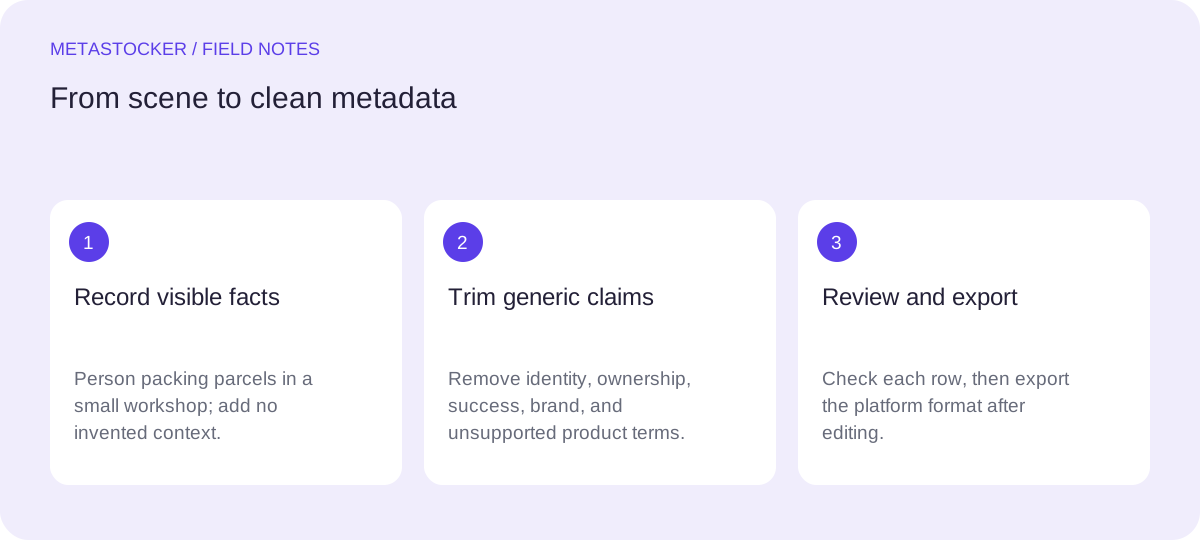
The supplied shoot note describes a person packing parcels in a small workshop. That is the reliable starting point: the image concerns a packing task, parcels, and a workshop setting. The note does not establish the person’s identity, gender, ownership of the workshop, exact location, materials, product type, company, or delivery service. Your metadata should not quietly add those details.
The search intent here is practical: replace a pile of generic business words with a short, defensible description and keywords that help a buyer find this particular image. The goal is not to make the file sound bigger or more commercial than it is. Stock platforms differ, so check the current contributor portal before submission; the limits and field rules can change.
Start with the visual subject
Write down what the image actually shows before thinking about search terms. In this case, the central action is a person packing parcels. The small workshop is useful context, but it should not overpower the action. If the photograph does not clearly show a label, tape dispenser, cardboard, clothing, tools, or a specific product, do not add those nouns merely because they are common in packing scenes.
A practical test is to ask whether a keyword could be challenged by someone looking only at the image. “Parcel packing” describes the action. “Home business” makes an ownership claim that the shoot note does not support. “Online shop” assumes a sales channel. “Handmade goods” assumes what is inside the parcel. Keep the first group and reject the second.
- Use observable action and setting first.
- Treat unstated business context as unknown.
- Do not infer identity, ownership, location, materials, or contents.
Reliable starting facts: person, packing action, parcels, small workshop.
Unsupported additions: female entrepreneur, home-owned business, handmade products, local delivery.
Replace broad labels with a sentence
A description should read like a useful phrase or sentence, not like a keyword dump. It should identify the subject, action, and setting without pretending to know more than the image reveals. A concise sentence also gives you a quality check: if you cannot write it accurately, your keyword list probably contains speculation.
For this assignment, an English marketplace description is a sensible example even when the surrounding editorial guide is written in another language. Use the language required by the target account or platform, and check that requirement before submission.
- Name the person only by the neutral role visible in the scene.
- Put the main action before broad concepts such as commerce.
- Avoid brands, personal information, and invented business claims.
Example description: “Person packing parcels at a worktable in a small workshop.”
Build a focused keyword set
Begin with the most important terms, then add close visual and conceptual connections. Adobe’s guidance gives special attention to the first ten keywords and permits up to 49 relevant keywords; use fewer when fewer are accurate. Shutterstock’s current guidance describes a 7–50 range and asks contributors to tailor keywords to the individual work. These are platform-specific rules, so confirm the portal you are using.
For the worked example, the first terms should describe the action and objects rather than generic commercial ambition. “Packing,” “parcels,” and “workshop” are stronger anchors than “business” or “success.” Add a broader concept such as “small business” only if the image genuinely communicates that concept and your wording does not imply unsupported ownership. When uncertain, leave it out.
- Prioritize action, subject, objects, and setting.
- Use compound terms only when they accurately describe the scene.
- Remove duplicates, near-duplicates, unrelated industries, and aspirational claims.
Example keyword order: packing, parcels, workshop, person, packaging, fulfillment, dispatch, shipping, order preparation, small business, manual work, commerce, logistics, workplace.
Worked example: cut the clutter
Consider this hypothetical metadata draft for the supplied image. It is an example, not a measured result or a real customer submission. The draft contains familiar business vocabulary, but much of it either repeats an idea or claims context not supplied by the shoot note.
The revision keeps the concrete action near the front and removes terms such as “entrepreneur,” “ecommerce success,” and “premium brand.” Those phrases may sound marketable, but they are not visible facts. “Shipping” and “fulfillment” can remain only when the image and intended meaning support them; they should not be added automatically to every packing photograph.
- Draft: business, businesswoman, entrepreneur, office, ecommerce, online store, success, shipping, delivery, packaging, warehouse, logistics, parcels, packing, small business.
- Revision: packing, parcels, workshop, person, packaging, fulfillment, dispatch, shipping, order preparation, commerce, logistics, workplace.
- Reason: the revision keeps the visible scene while reducing identity, ownership, scale, and outcome claims.
Use the revision as a review starting point, not as a mandatory final list. Remove any term that the actual frame does not support; add a visible object only after checking the image.
Review each file before export
Metadata must describe this file, not the whole batch. A batch prompt or shared tag group can spread generic words across unrelated images, so inspect every result individually. Look for hidden assumptions: a person is not automatically a business owner; a workshop is not automatically a home; a parcel is not automatically a customer order; and packing is not proof of delivery.
If you use MetaStocker’s local generator, its local model runs in the browser on your device. The first model download needs internet; loading a model into memory is different from keeping downloaded browser files in cache. The app can generate editable results and export marketplace-oriented CSV formats, but it does not upload or submit files, guarantee acceptance, or embed metadata into originals. Review the rows before exporting.
- Compare every keyword with the individual frame.
- Edit generated wording instead of accepting it wholesale.
- Export only rows you have checked and can defend.
Platform and website boundaries
Marketplace metadata and website SEO are separate jobs. A stock marketplace uses its own title and keyword fields for internal search. Google website indexing depends on the page around an image, descriptive alt text, and other site signals; marketplace keywords do not guarantee Google indexing or rankings.
If you prepare a website caption, keep it consistent with the same verified facts, but do not copy a long marketplace keyword list into alt text. For marketplace CSV workflows, follow the current platform instructions, match filenames exactly where required, and inspect imported metadata in the contributor portal. A CSV is a transfer format, not proof that the submission will be accepted.
- Write marketplace metadata for marketplace search.
- Write website surrounding text and alt text for the website image.
- Check current portal requirements before importing or submitting.
Before you continue
- Confirm that the image shows packing, parcels, a person, and the workshop context before using those terms.
- Remove inferred gender, identity, ownership, location, product contents, brand, and delivery claims.
- Put the most specific useful terms first; avoid repeated generic business words.
- Keep the description as a natural phrase rather than a keyword list.
- Review generated metadata one file at a time and export only edited, ready rows.
- Check the current contributor portal for language, count, CSV, and submission requirements.
Sources and editorial approach
Prepared with AI assistance. Worked examples are illustrative. Automated checks do not replace checking the requirements of your stock platform. How these guides are made.