 MetaStocker
Titles & keywords
How to Keyword a Stretching Fitness Photo Accurately
A stretching photo can look simple, but accurate metadata still requires decisions about what is visible, what the shoot notes confirm, and what must remain unsaid. This guide uses one concrete example throughout: a person stretching on a mat. The supplied shoot notes say only that the image shows a person stretching on a mat. They do not provide a name, age, gender, location, date, medical condition, ownership detail, or stated benefit. Those limits matter. Your title and keywords should describe the visible activity without turning a pose into a diagnosis, a lifestyle claim, or an invented biography. The goal is a useful, platform-aware metadata set that a contributor can inspect and adapt before submission.
Start with evidence, not assumptions
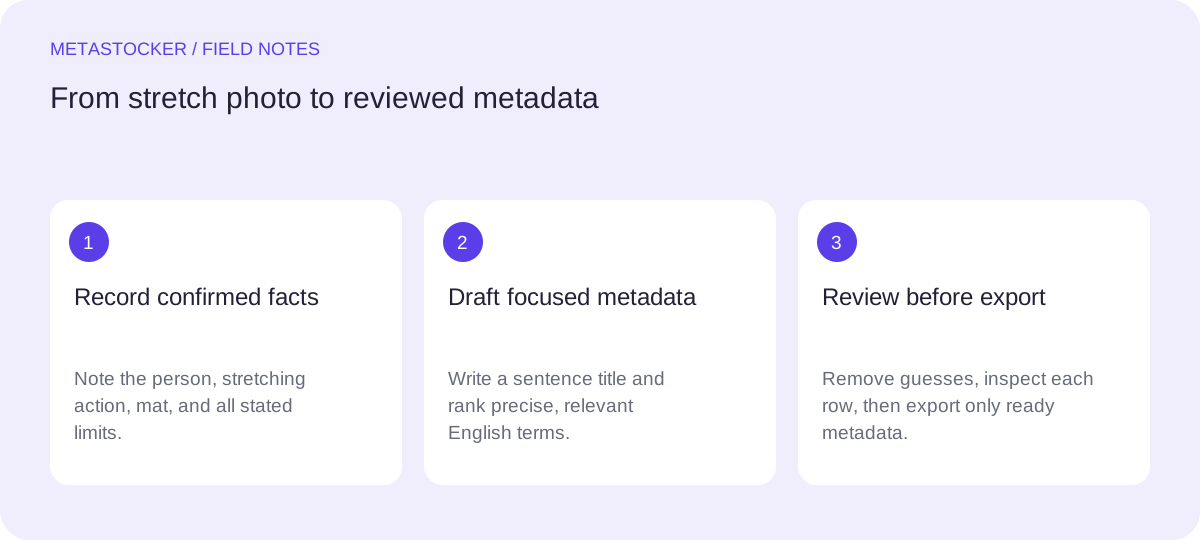
Separate three kinds of information before writing anything. First, record visible facts: a person, a mat, a stretching pose, and any clearly visible clothing or setting. Second, record confirmed shoot notes. In this assignment, the only supplied note is that the person is stretching on a mat. Third, mark unknowns, including identity, age, gender, location, date, profession, fitness level, and purpose of the stretch.
Do not add terms such as athlete, woman, senior, injured, rehabilitation, pain relief, flexibility improvement, home workout, or yoga studio unless the image or notes actually establish them. A recognizable pose may suggest several activities, but suggestion is not proof. If the platform requires more context than you have, leave the field out or choose a broader, defensible description.
- Visible: person, stretching action, exercise mat.
- Confirmed by notes: the person is stretching on a mat.
- Unconfirmed: identity, demographic attributes, medical purpose, location, and benefits.
Evidence sheet for the example:
Confirmed: person stretching on a mat
Not supplied: name, age, gender, location, date, medical claim, ownership
Write a sentence-like title
A title should identify the individual image quickly. For the example, use: “Person stretching on exercise mat indoors.” This describes the subject, action, object, and a setting only if indoors is genuinely visible. If the room is not clearly visible, remove “indoors” and use “Person stretching on an exercise mat.”
Avoid a title made from a keyword pile such as “stretching, fitness, mat, exercise, wellness.” A sentence-like phrase is easier to review and more useful to a buyer. Keep the most important information near the beginning. Adobe’s current guidance recommends brief, accurate titles, ideally under 70 characters, while its CSV guidance also gives a 70-character title limit. Check the current contributor portal before uploading because requirements can change.
- Put the action near the beginning.
- Use one language that matches the contributor account.
- Remove claims about results, health, mood, or identity unless confirmed.
Title: Person stretching on exercise mat indoors
Build a focused keyword set
Begin with the strongest literal terms, then add broader concepts that remain relevant. For the same example, a compact set might include: stretching, exercise mat, person, flexibility, fitness, workout, exercise, warm up, mobility, wellness, floor exercise, active lifestyle.
The first ten positions deserve special care on Adobe Stock, so place the clearest terms first rather than alphabetizing automatically. Adobe permits up to 49 keywords, but a shorter accurate list is often easier to defend. Shutterstock’s guidance describes a range of 7 to 50 relevant keywords. Those limits do not make every available slot useful; relevance is the controlling test.
“Flexibility” and “mobility” can describe the general concept represented by the pose, but they should not become claims that the person has improved flexibility or mobility. “Warm up” is suitable only if the image and context support that interpretation; if it is uncertain, omit it.
- Prioritize direct visual terms before broad concepts.
- Use compound terms when they describe the image precisely.
- Delete repetitions, unrelated sports, brands, and medical promises.
Keyword order example:
stretching, exercise mat, person, flexibility, fitness, workout, exercise, warm up, mobility, wellness, floor exercise, active lifestyle
Handle identity and sensitive claims carefully
A photo of a person does not establish who they are. Do not guess a name, nationality, ethnicity, gender, age group, profession, or ownership relationship from pixels. “Person” is safer than an unsupported demographic label. Do not add “personal trainer,” “patient,” or “athlete” without confirmation.
Likewise, stretching is not evidence of treatment, injury prevention, pain relief, recovery, or a medical condition. Keep the metadata at the level of the observed activity. If the contributor has release or editorial information, handle it in the platform’s designated fields and follow the current portal instructions; do not replace missing documentation with descriptive keywords.
- Use neutral wording when identity is unknown.
- Do not convert exercise imagery into medical advice.
- Check current contributor and release requirements before submission.
Review one file at a time
Batch tools can produce a useful draft, but the final decision belongs to the contributor. A shared description such as “fitness workout” may fit one image and be wrong for another. Review each frame for the exact action, visible props, composition, and any unsupported additions.
MetaStocker’s local generator can accept image files and produce editable metadata in formats including Adobe, Envato, and Shutterstock CSV. In local mode, inference runs in WebGPU workers in the visitor’s browser; the first model download needs internet. Loading a model into memory is different from keeping downloaded model files in browser cache, and browser storage can be evicted. The app does not upload or submit the result, guarantee acceptance, embed metadata into originals, or preserve work after a tab closes.
If you use a generated draft, compare every title and tag with the evidence sheet. The app can validate a requested tag count, but that does not prove that each tag is accurate. Export only rows you have reviewed.
- Inspect the full image before accepting a draft.
- Treat generated tags as editable suggestions.
- Keep the exact filename matched to the correct metadata row.
Review question: Does every term describe this specific stretching image, or only a general fitness idea?
Separate marketplace metadata from website SEO
These keywords serve stock marketplace discovery. They are not a plan for getting a website page indexed by Google. Website image SEO also depends on descriptive surrounding text, appropriate alt text, crawlable pages, and other site factors. A marketplace keyword list should not be pasted into alt text as a comma-separated block.
If the same image appears on a website, write alt text for the page’s purpose, such as “Person stretching on an exercise mat,” provided that matches the image. Do not promise that either marketplace keywords or website wording will produce rankings, traffic, or sales. For marketplace uploads, recheck the current contributor portal because platform policies and field limits can change.
- Use marketplace keywords for the marketplace asset.
- Write concise, image-specific alt text for a website.
- Treat discovery as possible, never guaranteed.
Before you continue
- Read the shoot notes before writing metadata.
- List only visible or explicitly confirmed facts.
- Use a sentence-like title under the current platform limit.
- Place the strongest terms first and keep keywords relevant.
- Avoid guessed identity, medical claims, brands, and ownership details.
- Review every generated field before exporting or submitting.
- Check the current contributor portal for limits and upload rules.
Sources and editorial approach
Prepared with AI assistance. Worked examples are illustrative. Automated checks do not replace checking the requirements of your stock platform. How these guides are made.