 MetaStocker
Titles & keywords
How to Keyword a Garden Repotting Photo Accurately
This guide uses one specific assignment: a stock photo showing hands repotting a seedling. The photographer’s shoot notes verify the plant information supplied with the image, but they do not identify a species, pot material, location, date, ownership or the person’s identity. Those limits matter. Accurate metadata describes what is visible and what the notes confirm; it does not turn a plausible guess into a fact.
The goal is a useful keyword set for stock search, with the strongest terms first and no decorative filler. The worked example below is hypothetical editorial guidance, not a measured result or a real customer submission. It keeps the same facts throughout: one photo, hands, a seedling, repotting, and verified plant information without an unverified species name.
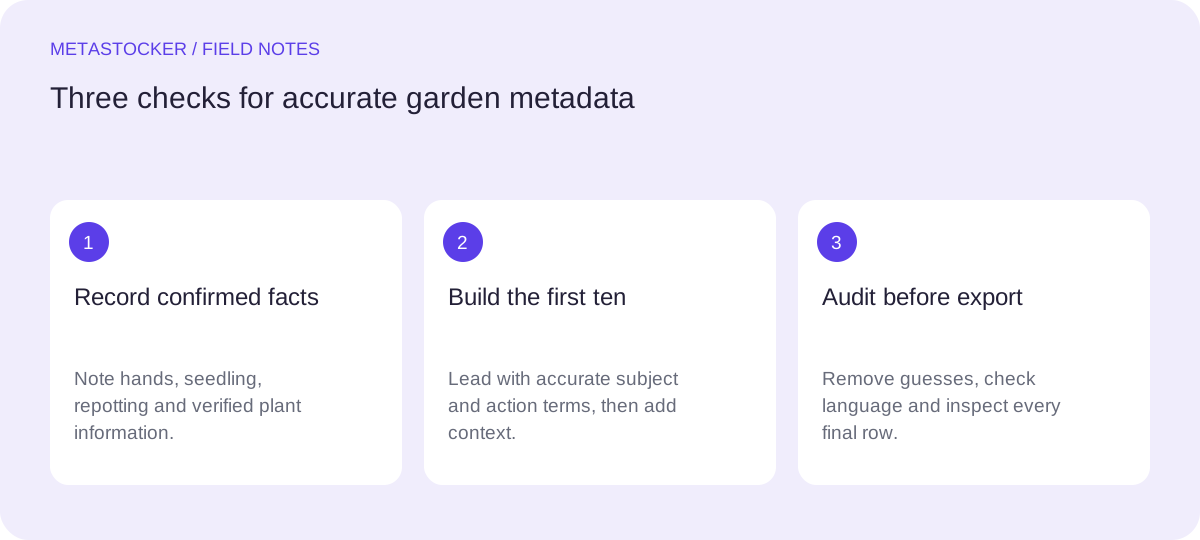
Start with confirmed visual facts
Make a short evidence inventory before writing metadata. In this case, the confirmed subjects are hands, a seedling and the action of repotting. The shoot notes also confirm plant information, so a phrase such as “seedling care” can be considered if it accurately represents that information.
Do not add tomato, basil, houseplant, organic, greenhouse, balcony, family, gardener or a named person unless the image or notes explicitly support it. A close view of hands does not establish identity, ownership, location or the exact plant species.
- Visible action: repotting a seedling.
- Confirmed topic: plant care and gardening.
- Unconfirmed: species, place, materials, date and ownership.
Choose the first ten terms deliberately
Adobe advises placing the most important terms first, with particular attention to the first ten, and permits up to 49 relevant keywords. A shorter, accurate list is often easier to audit than a full list padded with near-synonyms.
Put the central subject and action before broad associations. For this image, “hands” and “repotting” describe the searchable event more directly than a vague term such as “nature.” Then add supported context such as “seedling care” and “gardening.”
- Lead with subject and action.
- Use exact, ordinary phrases before broad concepts.
- Treat the first ten as a relevance test, not a space to fill.
Worked example: one careful keyword set
Example: assume the shoot notes verify the plant information but do not name the species or location. A practical first draft for an English-language contributor account could be the following. It contains seven terms, all limited to the facts established above.
The title is a sentence-like description rather than a keyword pile. It explains the visible event without claiming a species, material or setting. If the target platform requires another account language, translate the metadata according to that account’s rules rather than mixing languages in one submission.
Title: Hands repotting a seedling during plant care
Keywords, in order:
hands, repotting, seedling, plant care, gardening, transplanting, young plant
Remove repetition and unsupported reach
Review every term against the individual file. “Young plant” and “seedling” overlap, but both can remain when the image and notes support them. Terms such as “growth,” “cultivation,” “home gardening,” “propagation” and “close up” need separate evidence; remove them when the file does not provide it. By contrast, adding “flower,” “vegetable,” or a species name would narrow the subject without evidence. Remove a term if it merely sounds attractive.
Avoid repeating the same word in many compounds just to increase coverage. Shutterstock’s guidance likewise emphasizes precise, tailored keywords and warns against unrelated or repeated terms. Marketplace limits and policies can change, so check the current contributor portal before submitting.
- Ask: can the photo or shoot notes support this term?
- Delete guesses about species, people, place and ownership.
- Keep the list within the destination marketplace’s current limit.
Check language and platform rules
Metadata language follows the contributor account or platform requirement, not the language of this article. The English example is appropriate only when the account and destination call for English. Do not assume one list or one keyword limit works everywhere.
For Adobe, the general guide allows up to 49 relevant keywords and its current title guidance favors a brief, clear title. Other marketplaces have different fields and limits. If you prepare a CSV, exact filenames and extensions must match the uploaded assets, and you still need to inspect the imported metadata in the contributor portal. A CSV does not guarantee acceptance.
- Confirm the account metadata language.
- Check current title, keyword and category requirements.
- Inspect imported rows before export or submission.
Use a local generator as a drafting aid
MetaStocker can draft metadata locally in the visitor’s browser using its supported local models. The default local model is Gemma 4 E2B; the app also lists Gemma 4 E4B and Qwen3.5 2B. Local inference stays on the device, while the first model download needs internet. Downloaded browser cache is not the same as a model actively loaded in memory.
Give the batch description only the confirmed facts: “Hands repotting a seedling; plant information verified; species and location not supplied.” Generate a draft, inspect each file, correct unsupported terms, and export only ready rows. The app checks the requested tag count, but that does not prove accuracy. Its CSV exporter does not upload, submit, embed metadata in originals or guarantee acceptance.
- Use one file-specific context for this single photo.
- Review editable results against the shoot notes.
- Unload or delete local model files according to your own storage needs.
Before you continue
- Confirm the image shows hands repotting a seedling.
- Record the verified plant information before drafting keywords.
- Do not guess species, materials, location, identity or ownership.
- Place the strongest accurate terms first.
- Check every keyword for file-specific relevance and repetition.
- Use the destination account language and current marketplace limits.
- Inspect CSV-imported metadata before any submission.
Sources and editorial approach
Prepared with AI assistance. Worked examples are illustrative. Automated checks do not replace checking the requirements of your stock platform. How these guides are made.