 MetaStocker
Titles & keywords
Keywords for Basket-Weaving Craft Photos Without Guesswork
A craft photograph can look richly specific while still leaving important facts unknown. In this worked example, the photographer’s shoot note verifies that the image shows hands weaving a basket. The note does not verify the maker’s identity, the basket’s material, the location, the tradition, or its cultural origin. Those boundaries should shape every keyword and title decision. The goal is useful metadata for the exact image, not a dramatic story invented from appearance.
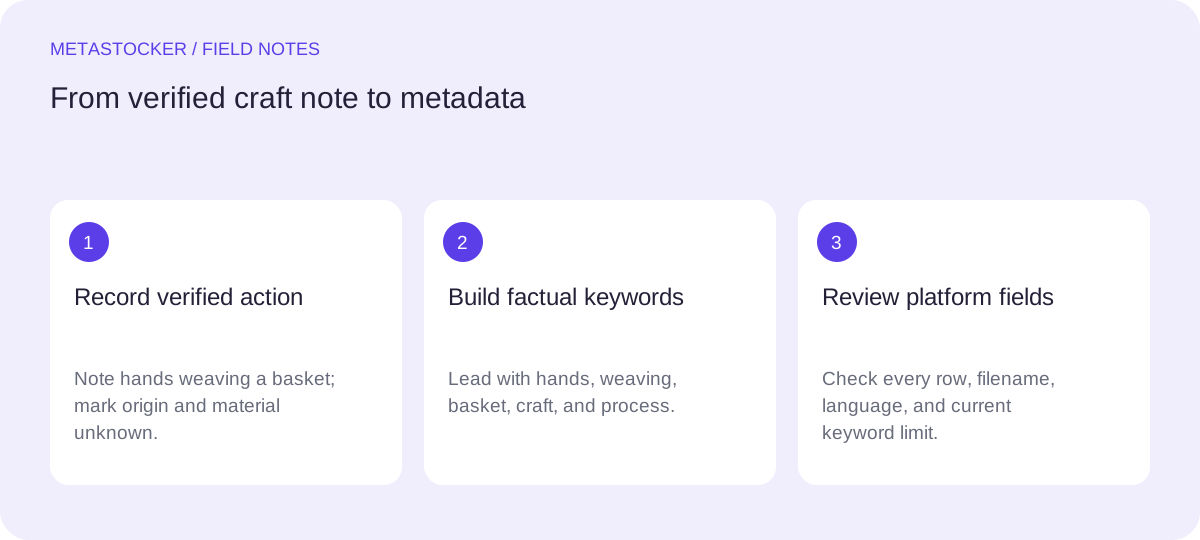
Start with verified facts
Write a short fact record before opening a keyword tool. For this example, the safe record is: hands are visible; the hands are weaving a basket; the image documents a craft process. The cultural origin is unknown. No person, place, material, ownership, date, or community is identified in the supplied notes.
This record gives you strong terms such as hands, weaving, basket, craft, handmade, artisan process, and close-up if the framing supports it. It does not justify terms such as Indigenous, African, Asian, traditional, local, rattan, wicker, or a named country. A visually plausible guess is still a guess.
- Separate what the shoot note confirms from what the pixels merely suggest.
- Do not add identity, ethnicity, location, material, species, or ownership without evidence.
Verified: hands weaving a basket; process documented.
Unverified: maker identity, material, country, cultural tradition, date.
Describe the action before the atmosphere
The central search intent is the handmade process. Put the clearest action and object first in the title and early keyword positions. A practical English title for this example is: “Hands weaving a basket in a close-up handmade craft process.” Use “close-up” only if the framing genuinely supports it; otherwise remove it.
The title reads as a phrase rather than a pile of tags. It identifies who or what is visible, what is happening, and the subject category. Avoid turning it into a cultural caption. “Traditional cultural basket from [country]” would claim facts that the notes do not provide.
- Lead with hands, weaving, basket, and craft process.
- Add composition or mood only when it is visibly supported.
- Keep the title specific without converting assumptions into facts.
Hands weaving a basket in a close-up handmade craft process.
Build a precise keyword set
For a stock submission, make every term earn its place. A useful first group covers the visible action: hands, weaving, basket, basket weaving, craft, handmade, handwork, artisan, craftsmanship, making, and process. A second group can describe the image’s usable concepts if visible: close-up, texture, detail, manual work, and creativity.
Do not repeat near-duplicates simply to fill space. Terms such as basket, baskets, basketmaking, and basket weaving may overlap; retain only the variants that accurately describe the individual file and the target platform’s rules. Shutterstock’s current guidance calls for 7–50 relevant keywords, while Adobe permits up to 49 and emphasizes the first ten. Platform limits and policies can change, so check the contributor portal before submission.
- Use compound terms when they describe the subject accurately.
- Remove guesses about material, origin, identity, and place.
- Review the first ten terms as the image’s clearest discovery summary.
hands, weaving, basket, basket weaving, craft, handmade, handwork, artisan, craftsmanship, making, process, close-up, texture, detail, manual work, creativity
Worked example: choose and reject terms
Imagine a square photograph where two hands cross flexible-looking strands around the body of a basket. The supplied note confirms the weaving action but does not identify the strands. The resulting metadata should describe the action and form, not name the material. “Basket weaving” is defensible; “rattan basket” is not verified.
The same discipline applies to cultural language. “Handmade craft” and “artisan process” are broad descriptions of the visible activity. “Native tradition,” “tribal artisan,” or a country name would attach a cultural narrative without evidence. If the photographer later supplies a documented location or material, revise the metadata and retain only what applies to this exact file.
- Keep: hands, basket weaving, handmade craft, artisan process.
- Reject for now: rattan, wicker, Indigenous, tribal, African, Asian, and country names.
- Do not use a generic batch prompt that could assign these rejected terms to every image.
Keep: hands, basket, weaving, handmade, craft, process.
Reject: rattan, wicker, tribal, Indigenous, country names.
Use a generator as a draft assistant
MetaStocker’s local mode can analyze an image in the visitor’s browser using a loaded local model. The first model download needs internet; loading model memory is different from retaining downloaded browser files, and storage can be evicted. Local inference runs on the visitor’s device, so it is not the same as writing these articles on a server. The app has no automatic cloud fallback.
Give the batch description only verified context: “Hands weaving a basket; cultural origin and material are unverified.” Treat generated keywords as editable suggestions. Check every row against the image and shoot note, especially when a model proposes a material, region, tradition, or identity. The app can validate a requested tag count, but that does not prove factual accuracy. Export only rows you have reviewed; the exporter does not upload, submit, guarantee acceptance, or embed metadata into the original.
- Start with one local thread, then test two if your device can handle it.
- Review generated results file by file.
- If using the optional personal OpenAI mode, protect your API key and understand that previews and context are sent to OpenAI.
Batch context: “Verified: hands weaving a basket. Do not infer material, identity, location, or cultural origin.”
Prepare platform-specific delivery
If you target Adobe, use the language set in your contributor account and keep the conservative maximum of 49 keywords. If you use CSV, upload the assets first, make filenames match exactly including extension and case, then inspect the imported metadata in the contributor portal. A CSV is a transfer format, not proof of acceptance.
For Shutterstock, provide descriptive metadata in English and at least one category, even if this guide is being read in Russian. Keep the keywords relevant to the individual work and follow the current 7–50 range. Contributor requirements can change, so check the current portal and item-specific instructions before delivery. Marketplace search metadata is separate from Google’s website indexing; adding stock keywords does not control how a website appears in Google.
- Choose the platform before finalizing language and limits.
- Inspect imported fields instead of assuming a CSV mapped correctly.
- Recheck current contributor policies before upload or submission.
Filename: basket-weaving-01.jpg
Title: Hands weaving a basket in a close-up handmade craft process.
Keywords: hands, weaving, basket, basket weaving, craft, handmade, handwork, artisan, process, detail
Category: select at least one applicable category
Before you continue
- Confirm that the shoot note verifies hands weaving a basket.
- Remove guessed material, cultural origin, location, identity, and ownership.
- Write a descriptive phrase, not a keyword list.
- Place the most important accurate terms first.
- Review every generated field against this exact image.
- For Shutterstock, use English descriptive metadata, provide at least one category, and follow the target platform’s current keyword limits.
- Match CSV filenames exactly and inspect the portal result.
- Export or submit only after human verification of the metadata.
Sources and editorial approach
Prepared with AI assistance. Worked examples are illustrative. Automated checks do not replace checking the requirements of your stock platform. How these guides are made.