 MetaStocker
Contributor workflow
Build a Reusable Keyword Taxonomy for Cooking Stock Photos
A small home-cooking portfolio benefits from a keyword system, but it does not need a giant master list. The useful approach is to build a controlled vocabulary that helps you notice relevant terms, then select only the words supported by each asset. This keeps metadata specific while making future captioning faster.
Treat the taxonomy as a suggestion library with four fields: subject, action, material, and setting. Subject identifies what the viewer sees; action describes what is happening; material names ingredients, tools, or surfaces; setting explains the visual context. These fields are for thinking and review. They are not four mandatory piles of keywords to paste onto every file.
Start with the portfolio’s real visual territory
Review a manageable sample of your existing cooking images and write down recurring visual facts. Do not begin with imagined search terms or a list copied from another contributor. If your portfolio mostly shows hands preparing vegetables on a kitchen counter, that is the territory your vocabulary should represent.
Separate repeatable concepts from one-off details. “Chopping,” “mixing,” and “sautéing” may recur across many sessions. A particular herb, pan, or countertop belongs in the library only when it is genuinely visible and useful. This distinction prevents a broad taxonomy from becoming a collection of unsupported guesses.
- Use visible, describable concepts rather than assumed recipes or personal stories.
- Record alternative wording only when the terms describe the same practical idea.
- Keep a note of concepts you deliberately do not cover, such as unseen ingredients.
Portfolio focus: hands preparing simple meals, close-up ingredients, cookware, and quiet kitchen worktops.
Useful vocabulary areas: chopping, stirring, pouring, seasoning; tomato, onion, dough, oil; knife, bowl, skillet; countertop, home kitchen, overhead view.
Define four complementary fields
Subject is the main object, ingredient, dish component, or human-free activity focus. Action captures movement or process, such as kneading dough or whisking sauce. Material covers ingredients, utensils, cookware, and tactile surfaces. Setting describes the environment or composition, such as home kitchen, overhead view, countertop, or close up.
The fields can overlap, so use them as prompts rather than rigid database rules. A skillet could be material in one image and the central subject in another. “Baking” might describe an overall activity, while “pouring batter” is the more precise action for a particular frame. Choose the field that helps you make a clear decision.
- Subject: what deserves attention in the frame.
- Action: what is visibly happening.
- Material: what the food, tools, and surfaces are made of or include.
- Setting: where and how the scene is presented.
Turn the library into selection rules
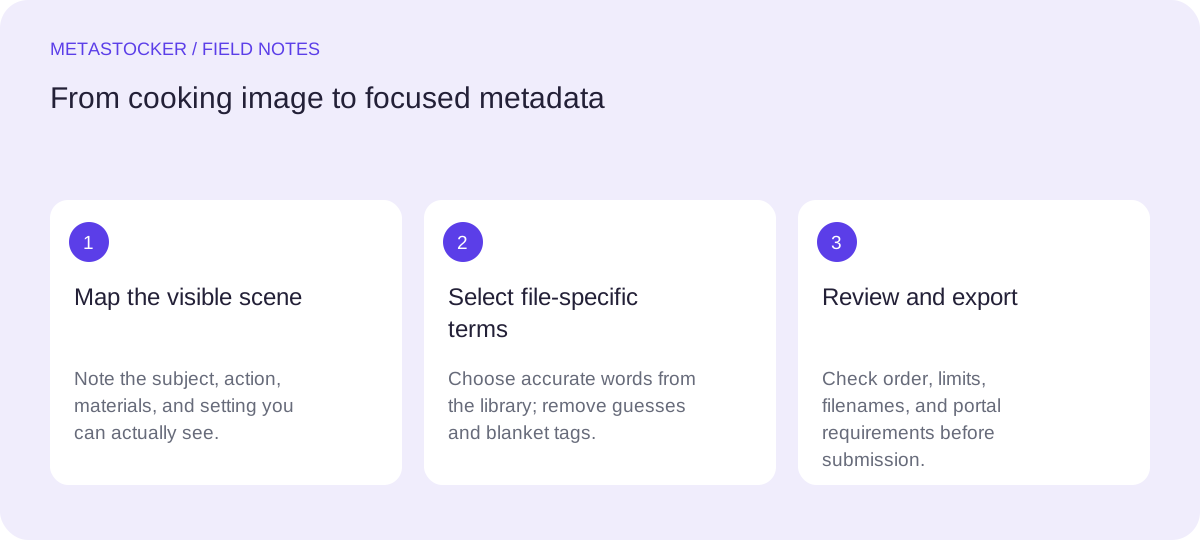
For each new image, first write a plain-language description. Then select a small group of terms from each relevant field. Do not force every field to contribute equally. A finished bowl may need subject and material terms but no action term. A close-up of stirring may need action and setting terms while a specific ingredient remains secondary.
Add specificity only when the image supports it. “Vegetable” can be useful for a visible mixed preparation, but “chopped carrot” is stronger when the carrot and the cutting action are clear. Avoid inferred dietary claims, cultural identity, ownership, location, or unseen ingredients. Never use the taxonomy to turn uncertainty into metadata.
- Begin with the clearest nouns and verbs.
- Add context only if it changes how the image can be understood.
- Remove synonyms, repetitions, and attractive but irrelevant words.
- Keep marketplace language requirements in view; some platforms require English metadata.
Worked example: one image, four decisions
Example: imagine a horizontal image showing a hand pouring olive oil from a glass bottle into a black skillet containing sliced mushrooms. The background is a light kitchen countertop. The following selection is intentionally narrower than the full library. For this teaching example, the photographer’s shoot notes confirm olive oil and a home kitchen.
Subject terms identify the visible food and vessel. Action terms describe the pour. Material terms add the oil, mushrooms, bottle, and skillet. Setting terms explain the domestic preparation context. “Healthy,” “Italian,” “restaurant,” and “dinner” are excluded because the pixels do not prove those claims.
- Subject: mushrooms, skillet, olive oil
- Action: pouring
- Material: glass bottle, black skillet, oil
- Setting: home kitchen, countertop, close up
Possible title: Pouring olive oil over mushrooms in a skillet
Possible keyword order: mushrooms, olive oil, skillet, pouring, home kitchen, countertop, glass bottle, black skillet, food preparation
Excluded: healthy, Italian, restaurant, dinner, family recipe
Order and adapt metadata for each platform
When a marketplace gives special weight to early keywords, put the most important accurate concepts first. For Adobe Stock, the current guidance allows up to 49 keywords and emphasizes the first ten; use that as a conservative working ceiling while checking the current contributor interface. Other marketplaces have their own limits and rules, so a vocabulary should support adaptation rather than produce one universal upload string.
Descriptions should read like a concise account of the image, not a sentence assembled from repeated tags. Review current contributor requirements before uploading. If you use CSV, exact filenames and portal inspection still matter; an exported file is not proof that metadata was accepted.
- Maintain a master library separately from per-file keyword selections.
- Keep platform-specific limits in a small reference note.
- Inspect imported metadata in the relevant contributor portal.
- Treat policies as changeable and check the current portal before submission.
Use local generation as a drafting assistant
MetaStocker can help turn a visible image into editable metadata drafts in the browser. Its local mode runs supported vision and thinking models on the visitor’s device through WebGPU; the first model download requires internet. Loading a model into memory is different from keeping downloaded model files in browser cache, and browser storage can be evicted.
For a small portfolio, start with one local parallel thread and review the result against your taxonomy. Give batch description only facts shared by the batch; do not describe a mixed set with blanket tags. Extra tags are suggestions, not approvals. Check every file, keep only relevant rows, and export when ready. The app creates CSV files for supported destinations but does not upload, submit, embed metadata into originals, or guarantee acceptance.
- Use the four fields as review prompts for generated drafts.
- Correct unsupported details before export.
- Inspect full video motion when working with sampled video previews.
- If using the optional personal API mode, protect your own API key and understand that previews or context are sent to OpenAI.
Before you continue
- Define a realistic cooking focus from your existing images.
- Build subject, action, material, and setting libraries from visible facts.
- Write a plain-language description before choosing keywords.
- Select terms per file; never paste the whole vocabulary.
- Put the strongest accurate terms first where the marketplace recommends it.
- Remove inferred claims, repetitions, and irrelevant synonyms.
- Review editable metadata and current portal rules before export or upload.
Sources and editorial approach
Prepared with AI assistance. Worked examples are illustrative. Automated checks do not replace checking the requirements of your stock platform. How these guides are made.