 MetaStocker
Titles & keywords
How to Keyword a Macro Insect Photo Without Guessing Its Species
The shoot note for this assignment says only that the image is a close-up of an unknown insect on bark. That gives us three safe starting points: close-up, insect, and bark. It does not establish the insect’s species, sex, life stage, location, season, behavior, or ownership. The practical goal is therefore not to identify the subject at any cost. It is to create metadata that helps a buyer find the image while remaining defensible when the file is reviewed. This guide uses one hypothetical worked example throughout. The wording and numbers are examples for this assignment, not measured results or a real customer submission.
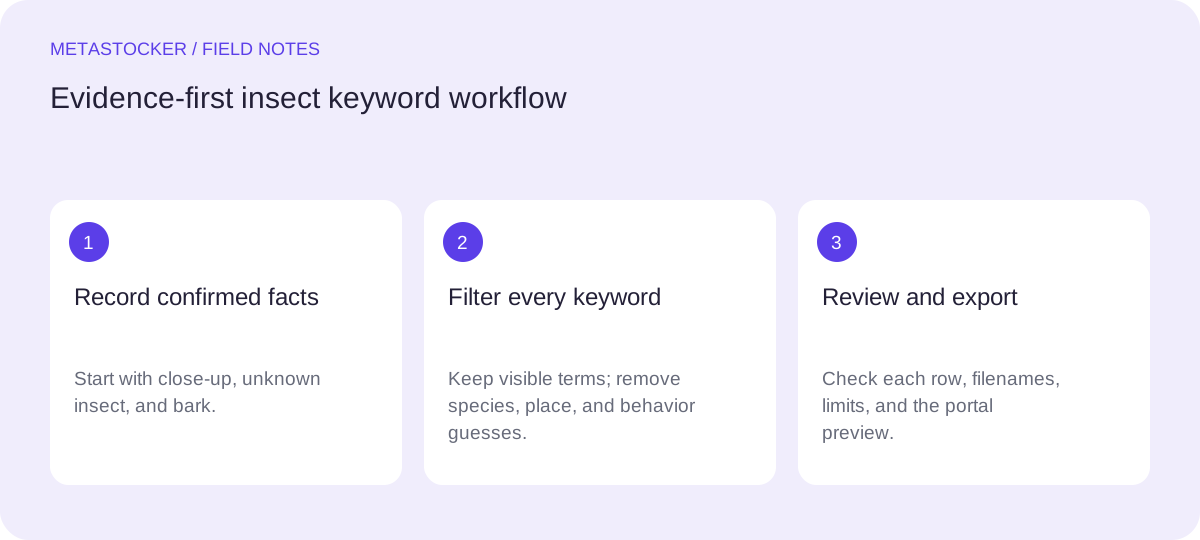
Separate observation from interpretation
Begin with a visual fact list. Record what the supplied note confirms, then inspect the image for additional details you can actually see. A visible body, legs, antennae, bark surface, close focus, or neutral background may be usable if they are genuinely present. Do not turn an apparent resemblance into a species name.
Avoid guesses about location, habitat, season, ecological role, danger, or behavior. A subject resting on bark is not automatically feeding, hiding, harmful, wild, or photographed in a forest. Those assumptions can make a long keyword list less accurate and less useful.
- Safe foundation: insect, close-up, bark.
- Potential additions require visual confirmation: antennae, legs, wings, texture, background.
- Do not add a Latin name, common species name, location, or behavior without evidence.
Observation worksheet: close-up; insect; on bark; [add only details visibly confirmed in the file].
Choose the title before the tags
Write a short descriptive title that reads naturally. It should identify the subject and setting without pretending to know more than the image shows. Put the clearest terms near the beginning, and keep the title within the current platform limit. Adobe’s current guidance says titles should be brief and ideally under 70 characters; its CSV guidance also gives a 70-character limit.
For this image, a title such as “Close-up of an unidentified insect on bark” is clearer than a keyword pile such as “insect macro bark nature closeup bug.” The word “unidentified” communicates the uncertainty instead of hiding it. If a marketplace uses English metadata, a Russian-language article still needs an English title and English keywords for that submission.
- Use a sentence or natural phrase, not a comma-separated tag list.
- Keep the subject and setting visible in the wording.
- Remove unsupported species, place, and activity claims.
Example title: Close-up of an unidentified insect on bark
Build a layered keyword set
A useful list can move from the most important direct descriptions to broader but still defensible concepts. Start with the subject and view: insect, close-up, macro, detail, and arthropod only if that broader classification is visually justified. Add the setting: bark, tree surface, natural background, or texture only when the image supports each term. Then consider carefully chosen concepts such as nature, wildlife, biology, or entomology if they accurately describe the image’s editorial use.
Do not repeat singular and plural variants merely to increase the count. Avoid irrelevant tags, brand names, camera details, and guessed identities. Adobe permits up to 49 keywords and emphasizes the first ten; Shutterstock’s current guidance specifies 7 to 50 relevant keywords. Requirements can change, so check the contributor portal before submitting.
- Put the strongest factual terms in the first ten positions.
- Use compound terms only when they accurately describe the image.
- Prefer a short accurate list to filler or repetition.
Example first ten: insect, close-up, macro, bark, unidentified insect, insect detail, natural texture, wildlife, nature, arthropod
Worked example: edit the list
Suppose inspection confirms the supplied note plus a visible wing outline and antennae. It does not reveal a species, country, date, or behavior. A draft of 18 terms might include insect, close-up, macro, bark, unidentified insect, insect detail, winged insect, antennae, natural texture, nature, wildlife, biology, entomology, background, detail, organic texture, forest, and beetle.
Keep the first 15 only if each is supported. Remove forest because bark does not prove a forest location. Remove beetle because a wing outline does not establish that order. “Organic texture” may be too abstract unless the image is genuinely useful as a texture concept. The revised example becomes: insect, close-up, macro, bark, unidentified insect, insect detail, winged insect, antennae, natural texture, nature, wildlife, biology, entomology, background, detail. This is a hypothetical editorial decision, not a platform test or performance claim.
- Draft broadly, then challenge every term.
- Delete guesses even when they seem visually plausible.
- Keep the order based on buyer intent and factual strength.
Revised example list: insect, close-up, macro, bark, unidentified insect, insect detail, winged insect, antennae, natural texture, nature, wildlife, biology, entomology, background, detail
Use a local generator as an assistant
MetaStocker is a static web app with local vision and thinking models that run in WebGPU workers in the visitor’s browser. In local mode, inference stays on the device; the first model download needs internet. Loading a model into memory is different from retaining downloaded model files in browser cache. The app can unload a model from memory while retaining cache, or delete those browser files. Storage can still be evicted by the browser.
For this example, load one local thread first, provide the batch description “Close-up of an unknown insect on bark; do not infer species, location, behavior, or ownership,” and treat the generated result as a draft. Review each row manually. Extra tags and an exact requested count do not prove relevance or accuracy. If local hardware is unsuitable, the app has an optional personal OpenAI API mode, which sends previews or context to OpenAI; keep the API key private.
- State the uncertainty in the batch context.
- Begin with one local parallel thread and review the output.
- Edit or discard unsupported suggestions before export.
Prompt context example: Close-up of an unknown insect on bark. Use only visible facts. Do not name species or infer location, behavior, ownership, or release information.
Check the export and submission workflow
The generator can export formats including Adobe, Envato, Shutterstock, and Freepik CSV, but it does not upload or submit files, guarantee acceptance, or embed metadata into the original image. Export only rows you have checked. For Adobe CSV, upload the assets before importing the CSV, and make sure the filename including extension and case matches exactly. Then inspect the imported metadata in the contributor portal.
Do not assume one CSV structure or keyword limit works everywhere. Envato requirements vary by content type, and marketplace policies change. Use the current portal instructions at the moment of submission. A clean title and evidence-based keywords support discoverability, but they do not guarantee sales, placement, or ranking.
- Keep the original file separate from the metadata export.
- Verify filenames character for character.
- Inspect imported fields in the destination portal.
- Check current marketplace rules before final submission.
Example review order: image evidence → title → first ten keywords → remaining keywords → filename match → portal preview.
Before you continue
- Confirm the shoot note: a close-up of an unknown insect on bark.
- List only visible or supplied facts.
- Do not guess species, location, behavior, ownership, or sensitive attributes.
- Write a natural English title when the target marketplace requires English.
- Place the strongest factual terms first.
- Remove duplicate, irrelevant, and speculative keywords.
- Review every generated row before exporting.
- Validate filenames and current marketplace requirements in the contributor portal.
Sources and editorial approach
Prepared with AI assistance. Worked examples are illustrative. Automated checks do not replace checking the requirements of your stock platform. How these guides are made.