 MetaStocker
Titles & keywords
How to Build Accurate Stock Photo Keywords from an Image
A useful stock keyword list begins with what the image actually shows. For a ceramic mug beside an open notebook at a kitchen table, the safest metadata describes the objects, the setting, and a few concepts that the composition supports. It does not invent a remote-work scene, a person, a location, or a purpose that cannot be verified from the pixels.
This workflow helps you build a focused list for a marketplace while keeping the first terms especially useful. You can inspect the image yourself, use MetaStocker’s local generator as a drafting aid, and then edit every result before export. Marketplace rules change, so check the current contributor portal for the platform you plan to use.
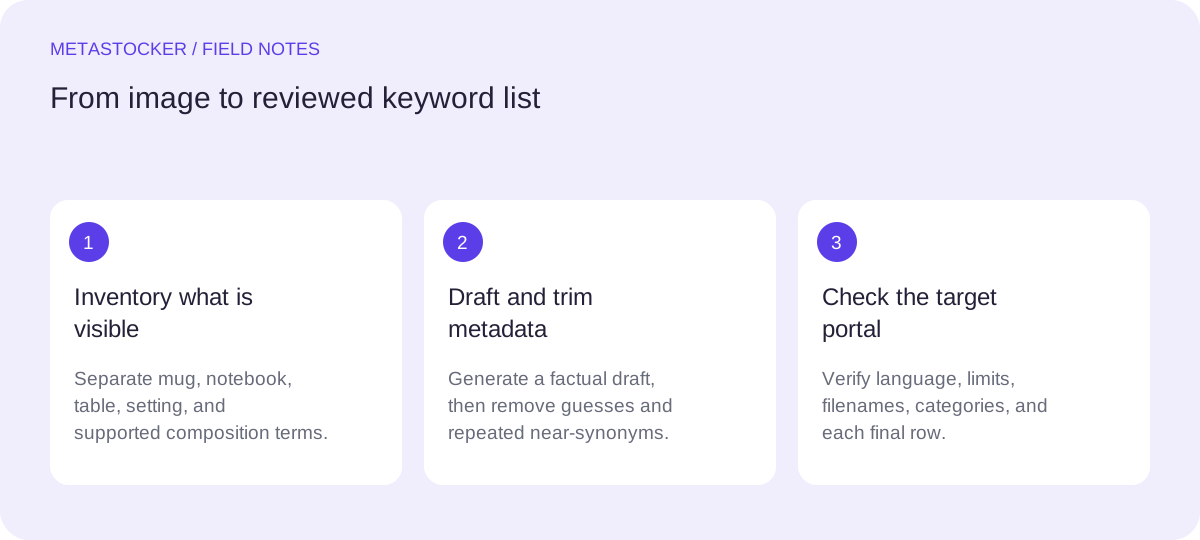
1. Start with a visual inventory
Write down only directly visible elements before thinking about search terms. Separate the inventory into objects, environment, composition, and possible concepts. This prevents an attractive but unsupported story from taking over the metadata.
For this image, visible objects include a ceramic mug and an open notebook. The setting is a kitchen table, with a tabletop and an indoor environment. The composition may support terms such as still life, close up, and copy space only if those qualities are genuinely visible. Do not add coffee, handwriting, a laptop, an office, or remote work unless the image clearly shows them.
- Objects: ceramic mug, open notebook, table
- Setting: kitchen table, indoor scene, home interior only if supported
- Concepts: writing, planning, notes, or routine only when visually justified
2. Separate objects from concepts
Object keywords identify what is present. Concept keywords describe a use or idea suggested by the image. Objects are usually easier to defend; concepts require a higher standard of evidence.
A notebook can support writing, study, planning, or journaling when its arrangement gives that context. However, the image does not prove who will use it or why. Treat concepts as optional, lower-priority additions rather than replacements for concrete nouns. Avoid stacking near-synonyms simply to make the list longer.
- Prefer concrete terms before abstract ideas.
- Use a concept only when the composition makes it plausible.
- Remove terms that depend on an unseen person, profession, event, or location.
3. Put the strongest terms first
Adobe’s guidance gives particular importance to the first ten keywords. For an Adobe upload, build that opening group from the clearest subject and setting terms, then add composition and supported concepts. For other marketplaces, follow their current documented ordering rules.
A concise title should describe the image as a sentence or natural phrase, not as a keyword pile. For Adobe, the current CSV guidance gives a 70-character title limit; still, verify the current portal before upload. A conservative keyword ceiling of 49 is useful when preparing Adobe metadata, while other platforms can have different limits.
- Lead with ceramic mug, open notebook, and kitchen table.
- Follow with indoor, tabletop, still life, or close up when visible.
- Check the target marketplace’s current language, count, and category rules.
4. Worked example: build and trim the list
Example, not a measured result or customer case: suppose the photo shows a white ceramic mug on the left, an open blank notebook on the right, and both items on a wooden kitchen table. No laptop, hands, text, food, or identifiable location is visible.
Start with a broad draft, then remove unsupported or repetitive terms. “Coffee” is tempting because mugs often contain coffee, but it is not safe unless the drink is visible. “Remote work” is also unsupported because the image contains no work device or person. “Wooden” belongs only if the table material is clear.
- Keep: ceramic mug, open notebook, kitchen table, tabletop, indoor, still life.
- Consider: writing, planning, journaling, copy space, close up, if the composition supports them.
- Remove: coffee, remote work, office, employee, breakfast, specific city, and any guessed identity.
Title: Ceramic mug and open notebook on a kitchen table

Priority keywords:
ceramic mug, open notebook, kitchen table, tabletop, indoor, still life, notebook, mug, writing, planning, journaling, home interior, close up, copy space

The exact final list should match what is visible and the destination platform’s rules.
5. Use a local generator as a draft assistant
MetaStocker is a static web app with local vision and thinking models that run in WebGPU workers in your browser. In local mode, inference stays on your device; the first model download needs internet. The default local model is Gemma 4 E2B, and the app also offers Gemma 4 E4B and Qwen3.5 2B.
Load a model, provide the image, and use the generated metadata as a starting draft. A batch description should contain factual context only. For this example, say “Ceramic mug beside an open notebook on a kitchen table.” Do not use a blanket list of tags for a mixed batch. Review each file individually, especially extra tags inserted at different positions.
- Begin with one local parallel thread; test two only if your device handles it comfortably.
- Loading a model into memory is different from retaining downloaded browser cache.
- Edit generated results and export only rows you consider ready.
6. Check the list for marketplace fit
Before exporting, compare the metadata with the target contributor portal. Adobe’s general keyword guidance allows up to 49 keywords and requires metadata language to match the contributor account. Shutterstock’s guidance calls for English descriptive metadata, 7 to 50 relevant keywords, and at least one category. These are platform-specific rules, not universal guarantees.
If you use CSV, exact filenames matter for the relevant workflow, including extensions and case. Upload assets before importing an Adobe CSV, then inspect the resulting metadata in the contributor portal. An exporter can format a file, but it cannot prove that the keywords are accurate or that the marketplace will accept the submission. Google website indexing is a separate concern from internal marketplace search.
- Confirm the current portal requirements before submission.
- Check spelling, duplicates, language, category, title length, and relevance.
- Never treat keyword count as evidence of quality or a guarantee of sales or ranking.
Before you continue
- Describe visible objects before adding concepts.
- Keep guessed people, places, professions, events, and uses out of the list.
- Place the clearest subject and setting terms first.
- Review every generated keyword against the actual image.
- Match the destination marketplace’s current language and limits.
- Inspect exported metadata in the contributor portal before submission.
Sources and editorial approach
Prepared with AI assistance. Worked examples are illustrative. Automated checks do not replace checking the requirements of your stock platform. How these guides are made.