 MetaStocker
Portfolio SEO
How to Create a Sitemap for Your Photography Portfolio
A sitemap is a discovery aid for your photography website. It gives search engines a clean list of pages that are eligible for consideration, but it does not guarantee crawling or indexing. For a small portfolio, accuracy matters more than volume: five stable canonical pages are more useful than a long file containing drafts, filtered galleries, duplicate URLs, or temporary previews.
This guide uses a practical example: a photographer has five public portfolio pages and several private working views. The goal is to create one sitemap that reflects the public site as it exists today, then submit it in Search Console and maintain it honestly.
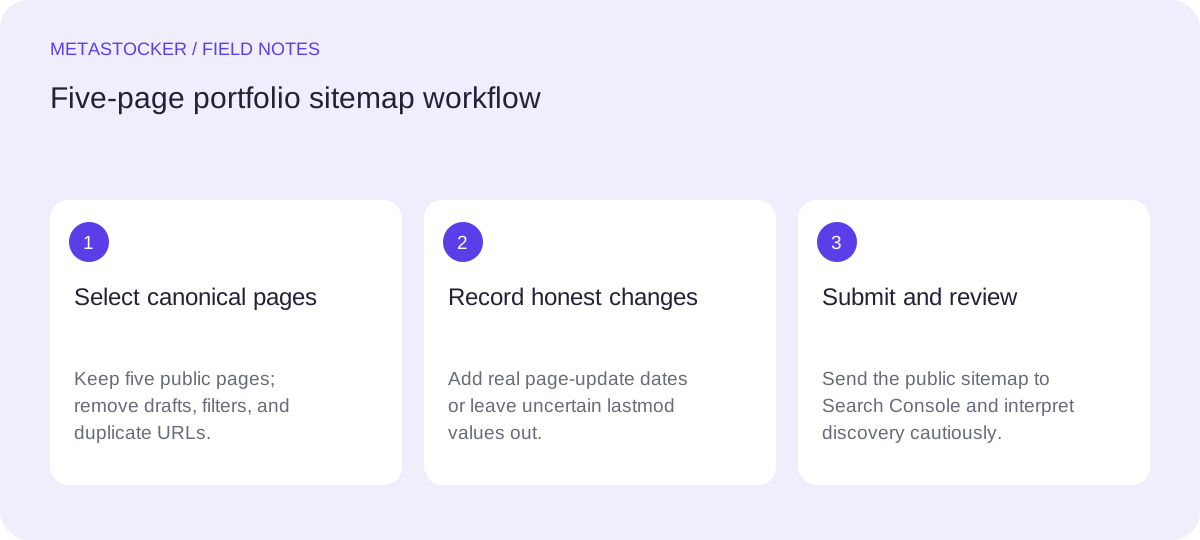
1. Define the pages the sitemap should represent
Start with the pages a visitor can intentionally open and that you want search engines to discover. In this example, the portfolio has five canonical pages: a homepage, a portraits collection, a coastal landscapes collection, a studio still-life collection, and an about page.
Exclude login screens, private drafts, internal search results, filter combinations, preview links, and duplicate versions of the same page. A filtered URL such as /portfolio?color=blue may be useful for visitors but does not automatically deserve a separate sitemap entry. If several URLs show substantially the same page, choose the one canonical URL and list that URL only.
Use complete absolute URLs, including the correct protocol and domain. Before adding a page, open it in a normal browser session and confirm that it is the public, intended version rather than an editor preview.
- List stable public pages, not every URL your site can generate.
- Choose one canonical URL for each page.
- Keep private drafts and temporary views out of the file.
2. Build a small, readable XML file
A sitemap does not need descriptive prose about each photograph. Its essential purpose here is to identify canonical page URLs. Keep the file limited to the five pages in scope and check that every URL is spelled consistently.
The following is a hypothetical example for the portfolio described above. The dates are illustrative; replace them with the actual dates from the site. Save the file at a stable public location such as the site root, using the filename your site configuration supports.
<?xml version="1.0" encoding="UTF-8"?>
<urlset xmlns="http://www.sitemaps.org/schemas/sitemap/0.9">
  <url><loc>https://example.com/</loc><lastmod>2026-09-12</lastmod></url>
  <url><loc>https://example.com/portfolio/portraits</loc><lastmod>2026-09-10</lastmod></url>
  <url><loc>https://example.com/portfolio/coastal-landscapes</loc><lastmod>2026-09-08</lastmod></url>
  <url><loc>https://example.com/portfolio/still-life</loc><lastmod>2026-08-29</lastmod></url>
  <url><loc>https://example.com/about</loc><lastmod>2026-08-20</lastmod></url>
</urlset>
3. Treat lastmod as an editorial signal
Use lastmod only when the page received a meaningful update, such as a changed collection, revised text, or a genuine replacement of the page content. It is not a field for the date you generated the sitemap or the date a photograph was originally taken.
For the worked example, the portraits page was revised on September 10, so its date is 2026-09-10. The coastal page changed on September 8, while the about page has not changed since August 20. Those dates describe page revisions, not promises that a crawler will visit on those days.
If you cannot verify a date, omit lastmod rather than inventing precision. A consistently honest file is easier to maintain than one whose dates change on every export.
- Record the page’s real content-update date.
- Do not refresh every lastmod value when only the sitemap changed.
- Omit uncertain dates instead of guessing.
4. Keep website SEO separate from marketplace metadata
A portfolio sitemap describes your own website. It does not submit photographs to a stock marketplace and does not replace titles, descriptions, keywords, categories, or platform-specific metadata. Marketplace search and Google website indexing are different systems with different inputs.
Likewise, a sitemap does not determine how an image appears in Google Images. For that, use accurate surrounding text and appropriate alt text on the relevant page. Do not turn marketplace keyword lists into unnatural page copy, and do not assume that adding more terms to a sitemap will improve visibility.
If your site has English and Russian versions, give each translated page its own canonical URL. The language versions can identify their reciprocal alternatives, while the sitemap should list the actual canonical URLs you want discovered.
- Use the sitemap for page discovery.
- Use page text and alt text for website image context.
- Keep translated pages on their own canonical URLs.
5. Check the file before submitting it
Open the published sitemap URL and inspect it as an ordinary visitor. Confirm that the XML is visible rather than an error page, every listed URL uses the correct domain, and none of the five pages redirects to a draft, login, or alternate duplicate.
Then compare the sitemap with the current site navigation and page content. If the still-life collection was removed, remove it from the sitemap. If a new canonical page replaces it, add the replacement only after it is publicly available. Recheck the XML after any change to URL spelling or date values.
This review cannot make indexing automatic. It simply prevents the sitemap from sending stale or misleading discovery signals.
- Open the public sitemap URL.
- Test each listed page and its canonical address.
- Remove deleted or private pages promptly.
6. Submit it and interpret the result correctly
Submit the sitemap in Google Search Console for the verified property, using the public sitemap address. Keep a note of the submission date and the version of the portfolio it represented. If the site changes, update the file and review the reported status rather than assuming submission means inclusion in search.
A submitted sitemap helps discovery, but Google still decides whether and when to crawl or index individual pages. A page may remain unindexed for reasons unrelated to whether the sitemap is syntactically correct. Evaluate the page itself: is it public, canonical, useful, and supported by clear surrounding content?
Review the contributor portal when a stock marketplace changes its policies, but do not confuse that separate workflow with your portfolio sitemap. Your sitemap is a website maintenance task, not an upload or sales guarantee.
- Submit the public sitemap address in Search Console.
- Use the report as a diagnostic signal, not an indexing promise.
- Recheck the file when portfolio URLs change.
Before you continue
- Identify the five public canonical pages.
- Exclude private drafts, filters, previews, and duplicates.
- Use absolute URLs with consistent spelling.
- Set lastmod only for genuine page updates.
- Open and inspect the published sitemap.
- Submit its address in Search Console.
- Remember that discovery does not guarantee indexing.
Sources and editorial approach
Prepared with AI assistance. Worked examples are illustrative. Automated checks do not replace checking the requirements of your stock platform. How these guides are made.