 MetaStocker
Portfolio SEO
Stock Marketplace SEO vs Google SEO: A Practical Guide
A stock listing and a page on your own photography website may show the same image, but they are discovered through different systems. A marketplace mainly uses the asset’s title, keywords, categories and other contributor metadata for its internal search. Google evaluates a web page: its surrounding text, image context, technical accessibility and overall usefulness. Treating these as one SEO task creates predictable mistakes, such as stuffing a CSV with phrases meant for HTML or copying marketplace tags into a portfolio page. This guide shows how to separate the workflows and connect them sensibly.
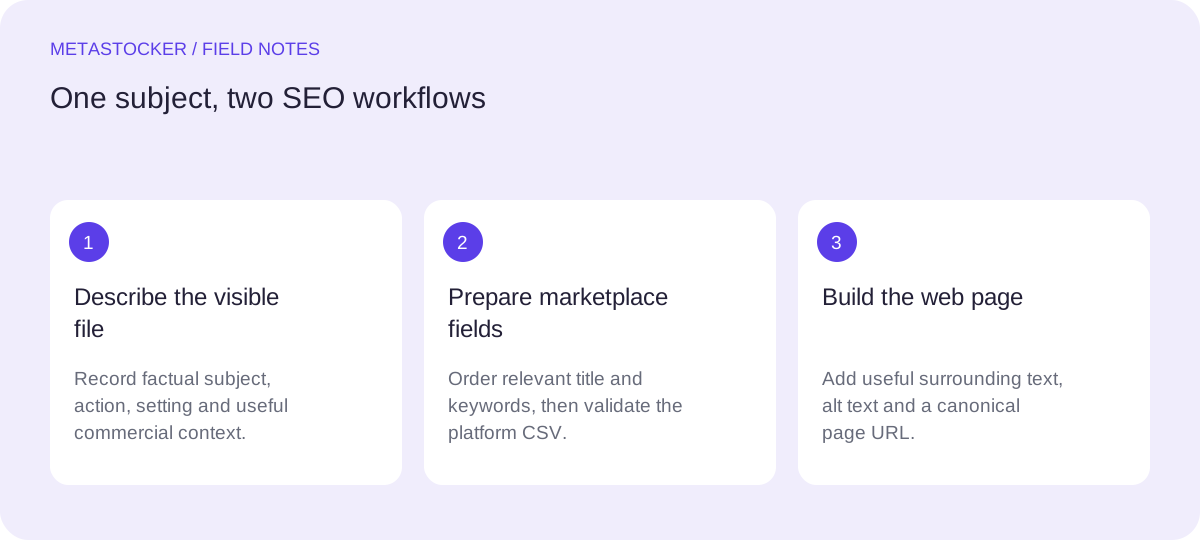
Start with two discovery goals
First decide where you want a person to find the image. A stock buyer usually searches inside a contributor marketplace using a short concept, subject, use case or visual attribute. A portfolio visitor may arrive from Google after searching for a topic, service, project or location, then reading a page around the image.
The distinction matters because a marketplace keyword is a metadata field, while a web keyword should be supported by useful page content. Neither system promises a ranking, sale or traffic. Your job is to make the asset accurately understandable in the place where it appears.
- Marketplace goal: describe the individual file for internal stock search.
- Google goal: create a useful, indexable page with clear image context.
- Do not treat a CSV keyword column as an HTML meta-keywords field.
Build marketplace metadata around the file
For a stock submission, begin with what the image visibly and reliably communicates: subject, action, setting, mood, composition and plausible commercial use. Put the most important terms first when the platform gives them special weight. Avoid guesses about identity, ownership, release status, exact location or species when pixels do not establish those facts.
Each platform has its own rules. For example, Adobe’s guidance allows up to 49 keywords and emphasizes the first ten; its CSV documentation currently states a 70-character title limit. Other marketplaces use different fields and limits, so check the contributor portal before export or upload. Relevant English metadata may be required even when your working language is different.
- Use one accurate descriptive sentence or phrase as the title.
- Choose only relevant keywords; remove repetitions and blanket tags.
- Treat category and release fields as platform-specific requirements.
Worked example: one image, two discovery paths
Example: imagine a horizontal photograph showing a reusable stainless-steel bottle beside a folded map on a sunlit wooden table. The image does not prove where the table is, who owns the bottle or that the trip occurred in a particular country. It can support a practical stock description, but a portfolio page needs a reason for the page to exist beyond a tag list.
A marketplace title could be: “Reusable stainless steel water bottle beside folded map on wooden table.” Suitable keywords might include reusable water bottle, stainless steel, travel planning, map, hydration, sustainable lifestyle, outdoor preparation, still life and wooden table. Remove terms such as hiking trail, mountain and specific destination unless they are actually visible.
On a portfolio site, create a page or gallery entry with a descriptive heading, a short paragraph explaining the image’s subject and intended visual context, and appropriate alt text such as “Reusable stainless steel bottle beside a folded map on a wooden table.” The page could also explain the photographer’s still-life approach or licensing context, if true. The same facts inform both systems, but the website provides fuller context instead of exporting the entire keyword list as prose.
Marketplace title: Reusable stainless steel water bottle beside folded map on wooden table
Marketplace keywords: reusable water bottle, stainless steel, travel planning, map, hydration, sustainable lifestyle, outdoor preparation, still life, wooden table
Portfolio alt text: Reusable stainless steel bottle beside a folded map on a wooden table
Use CSV as an operations format, not a Google trick
A CSV can map filenames to titles, keywords and, depending on the destination, categories or release filenames. It does not add HTML metadata to your website and it does not make a page rank. It also does not guarantee acceptance. Before using it, confirm the platform’s current requirements and make sure every filename, including extension and case, matches the uploaded asset.
For Adobe, upload the assets before importing the CSV, then inspect the resulting metadata in the contributor portal. Keep an untouched working sheet so you can correct a row without losing the original editorial decisions. Export only rows you have reviewed. A generator can help format output, but the contributor remains responsible for relevance and compliance.
- Match filenames exactly, including capitalization and extensions.
- Validate current limits and required columns for each marketplace.
- Inspect imported fields rather than assuming the file was interpreted correctly.
Turn the same subject into a useful Google page
Google image discovery depends on the page around the image as well as the image itself. Use a clear page title, descriptive surrounding text, useful alt text and an appropriate canonical URL. If you publish language versions, give each version its own URL and configure the relevant localized signals. A sitemap can help discovery, but it cannot guarantee crawling or indexing.
Do not create thin pages consisting of a photo followed by dozens of near-duplicate tags. Instead, answer a visitor’s likely question: what is shown, why does it matter, and what can the visitor do next? Keep claims factual. If the image is part of a commercial portfolio, explain licensing or contact options only when those details are genuinely available.
- Write for the visitor who lands on the page, not only for a crawler.
- Use descriptive text that adds context rather than repeating tags.
- Keep marketplace metadata and website copy as separate editorial deliverables.
Review before publishing or exporting
A final review catches the most expensive confusion: metadata that describes an imagined scene rather than the submitted file. Check every keyword against the pixels, remove unsupported precision and confirm that the title sounds like a description rather than a search query. For website pages, open the page as a visitor would and ask whether the text is useful without seeing the keyword list.
If you use MetaStocker’s local generator, local inference runs in the browser on your device. The model must first be downloaded, and loading it into active memory is different from retaining downloaded files in browser cache. Generated results remain editable and should be checked per file; exports do not upload or submit assets, embed metadata into originals or guarantee acceptance. For video, inspect the full motion because sampled previews cannot represent every frame.
- Review factual accuracy before accepting generated suggestions.
- Use one local parallel thread initially, then test higher concurrency cautiously.
- Export only rows that are ready for the specific destination.
Before you continue
- Identify whether the discovery target is a marketplace search or a Google page.
- Describe only visible, supportable facts about the asset.
- Keep CSV fields separate from HTML page SEO.
- Check current marketplace limits, language rules and upload instructions.
- Match filenames exactly and inspect imported metadata.
- Write useful surrounding website text and accurate alt text.
- Review every generated title and keyword before publishing.
Sources and editorial approach
Prepared with AI assistance. Worked examples are illustrative. Automated checks do not replace checking the requirements of your stock platform. How these guides are made.