 MetaStocker
Titles & keywords
How to Keyword Time-Lapse, Slow Motion, and Normal Video
Stock buyers need to know how motion behaves before they license a clip. A time-lapse compresses a long event into a short sequence; slow motion records more frames than normal playback needs and stretches an action; ordinary video records and plays at a conventional rate. These are different production methods, not interchangeable mood words. This guide shows how to document the distinction, write accurate metadata, and avoid guessing from appearance alone.
The worked example below is hypothetical. Its shoot notes are stated first so that every keyword comes from documented production facts rather than from pixels. The example uses three related clips: a city street captured as a time-lapse, a falling paper sheet captured in slow motion, and an ordinary real-time street clip. The objects and numbers remain the same throughout the workflow.
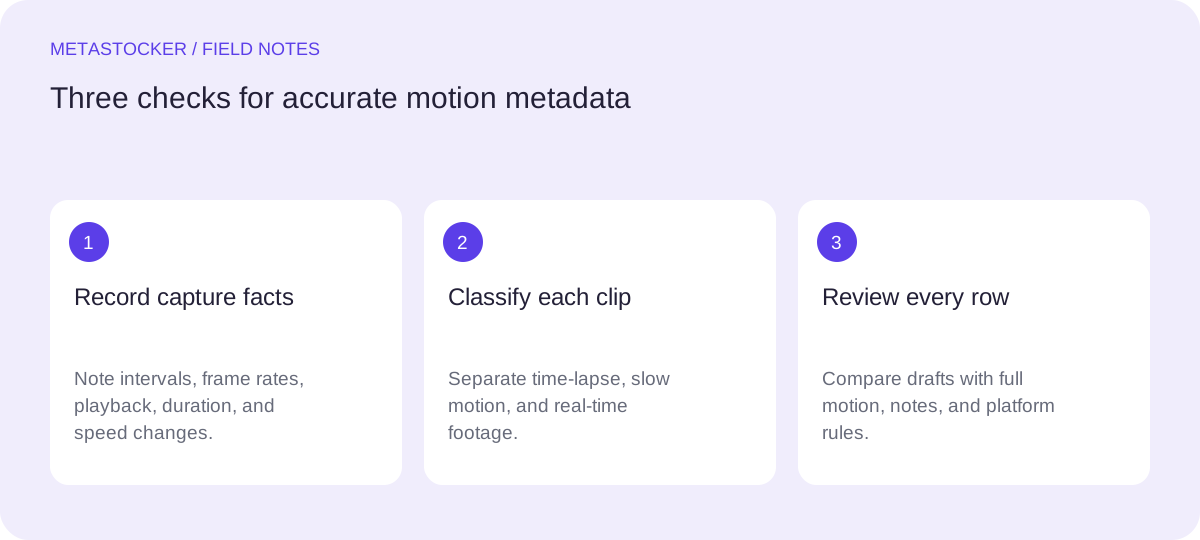
Start with production notes, not visual impressions
Before writing metadata, record what was actually captured and how it was delivered. Note the capture interval or frame rate, final playback rate, approximate duration, and whether the clip contains a speed change. These details distinguish a genuine time-lapse from an ordinary clip that merely looks fast.
For this hypothetical example, the photographer’s shoot notes say: Clip A shows the same city street from a fixed viewpoint for 24 hours, with 720 still frames captured at one frame every 120 seconds. The notes also document changing daylight from day to night, urban traffic, and pedestrians in Clip A. The frames are assembled into a 30-second video at 24 frames per second. Clip B shows one paper sheet falling with no other objects in frame, recorded at 120 frames per second and played at 24 frames per second. Clip C shows the same city street in real time with urban traffic and pedestrians, recorded at 24 frames per second and played at 24 frames per second. No speed ramp is applied to any clip.
- Use documented capture and playback facts.
- Treat a hypothetical scenario as an example, not as a measured result.
- Do not infer time-lapse or slow motion solely from visual drama.
Separate the three motion categories
Clip A is time-lapse because the long capture interval compresses a 24-hour period into 30 seconds. Appropriate concepts include time-lapse, passage of time, changing daylight, and urban traffic only if those elements are visible and documented. The keyword should describe the temporal method as well as the subject.
Clip B is slow motion because the camera records 120 frames per second and the footage is played at 24 frames per second. The paper’s fall is stretched across more playback time than it occupied during capture. Use slow motion, falling paper, and motion detail when they accurately describe the clip.
Clip C is ordinary real-time video. Do not call it time-lapse because it shows traffic or pedestrians moving quickly, and do not call it slow motion because the scene contains motion blur. If the metadata system has a useful term such as real time or normal speed, use it only when that wording fits the platform and the actual file.
- Time-lapse: long intervals compressed into a short sequence.
- Slow motion: high-frame-rate capture played back more slowly.
- Ordinary video: captured and played at the documented normal rate.
Build a factual title and description
Write a sentence or clear phrase that identifies the subject and motion treatment. Avoid turning the title into a pile of labels. A useful title for Clip A names the city street, the 24-hour change, and the time-lapse treatment. A title for Clip B should identify the falling paper and slow motion. Clip C should remain clearly real time.
Do not add a location, ownership claim, camera model, brand, person’s identity, or event that the notes do not establish. The notes say city street, but they do not identify a city, country, business, or owner. Keep those details out. If a marketplace’s current rules impose a title limit or language requirement, check the contributor portal before export; platform requirements can change.
- Describe what the footage shows and how motion was produced.
- Keep unknown location, identity, and ownership details out.
- Use the account or marketplace metadata language requirement.
Clip A title: 24-hour city street changing from day to night, time-lapse
Clip B title: Falling paper sheet captured in slow motion
Clip C title: City street traffic and pedestrians in real time
Choose keywords in layers
Start with the motion method, then add visible subject terms, setting terms supported by the notes, and broader concepts that genuinely fit. For Clip A, time-lapse is more important than a generic word such as video. For Clip B, slow motion and falling paper should lead. For Clip C, real time is useful only if buyers searching for normal-speed footage are part of the intended audience.
Avoid repeating the same idea in slightly different forms, such as time-lapse, timelapse, time lapse, and accelerated time, unless the platform’s rules and your judgment make each term genuinely useful. Do not add sunrise, sunset, night, traffic, or pedestrians unless the clip actually contains them. The worked Clip A includes a 24-hour day-to-night change in the notes; the other two clips should not inherit those terms just because they belong to the same shoot.
- Lead with the most specific accurate motion term.
- Add only visible or documented subjects and conditions.
- Review each file separately, even when clips share a location.
Clip A keywords: time-lapse, city street, day to night, changing daylight, urban traffic, pedestrians, passage of time, fixed viewpoint, 24 hours, street scene
Clip B keywords: slow motion, falling paper, paper sheet, motion detail, high frame rate, isolated object, slow fall
Clip C keywords: real time, city street, traffic, pedestrians, urban movement, street scene, normal speed
Handle platform limits and CSV carefully
Different marketplaces use different metadata fields and limits. Adobe Stock guidance allows up to 49 relevant keywords and emphasizes the first ten; its CSV documentation gives a current 70-character title limit, so a contributor should validate the current upload screen before relying on a template. Shutterstock’s guidance calls for English descriptive metadata, 7 to 50 relevant keywords, and at least one category. These rules are platform-specific, not universal.
If you export a CSV, match each filename exactly, including extension and case, and upload the assets before importing the metadata where the platform requires that order. Then inspect the resulting rows in the contributor portal. A CSV can reduce repeated typing, but it does not prove that a title is accurate or that a submission will be accepted. Check current contributor policies before publishing.
- Keep a separate row for Clips A, B, and C.
- Validate current title, keyword, language, and category rules.
- Inspect imported metadata before submission.
Use an AI generator as a draft assistant
A local metadata tool can help turn your notes into a first draft, but it cannot replace motion review. In MetaStocker’s local mode, inference runs in the visitor’s browser through WebGPU workers; the first model download needs internet, and downloaded browser files are not the same thing as a model loaded in memory. Video descriptions are based on sampled previews, so inspect the full motion yourself.
For this example, provide the batch description as factual context: “Clip A: 24-hour city street, 720 still frames at one frame every 120 seconds, assembled to 30 seconds at 24 fps. Clip B: paper sheet, 120 fps played at 24 fps. Clip C: 24 fps recorded and played at 24 fps. No speed ramps.” Generate drafts, compare each row with the files and notes, delete unsupported terms, and export only ready rows. The tool’s requested tag count is not proof of factual accuracy.
- Give the generator production facts, not blanket tags.
- Inspect full video motion after reviewing sampled previews.
- Edit every row before export.
Before you continue
- Write capture interval or frame-rate notes before metadata.
- Label time-lapse, slow motion, and real time according to production facts.
- Keep the same motion terms out of unrelated clips.
- Remove guessed locations, identities, brands, and ownership claims.
- Check current marketplace limits and language requirements.
- Match CSV filenames exactly and inspect imported rows.
- Review full motion before exporting AI-assisted metadata.
Sources and editorial approach
Prepared with AI assistance. Worked examples are illustrative. Automated checks do not replace checking the requirements of your stock platform. How these guides are made.