 MetaStocker
Titles & keywords
Transparent Background Metadata: PNG Alpha vs White Raster
A white-looking background does not prove that an image has transparency. A PNG may contain a real alpha channel, while another PNG may simply contain white pixels around the subject. That difference affects both the asset’s practical use and the words you should place in its title, description, and keywords. This guide uses one concrete example: a hypothetical 1200 × 1200 PNG showing a single coffee mug isolated against transparent pixels, plus a second 1200 × 1200 raster showing the same mug on a solid white background. The file properties and visible edge behavior are the evidence; do not add materials, ownership, location, or production details that the files do not establish.
Start with the file, not the preview
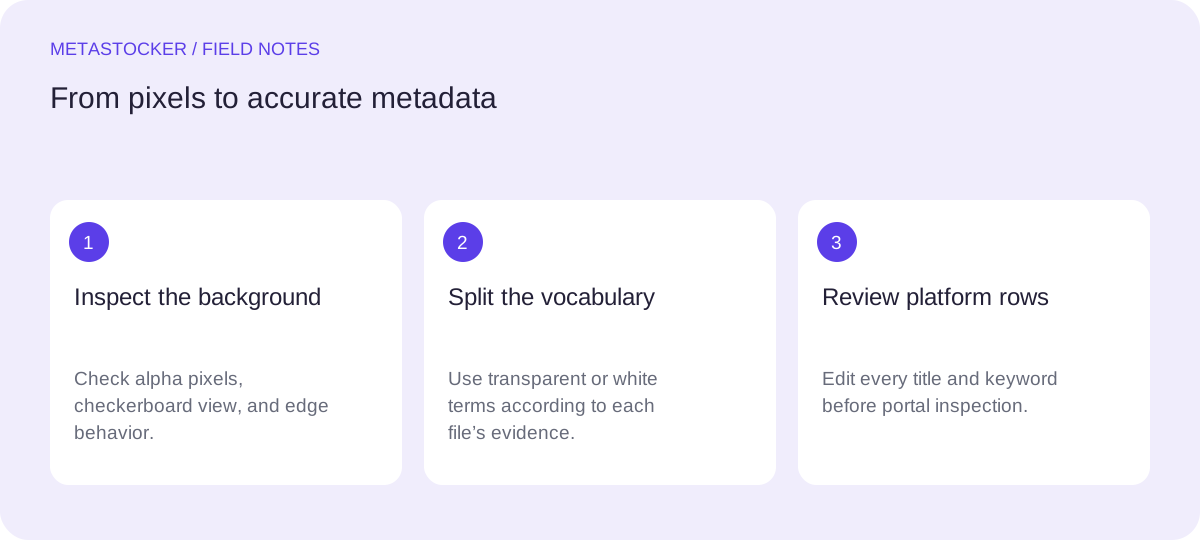
Open the image in an editor or viewer that displays a checkerboard for transparency. A checkerboard around the mug is only a display convention, but it is useful evidence that the file contains transparent pixels. Also inspect the image properties and place it over a contrasting temporary background if your software permits it.
For the worked example, the first file is described only as a PNG with a transparent area around the mug. The second is described as a raster with white pixels around the mug. Calling both files “transparent” would make the metadata inaccurate. A white page preview, thumbnail, or stock-site canvas cannot settle the question by itself.
- Use “transparent background” only when the file actually contains transparent pixels.
- Use “white background” when white pixels remain behind the subject.
- Do not infer that the mug is ceramic, handmade, new, or owned by a particular person unless the supplied information confirms it.
Example evidence record:
File: mug_alpha.png | format: PNG | background: transparent pixels
File: mug_white.png | format: PNG | background: solid white pixels
Describe the useful distinction
Metadata should tell a potential buyer what the asset shows and how it can be used, without promising a result. For the alpha file, “isolated mug” and “transparent background” are defensible if the inspection confirms them. For the white version, “isolated mug on white background” is more precise.
Avoid turning the title into a keyword list. Write a short descriptive phrase or sentence, then use keywords for relevant search concepts. The background is one attribute among several; it should not replace the subject, view, color, or intended visual concept when those are genuinely visible.
- Alpha-file terms: transparent background, isolated object, cutout, mug, drinkware.
- White-raster terms: white background, isolated object, mug, drinkware.
- Do not copy alpha terms onto the white version merely because the files depict the same object.
Example title pair:
Transparent PNG mug isolated on alpha background
Ceramic-looking mug isolated on white background
Use “ceramic-looking” only if the brief confirms the material; otherwise write “mug isolated on white background.”
Build metadata from confirmed evidence
For this example, the shared visual evidence is one mug centered on a square canvas. The background evidence differs. A conservative metadata set can therefore share the subject terms while keeping the background terms file-specific. If the color, handle, angle, or purpose is not supplied or clearly visible, leave it out.
Do not infer people, brands, logos, locations, or ownership from the image. If a label appears, check whether it is a relevant trademark or an unreadable shape before including anything. Marketplace policies and limits can change, so confirm the current contributor portal requirements before submission.
- Shared terms: mug, drinkware, isolated object, square composition.
- Alpha-only term: transparent background.
- White-only term: white background.
- Remove duplicated, vague, or unrelated tags.
Example keyword sets:
mug_alpha.png: mug, drinkware, isolated object, transparent background, cutout
mug_white.png: mug, drinkware, isolated object, white background
Keep platform rules separate
Adobe’s current metadata guidance allows up to 49 relevant keywords and recommends putting the most important terms early. The Adobe CSV requirements currently give a 70-character title limit for CSV titles; this is separate from the general recommendation to keep titles brief. Its metadata language must match the contributor account. A practical first group for the alpha file could begin with mug, transparent background, isolated object, and drinkware, provided each term is accurate.
Shutterstock currently describes a range of 7 to 50 relevant keywords and asks for an accurate descriptive title rather than a list. Envato limits depend on the item type. These are not universal rules, and one platform’s field structure should not be assumed to work everywhere. The portal must be checked before uploading.
- Treat marketplace search metadata as separate from Google website indexing.
- For a website, surrounding text and appropriate alt text describe the image to visitors and search systems.
- Neither marketplace keywords nor website image SEO guarantees ranking, traffic, or sales.
Use a generator, then review every row
MetaStocker can generate editable metadata locally in the browser using its confirmed local models and WebGPU workers. Local mode requires the first model download to use the internet; model memory and browser cache are different things. The app does not automatically upload or submit files, embed metadata into originals, or guarantee acceptance.
For the two example files, add a short batch description that states the confirmed task: “Create separate metadata for a mug PNG with real transparent pixels and a mug raster with a white background.” Because the batch contains mixed background states, review each generated row individually. Remove any invented material, brand, purpose, or transparency claim before exporting the selected platform format.
- Load the local model explicitly and begin with one parallel thread.
- Check the final title and every keyword against the actual file.
- Export only rows that are ready; inspect imported metadata in the contributor portal.
A repeatable decision workflow
The safest workflow is evidence first, wording second, platform validation third. If the checkerboard test and file inspection disagree, pause and resolve the file state before writing metadata. If the asset is flattened onto white, describe what exists rather than what the designer may have intended.
In the worked example, the alpha file receives transparency language and the white file does not. Both can retain the shared mug terms because they depict the same visible subject. This small separation prevents a buyer from expecting a cutout when the delivered file still contains a white rectangle.
Before you continue
- Confirm whether transparent pixels actually exist.
- Separate alpha-specific terms from white-background terms.
- Use a descriptive title, not a keyword list.
- Remove guesses about materials, brands, people, locations, and ownership.
- Check each platform’s current limits and language requirements.
- Review generated rows before exporting or submitting.
Sources and editorial approach
Prepared with AI assistance. Worked examples are illustrative. Automated checks do not replace checking the requirements of your stock platform. How these guides are made.