 MetaStocker
Titles & keywords
How to Write Stock Video Metadata From the Whole Clip
A stock video is more than its opening frame. A preview may show a kettle and a hand, but the useful metadata depends on what changes during the shot: the camera may move forward, steam may rise, and a hand may enter and interact with the object. If you describe only the first visible subject, buyers searching for motion-related footage may miss the clip. If you invent details that never occur, the metadata becomes misleading. This guide shows how to watch the whole clip, separate camera movement from subject action, and turn those observations into accurate titles and keywords. The example is hypothetical and created for this guide, not a measured result or a real customer file.
1. Establish what the clip actually shows
Watch the video once without writing keywords. Note the setting, main object, visible human action, lighting, and any clearly observable outcome. Avoid guessing ownership, identity, location, personal attributes, or anything outside the frame.
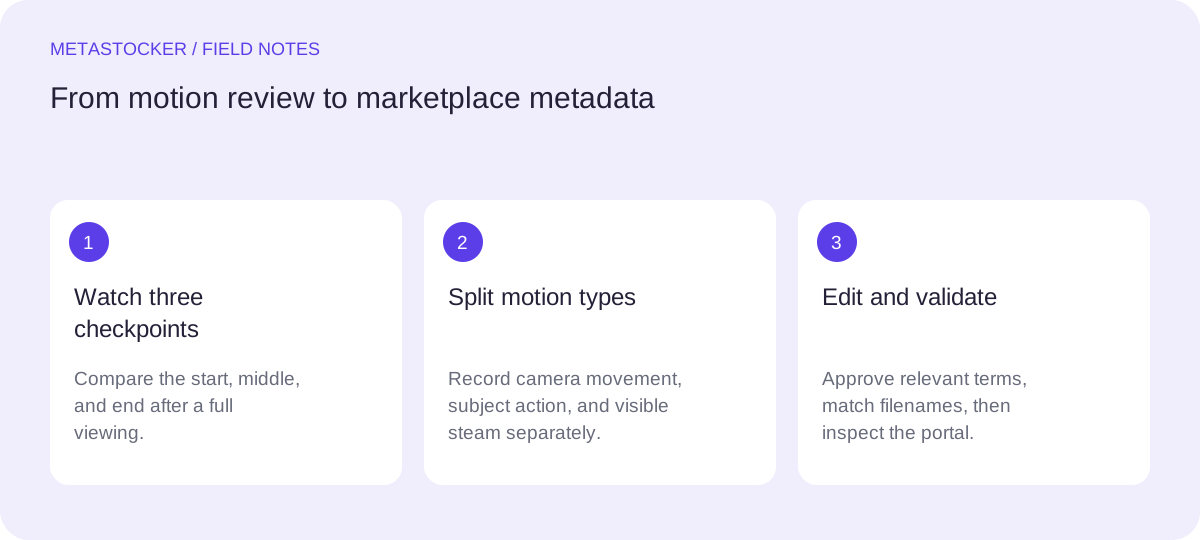
Then watch it again in three checkpoints: the start, the middle, and the end. These checkpoints are not a substitute for a full review; they are a simple way to prevent an opening-frame description from controlling the entire metadata set.
- Start: record the initial composition and camera state.
- Middle: record what enters, moves, or changes.
- End: record the final position and whether the action resolves.
2. Separate camera movement from subject action
Use different words for what the camera does and what appears in front of it. A push-in or forward camera movement describes the viewpoint changing. A hand entering the frame describes subject action. Steam rising describes visible environmental motion. These can all belong in one accurate description, but they should not be collapsed into a vague word such as “dynamic.”
Be cautious with technical labels. If the camera clearly moves toward the kettle, “slow push-in” may be appropriate. If you only see the kettle becoming larger and cannot tell whether the camera moved or the lens changed, use a safer phrase such as “the kettle fills more of the frame.”
- Camera: push-in, pan, tilt, tracking, or static, only when visible.
- Subject: hand enters, reaches, touches, lifts, or pours, only when shown.
- Environment: steam rises or drifts, only if that motion is visible.
3. Worked example: the kettle shot
Example: imagine a 12-second commercial-style clip. At the start, a steaming metal kettle sits on a countertop. From seconds 1 to 7, the camera slowly moves toward it. Around the middle, a hand enters from the right and reaches for the handle. By the end, the hand is holding the handle, while steam remains visible. The clip does not show a person’s face, a confirmed kitchen location, or the kettle being lifted.
A useful title leads with the main searchable concept and includes the meaningful motion: “Close-Up Push-In Toward Steaming Kettle as Hand Reaches for Handle.” It is descriptive rather than a list of disconnected tags. A shorter alternative may be preferable if the platform’s current title limit requires it.
Possible English keywords, reviewed for relevance, are: kettle, steaming kettle, steam, kitchen appliance, close up, push in, camera movement, hand, reaching, handle, countertop. Do not add “boiling” unless boiling is actually visible, and do not add “barista,” “tea,” or “coffee” unless the clip supports those terms.
Title: Close-Up Push-In Toward Steaming Kettle as Hand Reaches for Handle
Keywords: kettle, steaming kettle, steam, kitchen appliance, close up, push in, camera movement, hand, reaching, handle, countertop
4. Build the title and keyword order
Put the strongest concepts first: the principal object, the visible action, and the important camera movement. On platforms that prioritize early terms, the first ten keywords deserve special attention. They should describe the clip’s core content, not broad hopes about how someone might use it.
Keep metadata specific to this file. Repeating near-identical words consumes space without adding meaning. A title should read like a natural description, while keywords can include established phrases such as “camera movement” or “steaming kettle” when they accurately describe the footage.
Platform rules differ. For example, Adobe’s general keyword guidance allows up to 49 keywords, while Shutterstock requires 7 to 50 relevant keywords and at least one category. Check the current contributor portal before exporting or submitting, because policies and field requirements can change.
- Lead with the object and observable action.
- Reserve early keyword positions for the most important terms.
- Remove guesses, generic filler, and repeated variants.
5. Review AI-assisted metadata locally
MetaStocker’s local mode can generate draft metadata in the browser using a downloaded vision model, but video analysis is based on sampled previews. A sampled preview can miss the hand entering or misread the direction of movement. Treat the result as a starting draft, then compare every important term with the full clip.
The local model runs on the visitor’s device through WebGPU workers; the first model download needs internet. Loading a model into memory is different from keeping downloaded files in browser cache. You can unload a model from memory while retaining cached files, but browser storage may be evicted. Begin with one local thread, and test additional parallel threads only if the device handles them reliably.
For the kettle example, edit a generated phrase such as “hot kettle in kitchen” if it omits the push-in and reaching hand. Conversely, delete “pouring tea” if no pouring occurs. The goal is not to accept the exact requested number of tags; it is to approve only relevant terms.
6. Export carefully for each marketplace
Before exporting, inspect the editable title, keywords, and any category field per file. A CSV is a mapping between filenames and metadata; it is not a submission. For Adobe, upload the assets first if using its CSV workflow, and make sure filenames, extensions, and case match exactly. Then inspect the imported metadata in the contributor portal.
Do not assume one CSV format serves every marketplace. Envato and other platforms may use different fields or limits. MetaStocker can export formats for Adobe, Envato, Shutterstock, and Freepik, but the exporter does not upload files, submit them, guarantee acceptance, or embed metadata into the original video. Check the current contributor requirements before final submission.
- Keep the original video unchanged and retain an editable metadata copy.
- Validate filename matching and platform-specific limits.
- Inspect the portal after import and correct any shifted fields.
Before you continue
- Watch the complete clip, then compare start, middle, and end.
- Describe camera movement separately from subject action.
- Use only visible facts; do not infer identity, location, or intent.
- Put the strongest concepts early in the title and keyword list.
- Review every AI-generated term against the full video.
- Check current marketplace rules before exporting or submitting.
- Inspect imported metadata in the contributor portal.
Sources and editorial approach
Prepared with AI assistance. Worked examples are illustrative. Automated checks do not replace checking the requirements of your stock platform. How these guides are made.