 MetaStocker
Titles & keywords
How to Keyword Weather in Stock Photos Accurately
Weather metadata works best when it separates what the image shows from what the photographer can document. Wet pavement is not automatically rainfall; a grey sky is not proof of a storm; and a winter-looking scene does not establish a calendar season by itself. This guide uses one concrete example to show how to write accurate English metadata for a stock image, then review it before export. The example is hypothetical and is not a measured result or a real customer submission.
Start with the photographer’s notes
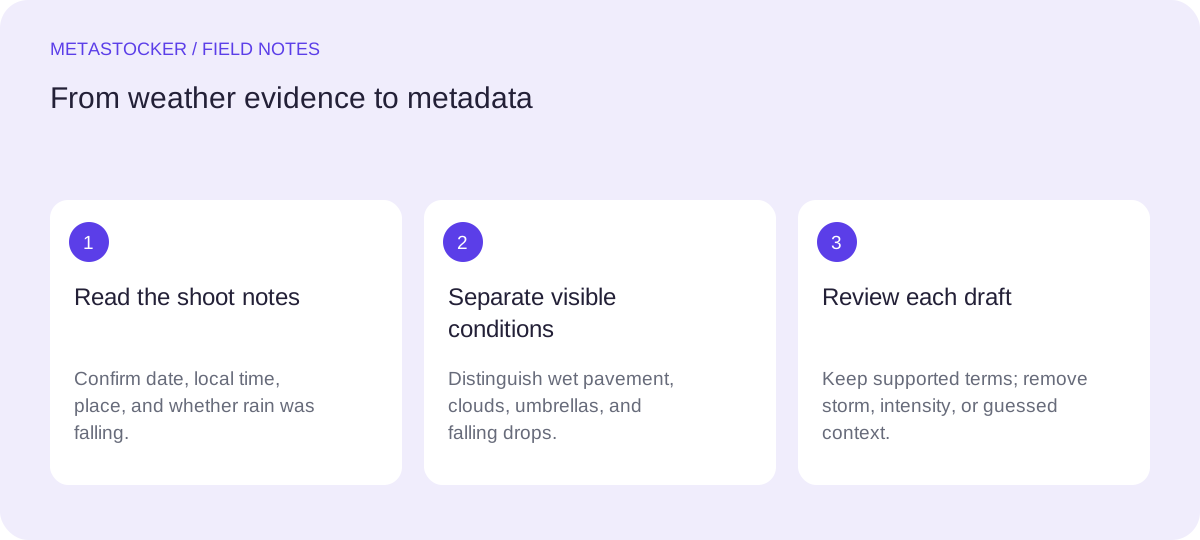
Before writing a seasonal or time-based claim, state the nonvisual facts supplied by the shoot notes. In this worked example, the photographer records: the image was made in Bristol, United Kingdom, on 14 October 2026 at 07:35 local time; the pavement had been wet before the exposure; no rain was falling while the camera was recording; and the scene contains a bicycle, a row of brick buildings, and a person holding a transparent umbrella. These notes are evidence for location, date, time, and the absence of active rainfall. They do not prove that the umbrella was being used because of rain.
The visible evidence remains separate: reflective pavement, overcast light, water-darkened bricks, a bicycle, and a transparent umbrella. Keep the notes available when metadata is reviewed, but do not turn every note into a visual claim.
Wet pavement is not active rain
Use “wet pavement” or “wet street” when the ground visibly reflects light or carries water. Use “rainfall,” “raining,” or “rain streaks” only when falling drops are actually visible or confirmed by reliable notes. In the example, the correct central idea is a wet urban street, not an urban street in rainfall.
This distinction prevents a common metadata error: describing a likely cause as if it were visible evidence. An umbrella alone is also insufficient. It may be a prop, protection from earlier rain, or simply part of the scene. If droplets are visible on the umbrella, describe that detail; otherwise keep the wording neutral.
- Prefer visible conditions over guessed causes.
- Use “after rain” only when the notes explicitly document earlier rainfall.
- Do not use “heavy rain” without clear evidence.
Handle time and season conservatively
The shoot note supports “morning” because 07:35 local time is recorded. It supports “October” and a 2026 date, but a contributor should check the destination’s current rules before deciding whether a precise date belongs in commercial metadata. “Autumn” is supported by the documented October date in this example, not by the color of the pavement or the grey light.
If the notes had only said “early morning,” use that wording rather than inventing a clock time. If no date was recorded, avoid “autumn” unless another reliable source establishes it. Seasonal labels can be useful search concepts, but they should remain traceable to documentation or unmistakable context.
Build a precise title and keyword set
Write a sentence-like title that identifies the main subject and condition. Do not turn the title into a pile of search terms. For platforms that prioritize early keywords, put the strongest concepts first and keep every term relevant to this individual file. Platform limits and language rules can change, so check the current contributor portal before submission.
For the hypothetical example, the target platform requires English metadata. The language of this guide does not change that requirement. A concise English title can include the documented morning and autumn context while keeping wet pavement as the visible center of the description.
Title: Wet pavement on a Bristol street on an autumn morning
Keywords: wet pavement, wet street, urban street, reflective surface, morning, autumn, Bristol, brick buildings, bicycle, transparent umbrella, overcast, city, travel, weather
Worked review: remove unsupported claims
Now inspect the example as if it were ready for export. “Wet pavement” is visible. “Morning,” “autumn,” and “Bristol” are documented. “Active rainfall,” “storm,” “heavy rain,” “after rain,” and “winter” are not supported, so they should be removed. “Commuter” should also be removed unless the person’s purpose is known.
This review demonstrates the tradeoff: a shorter, defensible set is more useful than a larger list containing plausible but unverified ideas. The goal is not to describe everything weather might mean. It is to describe what this file can honestly represent and what a buyer can find from accurate terms.
Use MetaStocker as a draft, then verify
MetaStocker’s free local mode can generate draft metadata in the browser using local vision and thinking models. The default local model is Gemma 4 E2B; the first model download needs internet, and loading model memory is different from retaining downloaded browser cache. Local inference stays on the visitor’s device. Begin with one local parallel thread and review the editable result file by file.
Give batch description context only when it applies to every image. For a mixed weather batch, separate prompts or per-file review are safer than blanket tags. The app accepts images and sampled video previews, but a person must inspect full video motion. Its exporter can create platform CSVs; it does not upload or submit them, guarantee acceptance, or embed metadata into originals.
- Confirm the preview actually shows falling rain.
- Check every generated time, season, and place term.
- Export only rows you have reviewed.
- Recheck current marketplace requirements before upload.
Before you continue
- Record the photographer’s reliable date, time, and location notes.
- Separate wet surfaces from visibly falling rain.
- Use season and time only when documented or unmistakable.
- Keep unsupported causes, intensity, identities, and occupations out of metadata.
- Put the most important relevant concepts early where the platform recommends it.
- Review generated fields per file before exporting a CSV.
- Inspect the current contributor portal because marketplace policies can change.
Sources and editorial approach
Prepared with AI assistance. Worked examples are illustrative. Automated checks do not replace checking the requirements of your stock platform. How these guides are made.