 MetaStocker
Titles & keywords
How to Keyword a Stationery Overhead Flat Lay
A top-view stationery flat lay is easy to describe badly: “office supplies,” “desk,” and “background” say little about the actual image. Useful metadata identifies the objects, arrangement, viewpoint, visual space, and plausible design use without inventing a story. This guide shows how to turn one concrete stationery photograph into a precise title and keyword set.
Example shoot notes: the photographer confirms that the image is a flat lay photographed from directly overhead. The frame contains one blue notebook, one black ballpoint pen, three yellow sticky notes, and two silver paper clips arranged on a light neutral surface. The left third is intentionally left open as copy space. These notes establish the objects and composition; they do not establish a location, owner, brand, material, or business context.
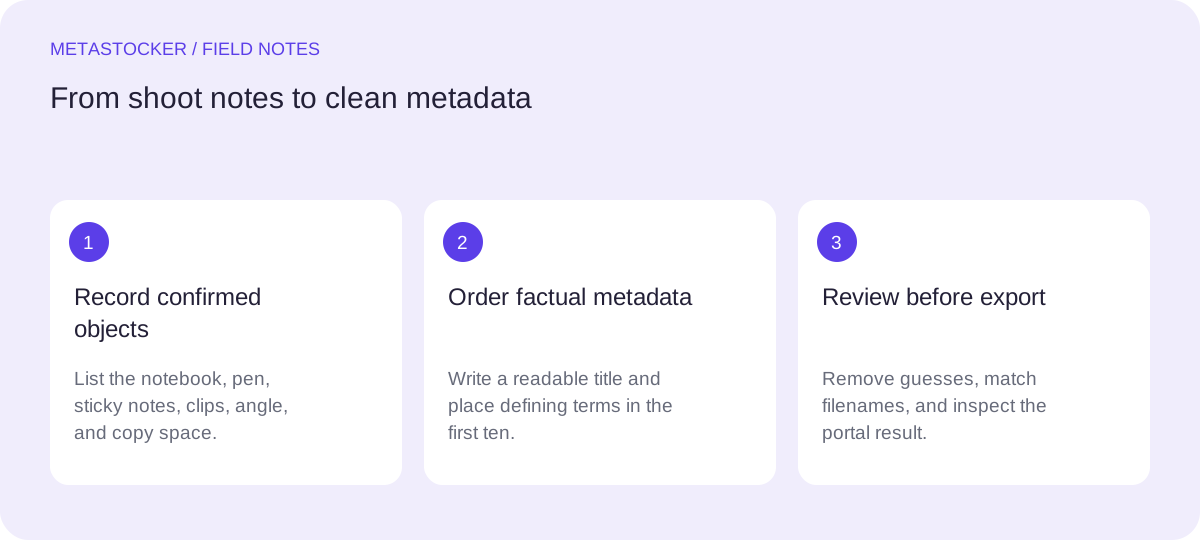
Start with what the camera actually shows
Separate visible evidence from interpretation. “Notebook,” “pen,” “sticky notes,” “paper clips,” “top view,” and “copy space” describe observable content or composition. “Student desk,” “creative agency,” “metal stationery,” and “back-to-school campaign” add claims that the supplied notes do not verify.
A practical first pass is to write one factual sentence before opening a keyword tool. This prevents a broad batch description or an attractive concept from replacing the image itself. If an object is only partly visible or its type is uncertain, use a broader accurate term or omit it.
- Record confirmed objects before adding concepts.
- Use “top view” or “overhead” only when the camera angle supports it.
- Do not infer ownership, profession, location, age, or identity.
Example factual sentence: “Overhead arrangement of a blue notebook, black ballpoint pen, yellow sticky notes, and silver paper clips on a light neutral surface, with open copy space on the left.”
Build a title as a readable description
A title should read like a short description, not a pile of search terms. Put the main subject and viewpoint near the beginning, then add the most useful objects and the copy-space feature. A clear title can serve both a reviewer and a customer deciding whether the image fits a layout.
For Adobe Stock, the current guidance says titles should be brief, clear, and accurate, ideally under 70 characters, while its general keyword guidance allows up to 49 relevant keywords. Keep one metadata language matching the contributor account. For Shutterstock, use a descriptive phrase and tailor keywords to the individual work; check the current contributor portal before submission because platform policies can change.
- Lead with the image subject, not an abstract use case.
- Keep the title factual and readable.
- Avoid brand names, personal information, and unsupported context.
Worked title example: “Stationery flat lay with notebook and copy space”
Order the first ten keywords deliberately
The first terms should answer the most immediate search questions: what is shown, how is it photographed, and what layout feature matters? For this example, “stationery” and “flat lay” are stronger opening terms than a generic color or an imagined audience. Adobe specifically gives extra importance to the first ten keywords, so use that space for the image’s defining facts.
A sensible sequence is subject, composition, viewpoint, principal objects, then color or design attributes. Do not repeat singular and plural variants merely to fill space. A keyword should earn its place by describing this file or a clear concept represented by it.
- Prioritize subject and composition before minor details.
- Use “copy space” because the open area is deliberate and visible.
- Add colors only when they help identify the depicted objects.
First ten example keywords: stationery, flat lay, overhead, top view, copy space, notebook, pen, sticky notes, paper clips, office supplies
Add useful concepts without turning them into claims
After the literal terms, consider accurate design concepts such as workspace, organization, planning, reminder, writing, communication, or background. These describe likely uses or visual associations, not a guaranteed customer intent. Keep them only when the arrangement supports them and remove any term that changes the meaning of the photograph.
For example, “planning” is defensible because sticky notes and a notebook commonly represent planning, but “student,” “teacher,” “startup,” or “corporate” would assign an unverified audience or setting. “Minimal” may be suitable if the uncluttered arrangement visibly supports that description; do not use it simply because the file has few objects.
- Treat conceptual keywords as secondary to visible evidence.
- Remove audience, occupation, and event terms unless confirmed.
- Avoid near-duplicates and keyword stuffing.
A restrained extended set could include: workspace, organization, planning, reminder, writing, communication, background, minimal, yellow, blue, neutral, design, template, presentation
Use a local generator as a draft assistant
MetaStocker’s local mode runs supported vision and thinking models in WebGPU workers in the visitor’s browser. The first model download needs internet, and model memory is different from a downloaded browser cache. A model can be unloaded from memory while its files remain cached, but storage can be evicted; do not treat this as a permanent offline guarantee.
Load one local parallel thread first, then test two if the device remains comfortable. Give the batch description only confirmed facts from the shoot notes. The generator can propose titles, keywords, and platform CSV outputs, but it does not establish truth. Review every row, especially extra tags and any concept that sounds like a location, identity, brand, or material claim. Only export rows that are ready.
- Use a factual batch description, not blanket tags for mixed images.
- Review the editable result per file.
- Remember that exact tag counts do not prove relevance or accuracy.
Safe batch context example: “Directly overhead stationery flat lay: one blue notebook, one black ballpoint pen, three yellow sticky notes, two silver paper clips, light neutral surface, open copy space on the left.”
Check the file and the platform before export
If you prepare a CSV, filenames must match the uploaded assets exactly, including extensions and case for platforms that require that mapping. Upload the assets before importing the CSV, then inspect the resulting metadata in the contributor portal. A CSV is a transfer format, not proof that the platform will accept the content.
For this example, remove a keyword such as “wooden” if the surface material was not confirmed, and remove “school” if no educational context was supplied. If the target platform requires English metadata, keep the title and keywords in English even when the surrounding editorial instructions are Russian. Check current item-specific limits and fields before final submission.
- Match filenames exactly where the platform requires it.
- Inspect imported metadata rather than assuming the CSV mapped correctly.
- Check current portal rules, keyword limits, and required categories.
Final review question: “Can I point to the object or composition feature represented by every retained term?”
Before you continue
- Write the confirmed objects and composition before generating metadata.
- Put the subject, flat-lay viewpoint, and copy space near the front of the title or keyword list.
- Keep the first ten keywords especially specific and relevant.
- Remove inferred ownership, profession, location, material, brand, and event claims.
- Review generated rows individually and inspect imported CSV metadata in the portal.
- Check current platform requirements before submitting; accurate metadata does not guarantee ranking, sales, or acceptance.
Sources and editorial approach
Prepared with AI assistance. Worked examples are illustrative. Automated checks do not replace checking the requirements of your stock platform. How these guides are made.