 MetaStocker
Titles & keywords
How to Write Metadata for Slow-Motion Water Footage
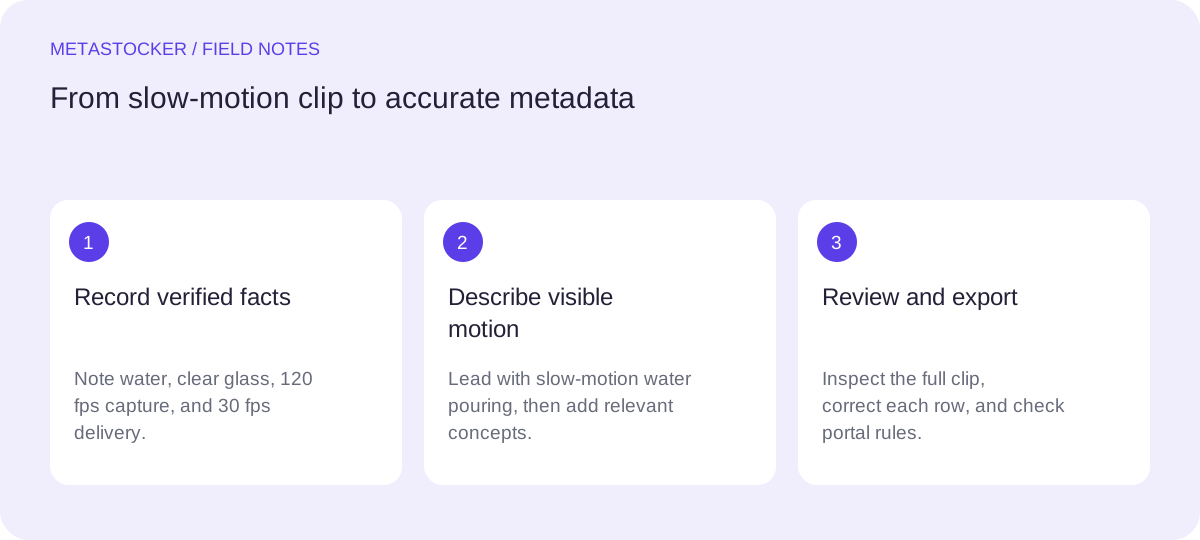
Slow motion is a viewing effect, while frame rate is a technical fact. Good stock metadata should describe what a buyer can see and mention capture specifications only when they are verified and relevant to the marketplace field. This guide uses one hypothetical worked example. The shoot notes for that example state: water is poured into a clear glass, the footage was captured at 120 frames per second, and the delivered clip is interpreted at 30 frames per second. These notes are not visual guesses. They are the only basis for the frame-rate details used below.
Separate the visual subject from the technical specification
Start with the action visible in the clip: a stream of water entering a clear glass. The phrase “slow motion” describes how the movement is presented to the viewer. “120 frames per second” describes capture, and “30 frames per second” describes the stated delivery interpretation. They are related, but they are not interchangeable.
Do not call a clip 120 fps merely because the water looks slow. Conversely, do not omit the visible action by filling the title with camera specifications. A buyer searching for pouring water usually needs the subject and motion first; a technical editor may need frame-rate information in a dedicated platform field that permits it.
- Describe visible action before camera technology.
- Use frame-rate numbers only when confirmed by production notes.
- Do not infer container, location, person, or purpose from pixels.
Write a concise, searchable title
Make the title a natural description rather than a keyword list. For the worked example, a practical title is: “Slow motion stream of water pouring into a clear glass.” It identifies the action, subject, presentation, and object without claiming a location or a human identity.
If a platform imposes a title limit, shorten the wording while preserving the central action. Adobe’s current guidance favors brief, clear titles and permits up to 49 relevant keywords; its current page also notes that the first ten keywords receive particular attention. Treat those as platform requirements to check, not as a promise of placement or sales.
- Lead with the action: slow motion and pouring water.
- Keep the title sentence-like and readable.
- Remove camera details from the title unless the platform specifically needs them.
Title: Slow motion stream of water pouring into a clear glass
Build keywords from what buyers can verify
Create keyword groups in descending importance. The first group can cover the subject and action: water, pouring water, water stream, liquid, glass. The second can describe motion: slow motion, fluid movement. Add broader concepts only when the clip supports them.
Do not add “120 fps” and “30 fps” as visual synonyms for slow motion. If a marketplace has a separate technical field, enter the verified values there. If it does not, leave those specifications out of the marketplace metadata rather than forcing them into a description or generic keywords. Review every term for this individual file and remove repetition or unrelated concepts.
- Use precise compounds such as “water stream” when accurate.
- Keep technical numbers separate from visual search terms where possible.
- Avoid claims about a drink, recipe, brand, or location not present in the notes.
Priority keyword draft: water, pouring water, water stream, slow motion, clear glass, liquid, fluid movement
Worked example: turn notes into platform-ready metadata
The hypothetical clip has one clear subject and one confirmed technical distinction. The visible description is water entering a clear glass. The shoot notes contain capture and delivery specifications, but this Shutterstock metadata example keeps those details out of the title, description, and keywords. If a platform provides a dedicated field for them, use that field. The metadata therefore gives the action priority and avoids presenting technical details as visual evidence.
This is a draft, not a measured marketplace result. Before submission, compare it with the current portal rules. Shutterstock’s guidance calls for accurate descriptive metadata, 7–50 relevant keywords in English, and at least one category. Adobe requires metadata language to match the contributor account. Requirements can change, so the contributor portal remains the final check.
- Title: Slow motion stream of water pouring into a clear glass.
- Description: Water pours into a clear glass in slow motion.
- Keywords: water, pouring water, water stream, slow motion, clear glass, liquid, fluid movement.
Filename: water-pour-01.mp4
Title: Slow motion stream of water pouring into a clear glass
Description: Water pours into a clear glass in slow motion.
Keywords: water, pouring water, water stream, slow motion, clear glass, liquid, fluid movement
Category: Select at least one relevant category
Use generators as drafting help, then inspect the motion
MetaStocker’s local mode can generate draft metadata in the browser using a downloaded model, but video analysis is based on sampled previews. That means the draft cannot replace watching the full clip. Local model memory is different from a downloaded browser cache: unloading a model may retain cached files, and browser storage can later be evicted.
For this example, keep the shoot-note facts with the batch context or edit them into the result only after checking the file. Do not use a blanket instruction such as “add slow-motion keywords” for unrelated clips in the same batch. Review each row, correct unsupported wording, and export only rows that are ready.
- Inspect the complete water movement, not only sampled previews.
- Treat generated frame-rate wording as a draft until verified.
- Remember that the exporter does not upload or submit the file.
Check marketplace fields before export
A CSV is a mapping between filenames and metadata, not proof that a marketplace will accept the submission. If using Adobe’s CSV workflow, upload the assets first, preserve the exact filename including extension and case, and inspect the imported metadata in the contributor portal. Other marketplaces may use different fields or limits.
For a Russian-language workflow, the interface language and metadata language are separate decisions. If the target marketplace requires English metadata, keep the example title and keywords in English even while your notes or editing process are Russian. Do not assume Google website indexing rules control internal stock-search metadata; they are different systems.
- Check the current portal rules and field limits.
- Match filenames exactly when a CSV is used.
- Confirm the intended metadata language before export.
Before you continue
- Read the full clip and confirm the visible action.
- Record frame rate only from verified shoot or export notes.
- Use a sentence-like title focused on pouring water.
- Keep the first keywords precise and relevant.
- Review every generated field before exporting.
- Check the current marketplace portal before submission.
Sources and editorial approach
Prepared with AI assistance. Worked examples are illustrative. Automated checks do not replace checking the requirements of your stock platform. How these guides are made.